Getting started with the page builder
Where the page builder opens from, and every guide in this section grouped by getting around the editor, page types and elements A to Z.
The page builder is the drag-and-drop editor for your storefront. You add elements to a canvas, arrange them in sections and style them to match your brand, with no code. For your homepage, go to Storefront, then Themes, and click Customize. For any other page, go to Storefront, then Pages, and click the page. Headers and footers live under Storefront, then Templates.
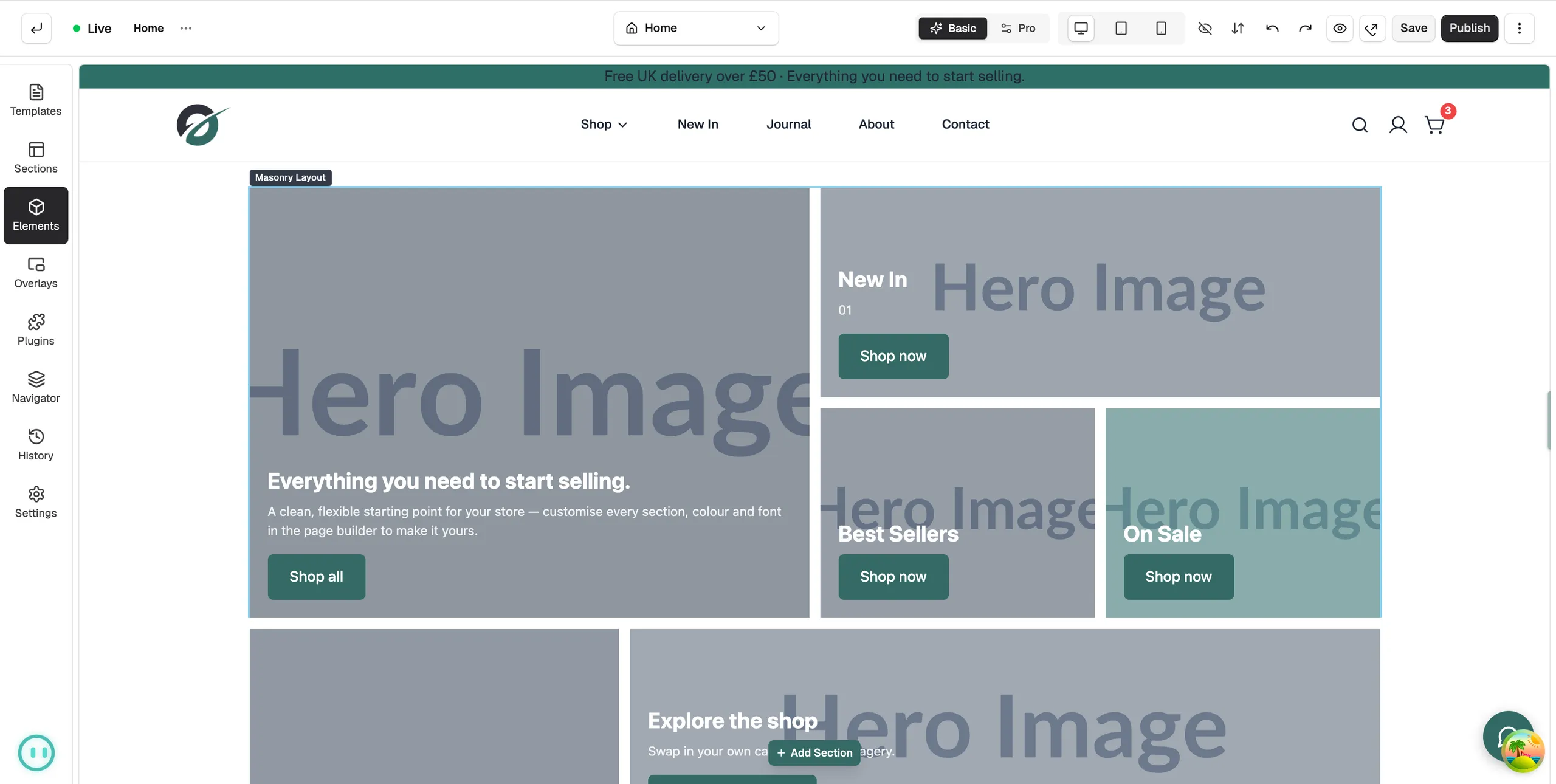
The guides in this section are grouped below. Start with the first group if the editor is new to you.
Getting around the editor
- Adding and arranging elements
- Building pages with sections and columns
- Using the element settings panel
- Using the Navigator
- Undoing changes and restoring versions
- Reusing layouts with templates and saved sections
- Saving, previewing and publishing a page
Page types
- Designing your 404 page
- Designing your account dashboard
- Designing your blog pages
- Designing your cart page
- Designing your category pages
- Designing your order confirmation page
- Designing your product page template
- Designing your search results page
Elements A to Z
- Adding an accordion
- Adding an account icon
- Adding an alert banner
- Adding an announcement bar
- Adding a before and after slider
- Adding a blog listing
- Adding a brand list
- Adding a breadcrumb trail
- Adding a button
- Adding a category grid
- Adding custom code
- Adding columns
- Adding a contact form
- Adding a content block
- Adding a countdown timer
- Adding a counter
- Showing a custom field on a product page
- Adding a divider
- Adding an FAQ
- Adding a feature list
- Adding a Google Map
- Building a header with the Header Builder
- Adding a heading
- Adding an icon
- Adding an image
- Adding an image gallery
- Adding an Image with Text element
- Adding a Lightbox element
- Adding your logo with the Logo element
- Adding a Marquee element
- Building a banner grid with the Masonry Layout element
- Adding a Menu element
- Building a menu with the Menu Builder element
- Adding a Mini Cart element
- Adding a newsletter signup form
- Adding payment icons
- Adding a plugin widget
- Adding a product grid
- Adding a progress bar
- Adding a search box
- Adding a section
- Adding a shoppable image
- Adding a slider
- Adding social icons
- Adding a spacer
- Adding a star rating
- Adding a table
- Adding tabs
- Adding testimonials
- Adding a Text element
- Adding a Video element
Was this helpful?
0 people found this helpful