Product page elements: the full list
What each of the 28 Single Product elements does, from Product Title and Add to Cart to the subscription, booking and plugin elements.
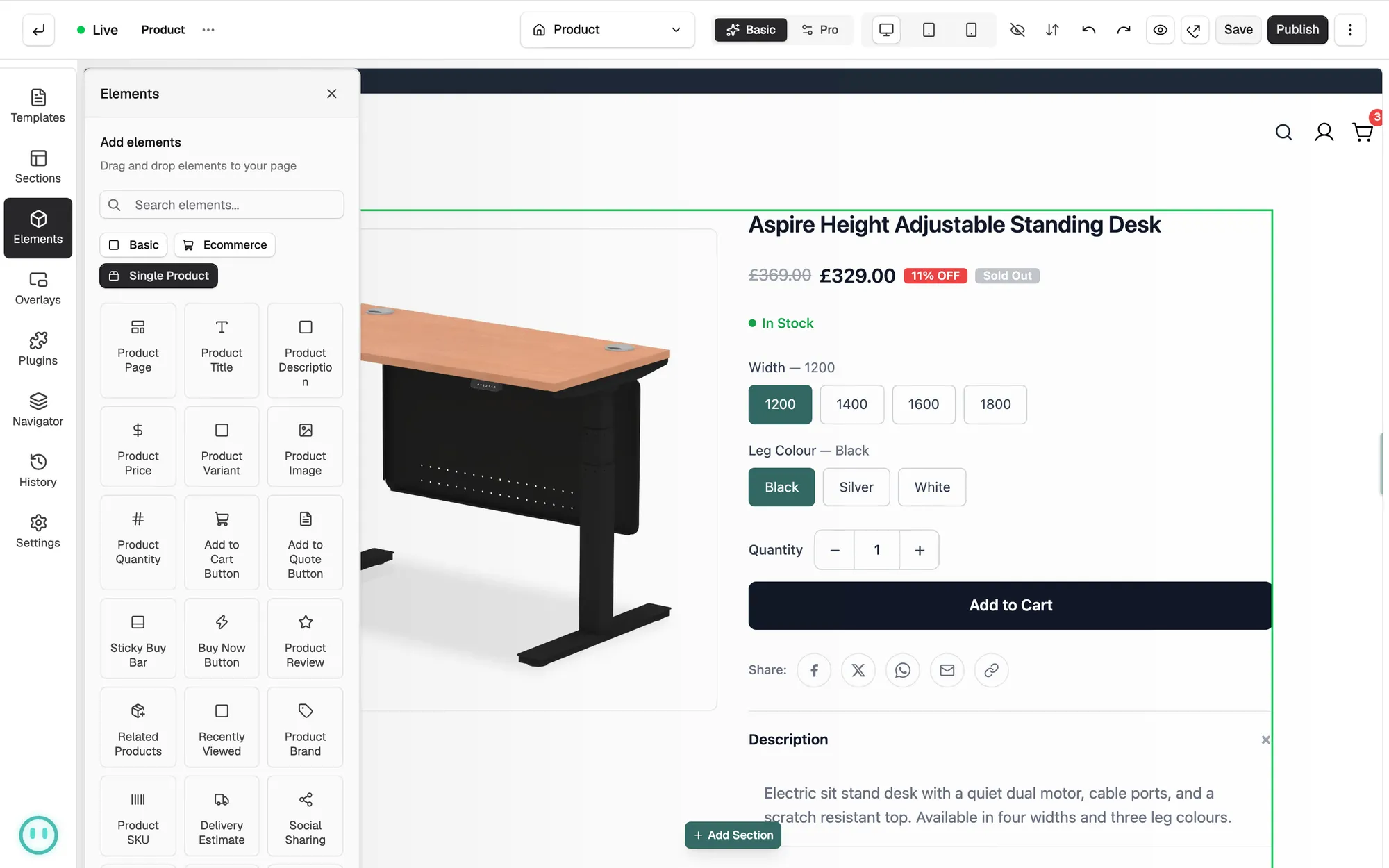
Your product page template is the layout every product in your store uses. You build it once in the page builder, and each product fills in its own title, price, images and options. When you edit a product template, the Elements panel gets an extra tab called Single Product. It holds 28 elements that read from the product being shown. This page says what each one does. To open or create a template, see Designing your product page template.
Considerations
- The Single Product tab only appears while you are editing a product page template. On other pages it is not there.
- Product Subscription Plans and Product Billing Cycle only fill in for a product that has subscription plans.
- Service Booking Calendar and Product Service Deposit only fill in for service products.
- Product Download Link only shows the sample files marked public on a digital product.
- PDF Download Button, Product Features and 3D Configurator need their plugin installed. Without it the element has nothing to show.
- Specifications and Custom Field also print product data, but they sit in the Ecommerce tab, not Single Product.
Product details
- Product Page: the whole product layout in one block, with images, title, price, variants and Add to Cart built in. See Designing your product page template.
- Product Title: the name of the product.
- Product Description: the full product description.
- Product Price: the price, with the sale badge when a compare-at price is set.
- Product SKU: the product code. It changes when the shopper picks a different variant.
- Product Stock: the stock status. It also changes with the variant.
- Product Brand: the brand as a name, a logo, or both. See Adding and managing brands.
Buying
- Product Variant: the option picker for size, colour and so on, as a dropdown or as buttons.
- Product Quantity: the quantity selector.
- Add to Cart Button: adds the product to the basket. You can style each button state.
- Buy Now Button: skips the basket and goes straight to checkout.
- Sticky Buy Bar: a buy bar fixed to the bottom of the screen as the shopper scrolls.
- Delivery Estimate: the estimated delivery date for the product.
Media, reviews and sharing
- Product Image: the product's image gallery.
- Product Review: reviews and ratings for the product. It picks up your review plugin when one is installed. See Collecting product reviews.
- Social Sharing: buttons that share the product to social platforms.
Finding more products
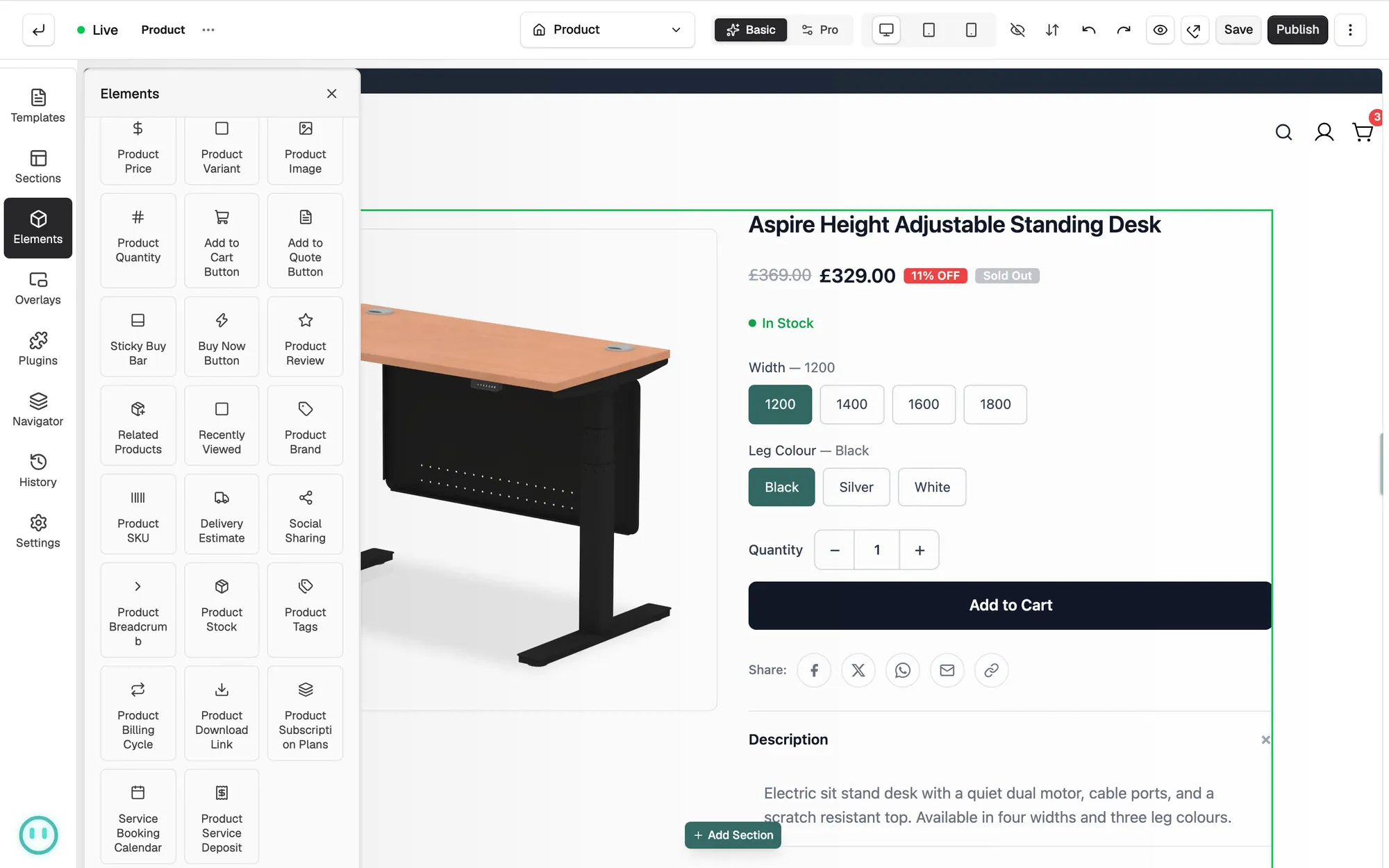
- Product Breadcrumb: the trail that shows where the product sits in your store.
- Related Products: a row of recommendations, so shoppers see what else you sell.
- Product Tags: the product's tags as clickable pills. See Adding tags to a product.
Subscriptions, bookings, downloads and quotes
These six elements each need something set up on the product first. Adding subscription, booking, download and quote elements to a product page covers all of them.
- Product Subscription Plans: plan cards the shopper picks from before adding to the basket.
- Product Billing Cycle: the billing cycle line for a subscription product, such as how often it renews.
- Service Booking Calendar: a date and time picker for a service product.
- Product Service Deposit: the deposit and balance breakdown for a service product.
- Product Download Link: download buttons for a digital product's public sample files.
- Add to Quote Button: adds the product to a signed-in customer's quote instead of the basket.
Note: Most of these hide on products that do not fit, so one template can carry them all. A booking calendar on a physical product has nothing to show.
Plugin elements
- PDF Download Button: downloads a branded PDF spec sheet for the product. Needs the Product Sheets plugin. See Creating PDF spec sheets and catalogues.
- Product Features: feature highlights for the product, taken from the feature set that applies to it. Needs the Product Features plugin. See Showing feature highlights with Product Features.
- 3D Configurator: a 3D viewer with live option changes and AR on a phone. Needs the 3D Product Configurator plugin. See Setting up the 3D Product Configurator.
Related guides
Was this helpful?
0 people found this helpful