Adding tags to a product
Add, create and remove product tags in the product editor, and learn which Orbit features use tags to pick out groups of products.
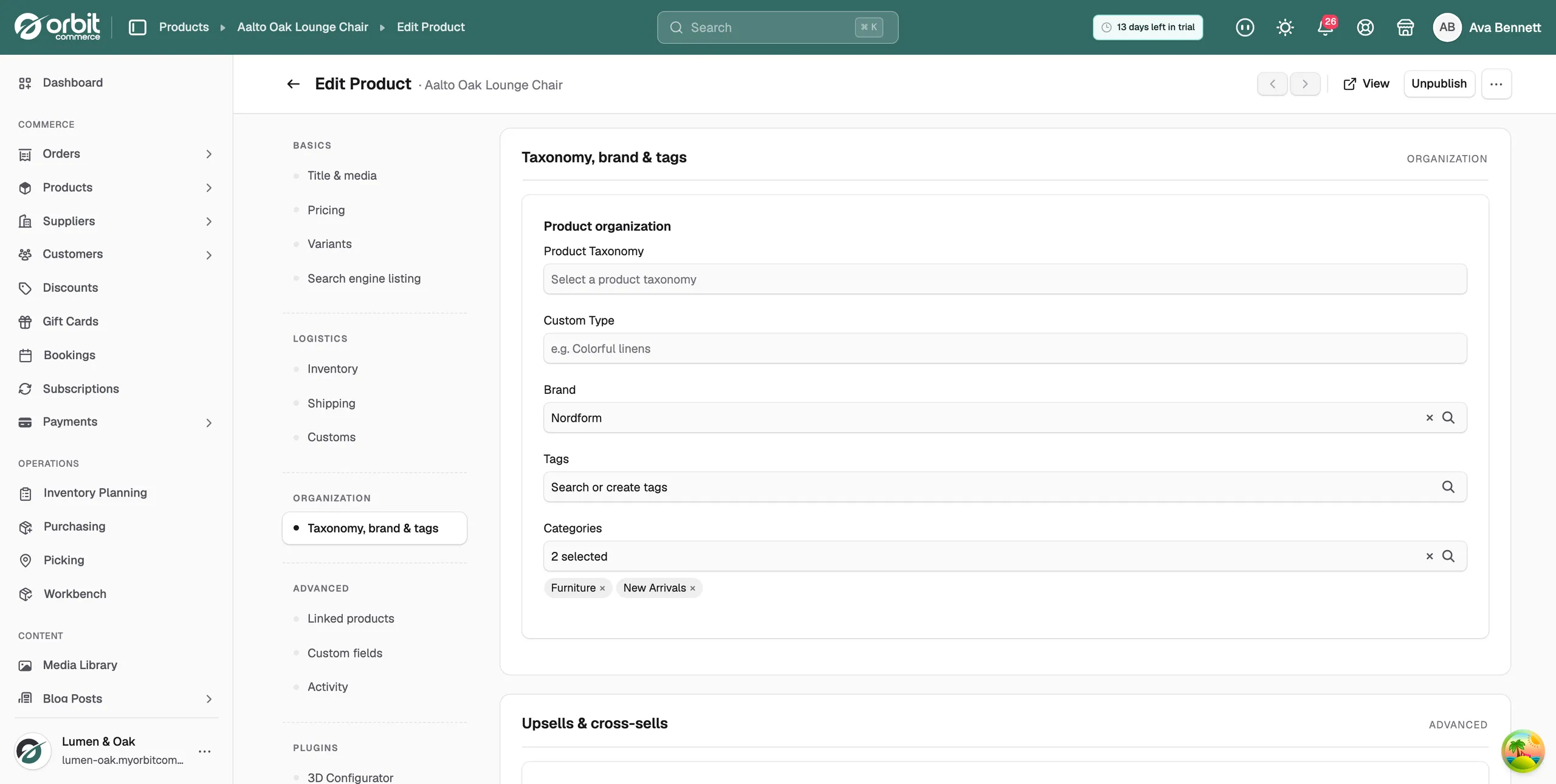
Tags are labels you add to a product. You set them in the product editor, under Taxonomy, brand & tags. Customers do not see tags. Other parts of Orbit use them to pick out a group of products at once.
Considerations
- Product tags are separate from the tags you add to customers. This guide covers product tags only.
- A product can have many tags, and a tag can sit on many products.
- Tags are case-sensitive. trade-only and Trade-Only are two different tags.
Add tags to a product
- From your Orbit dashboard, go to Products.
- Open the product you want to tag.
- In the menu on the left, click Taxonomy, brand & tags.
- Under Tags, click the Search or create tags field.
- Type part of a tag name. Matching tags appear in the list.
- Tick each tag you want. The field shows how many you picked, for example 2 selected. The tag names sit below the field.
- Click Save at the bottom right. The message Product updated appears.
Tip: Pick a naming style early and stick to it, such as lowercase with hyphens: trade-only, black-friday. Tidy tags make reliable rules.
Create a new tag
- In the Tags field, type the new tag name.
- If no tag matches, the list shows No tags found and a row that reads Add "your tag name".
- Click the Add row. The tag is created and added to the product.
- Click Save.
Remove a tag from a product
- Below the Tags field, find the tag you want to remove.
- Click the × next to its name.
- Click Save. The tag still exists and stays on any other products that use it.
What tags are used for
Tags do nothing on their own. Other features read them to find products. When you tag a new product, it picks up every rule that uses that tag.
- Advanced Search rules: hide every product tagged trade-only from guest search.
- Discount scopes: make a code work only on products tagged sale.
- Product Features sets: show a highlight block on every product tagged furniture-care.
- B2B catalogue rules: price everything tagged contract at an agreed rate.
Note: When a campaign ends, remove its tag from the rule as well as the products. A forgotten tag can keep a discount running.
Related guides
Was this helpful?
0 people found this helpful