Understanding order statuses
What each payment, fulfilment, return and ship by status on an order means, and which ones need something from you.
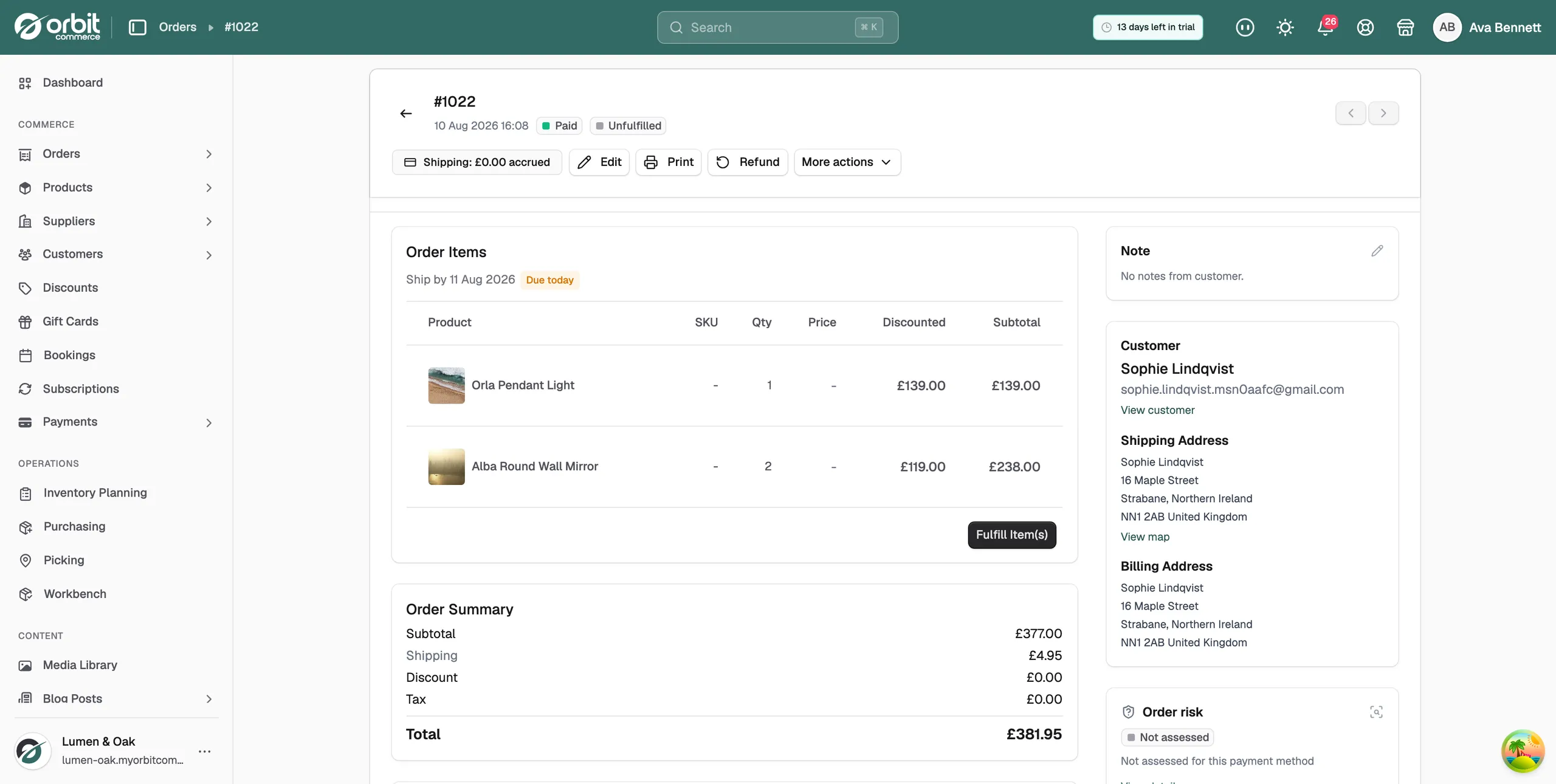
Every order carries a payment status and a fulfilment status. They show as two badges at the top of the order page and as columns in the Orders list. If the order has a return, a third badge shows in the Return column. Each status is tracked on its own, so an order can be paid and unfulfilled, or fulfilled and partially refunded.
Payment status
- Paid: the money has been taken.
- Pending: the order was created but the customer has not paid. A card checkout that never finished sits here.
- Payment pending: a draft or manual order created with payment due later. Chase the customer or record the payment when it arrives.
- Awaiting Payment: the customer chose a manual method such as bank transfer, cheque or cash on delivery. Mark the order as paid once the money lands.
- Partially Paid: a deposit has been taken and the balance is still owed.
- Failed: the payment was declined or did not go through.
- Refunded: the full amount has gone back to the customer.
- Partially Refunded: part of the amount has gone back. The rest stays paid.
Fulfilment status
- Unfulfilled: nothing has shipped yet. This is your work queue.
- Partially Fulfilled: some units have shipped and some have not.
- Fulfilled: every unit has shipped.
- Delivered: shows in the Orders list once every shipment on the order is marked delivered.
Order status
A few states replace or sit beside the two badges above.
- Cancelled: the order is closed. A single red badge replaces the payment and fulfilment badges. If the order was paid, cancelling refunds the customer and releases any reserved stock.
- Archived: the order is hidden from the main list. Use the Archived filter to see it.
- On hold: you have paused the order. It stays out of the dispatch queue until you release the hold.
Return status
The Return column in the Orders list sums up any returns on the order.
- Return Requested: a return is waiting for you to approve or decline.
- Return In Progress: you approved a return and the items are on their way back or have been received.
- Returned: a return on the order has been completed.
- Return Declined: you declined the request.
- Return Canceled: the return was cancelled after approval.
Each return also has its own status on the Returns page. See Managing returns.
Ship by dates
Orders that still need dispatch show a Ship by date on the order page. Orbit works it out from your order cutoff and handling time. Next to the date you may see:
- Due today: the order should ship today.
- Late: the ship by date has passed.
- On hold: the order is held, so the date does not apply until you release it.
The date disappears once the order has fully shipped or has nothing to ship. The Dispatch filter on the Orders list, which builds a Due today or Late queue, is part of the Enterprise plan.
Unpaid orders
An order that stays Pending or Failed for about an hour is cancelled automatically, with the reason recorded on the order. Orders marked Awaiting Payment are not cancelled. Orbit assumes you are waiting for a bank transfer or cheque.
Tip: Most stores live in two views at the top of the Orders list: Unfulfilled for what to ship and Unpaid for what to chase.
Related guides
Was this helpful?
0 people found this helpful