Fixing a refund the customer has not received
You refunded the order and the customer says nothing arrived. Check how the order was paid first, then the timing, the activity timeline and the card it went back to.
You refunded an order and the customer says nothing has reached them. Start with how the order was paid, because that decides whether any money has moved at all. Then work down the causes below.
The order was paid by a manual method
Orbit only moves money for orders paid by card through Orbit Payments. For Bank Transfer, Cash on Delivery, Cheque / Money Order and Custom orders, the refund is recorded on the order and marked as succeeded straight away, but nothing has been sent. You send the money yourself.
- From your Orbit dashboard, go to Orders.
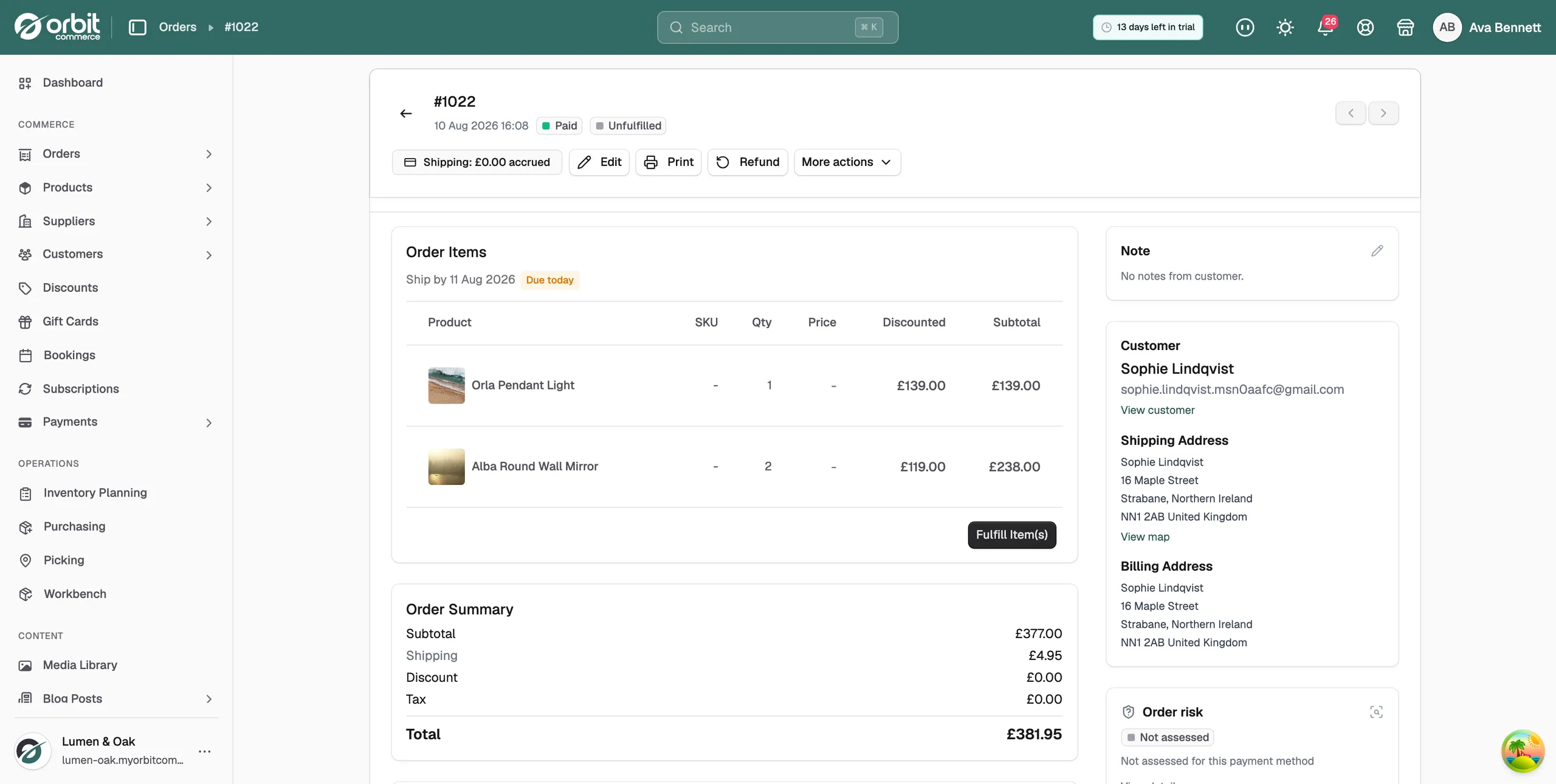
- Open the order and check how it was paid.
- If it was a manual method, transfer the money to the customer from your own bank.
- Tell the customer the timing your bank gives you, not the card timing below.
Not enough time has passed
A card refund goes back to the card it was paid from, and the card networks decide how long that takes. Three to five working days is usual. Ten is possible, depending on the customer's bank.
Nobody can speed this up. Not you, not Orbit, and not the person on the phone at the customer's bank. Give the customer the honest window: up to ten working days, depending on their bank.
Tip: Some banks show a refund as a pending credit for a day or two before it lands. Ask the customer to check their pending transactions as well as their posted ones.
The refund was never issued
Check that the refund exists before you chase it.
- Open the order and read the badge at the top. A refunded order shows Refunded or Partially refunded.
- Read the order's activity timeline. Every refund is recorded there, with the amount, the date and who did it.
- Quote that amount and date to the customer. The timeline entry is your proof it was sent.
- If there is no entry, the refund did not go through. Issue it from the Refund button on the order.
Only part of the order was refunded
A partial refund sends back specific items or a set amount, and the rest of the order stays paid. If the customer expected the whole order back, check the amount on the timeline entry against what they paid. The order badge reads Partially refunded in this case, not Refunded.
The customer is looking at the wrong card
A refund always returns to the payment method the order was paid with. It cannot be sent to a different card or to a bank account instead.
A card the customer has since cancelled still receives it. The bank routes the money to their account. Ask the customer which card they used for the order, then ask them to check the statement for that card.
If it still does not work
If more than ten working days have passed and nothing has arrived, ask the customer to contact their own bank with the refund date and the amount. Banks can trace a refund that has reached them but not been credited.
If their bank finds nothing, contact support with the order number and the date and time of the refund. A trace reference exists for exactly this case.
Tip: One line in your returns policy stops most of these conversations before they start: "refunds reach your bank within three to ten working days".
Related guides
Was this helpful?
0 people found this helpful