Finding an order that is not in the list
A customer says they ordered but the order is not on your Orders page. Check the tabs and filters first, then drafts, abandoned checkouts and the store you are in.
A customer says they have ordered, but you cannot find the order in your list. Nine times out of ten the order exists and something is hiding it. Work through the causes below in order.
A tab or a filter is hiding it
The tabs above the table replace each other, so the one you clicked an hour ago is still doing its job.
- From your Orbit dashboard, go to Orders.
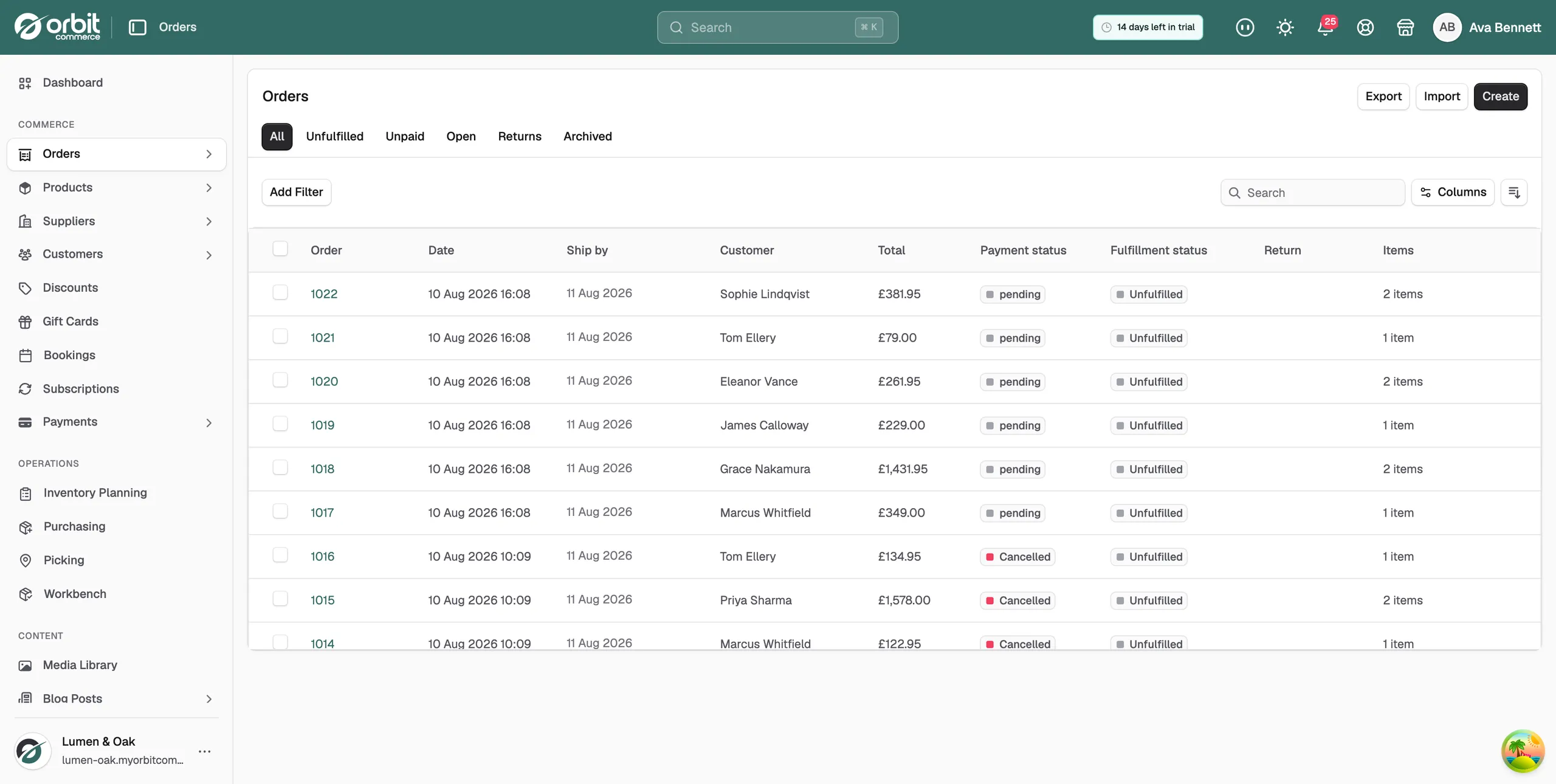
- Click the All tab. The other tabs, Unfulfilled, Unpaid, Open, Returns and Archived, each show part of your orders and never more than one at a time.
- Click Clear all to remove any filter you added earlier. This empties the search box too.
- Look again. If a second filter was set, no tab was highlighted, which makes a filtered list look like the whole list.
Tip: Press Ctrl+K on Windows or ⌘K on a Mac and type the customer's name, email address or order number. Search looks at every order, so it finds ones the list is filtering out.
The order was archived
An archived order is out of the main list on purpose. Click the Archived tab to see those orders. If it is there, nothing is wrong: someone has moved it out of the way.
It is a draft, not an order
An order somebody built by hand is a draft until it is paid. Drafts have their own list.
- From your Orbit dashboard, go to Orders, then Drafts.
- Find the draft. A draft still in progress has the status Open.
- To turn it into a real order, take payment on it. Click Copy Payment Link to send the customer a link, or Mark as Paid if the money has already reached you.
The customer never paid, so there is no order
"I ordered" sometimes means "I reached the payment page". A cart that was never paid for is an abandoned checkout, not an order.
- From your Orbit dashboard, go to Orders, then Abandoned Checkouts.
- Type the customer's name or email in the Search by email or name field.
- If their basket is there, they did not complete the payment. You can chase it from that page.
You are looking at the wrong store
If your Orbit account runs more than one store, everything in the dashboard belongs to the store named on the card at the bottom of the left-hand menu. Check the name there. To move, click the three dots on the card, then Switch store, then the store you want.
The customer paid but no order exists
This is the rare real fault: a checkout that took the money but never finished making the order.
- From your Orbit dashboard, go to Payments, then Transactions.
- Find the payment and open it.
- Note the amount, the date and time, and the payment reference.
If it still does not work
Contact support with the payment reference and the time of the charge, or with the customer's email address and the date they say they ordered. Those details are what match a payment to a missing order.
Related guides
Was this helpful?
0 people found this helpful