Reviewing abandoned checkouts
What the Abandoned Checkouts list and checkout page show: the columns, the recovery statuses, the filters, and the recovery email timeline.
4 min read15viewsUpdated 17 September 2026Orbit Commerce
An abandoned checkout is a cart where a customer added items and started to check out, but did not pay. You can see them under Orders, then Abandoned Checkouts. This guide explains what the list and the checkout page show. To chase a cart, see Recovering an abandoned checkout.
Considerations
- An abandoned checkout is not an order. It only becomes an order if the customer comes back and pays. It then appears in your Orders list like any other order.
- Orbit can only send a recovery email to a cart that has an email address. A guest cart with no address shows No email.
- The Items count is the number of product lines in the cart, not the number of units.
Open the list
- From your Orbit dashboard, go to Orders.
- Click Abandoned Checkouts. The list opens with one row per cart.
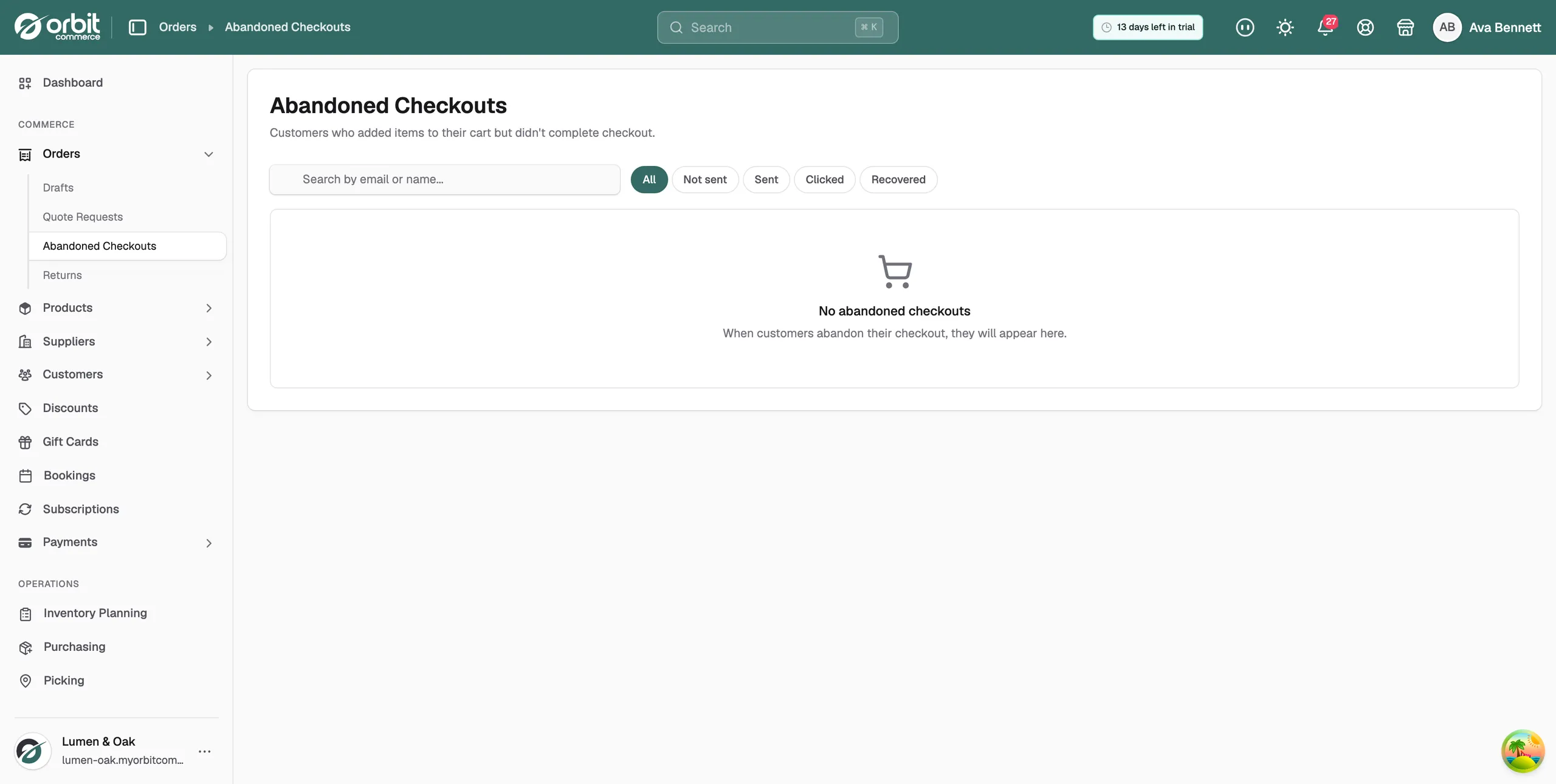
What the list shows
- Customer: the customer's name and email address. A guest who did not enter an email shows No email.
- Items: how many product lines are in the cart.
- Total: the value of the cart.
- Abandoned: the date and time the customer left.
- Recovery: where the cart is in the recovery process. See the statuses below.
Recovery statuses
- Not sent: no recovery email has been sent for this cart.
- Queued: you sent a recovery email and Orbit is about to deliver it.
- Sent: the recovery email has been delivered.
- Clicked: the customer opened the email and clicked through to their cart.
- Recovered: the customer came back and completed the order.
Filter and search the list
- Click a chip above the list: All, Not sent, Sent, Clicked or Recovered. The list shows only carts at that stage.
- To find one cart, type the customer's name or email in the Search by email or name field.
Tip: Not sent is the list of carts still to chase. There is no Queued chip, so a cart you chased a moment ago shows under All.
Open an abandoned checkout
- Click anywhere on a row. The checkout page opens.
- Read the header. It shows the recovery status badge and the date and time the cart was abandoned.
- Check the Cart Items table. It lists each product with its variant, Qty, Price and Total, then the Subtotal and Total for the cart.
- Check the Customer panel. It shows the customer's name and email. Click View customer profile to open their record. A guest shows Guest checkout.
- Check the Recovery Emails panel. Every recovery email sent for this cart is listed here. Until you send one it reads No recovery emails sent yet.
- Click Back to Abandoned Checkouts to return to the list.
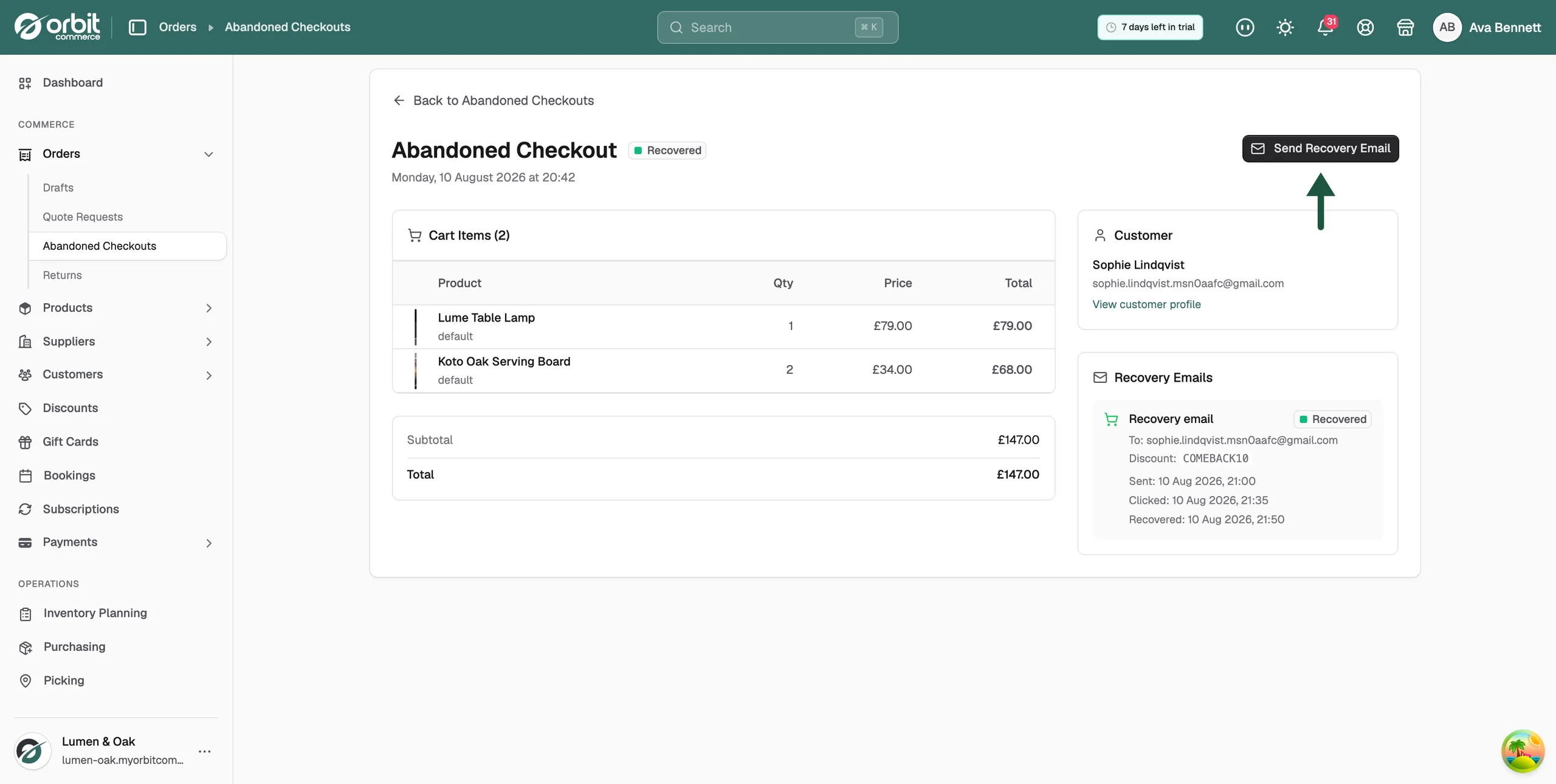
What the Recovery Emails panel shows
Each entry is one recovery email. It shows:
- To: the email address it went to.
- Discount: the discount code included in the email, if you have one switched on.
- Sent: when the email went out.
- Clicked: when the customer clicked through to their cart.
- Recovered: when the customer completed the order.
Once a cart is recovered, the order appears in your Orders list. You fulfil it in the usual way.
Related guides
Was this helpful?
0 people found this helpful