Fixing checkout failures and declined payments
Tell apart a missing payment method, a missing shipping rate, a card decline and a real fault, using the message the customer saw.
A customer tells you checkout does not work. That one sentence covers several different faults, and the message they saw tells you which one you have. Ask them what was on screen, then work down this list.
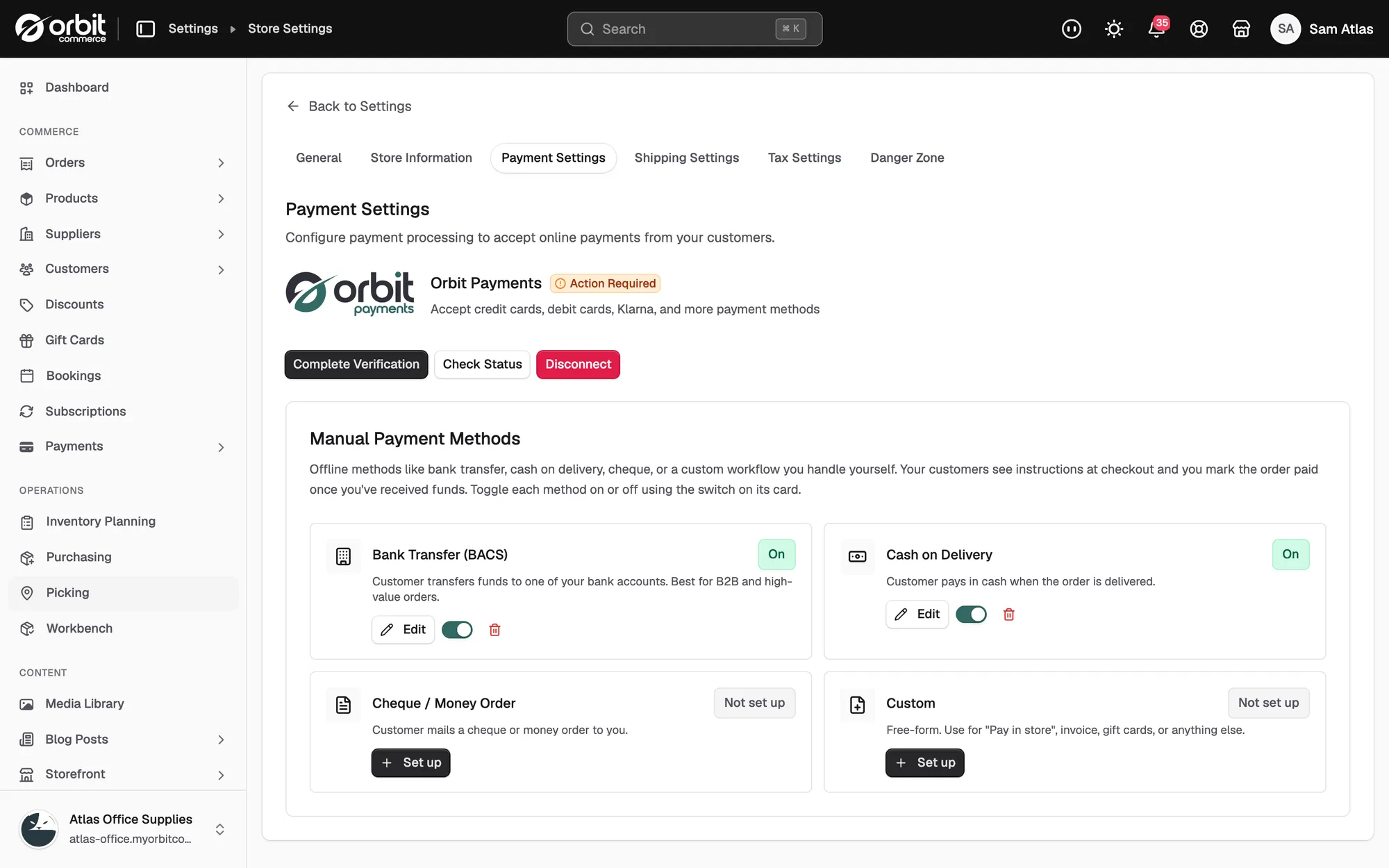
Checkout says the store has no payment methods
The message reads: "This store hasn't enabled any payment methods yet, so checkout isn't available right now." Nobody can buy anything while it shows. It appears when Orbit Payments is not connected and ready to take charges, and no manual payment method is switched on and fully set up.
- From your Orbit dashboard, go to Settings, then Store Settings, then Payment Settings.
- Check the Orbit Payments card. It should read Connected. If it reads Setup Required or Action Required, finish the steps it shows.
- Check Manual Payment Methods. Each card shows On, Off or Not set up. A method that is on but not set up does not count.
- If both are fine, go to Settings, then Plan & Billing. An expired subscription blocks checkout until you choose a plan.
Checkout says no shipping is available for the address
This is the most common real setup fault. It means no shipping zone covers the customer's address, or no rate inside that zone matches their basket.
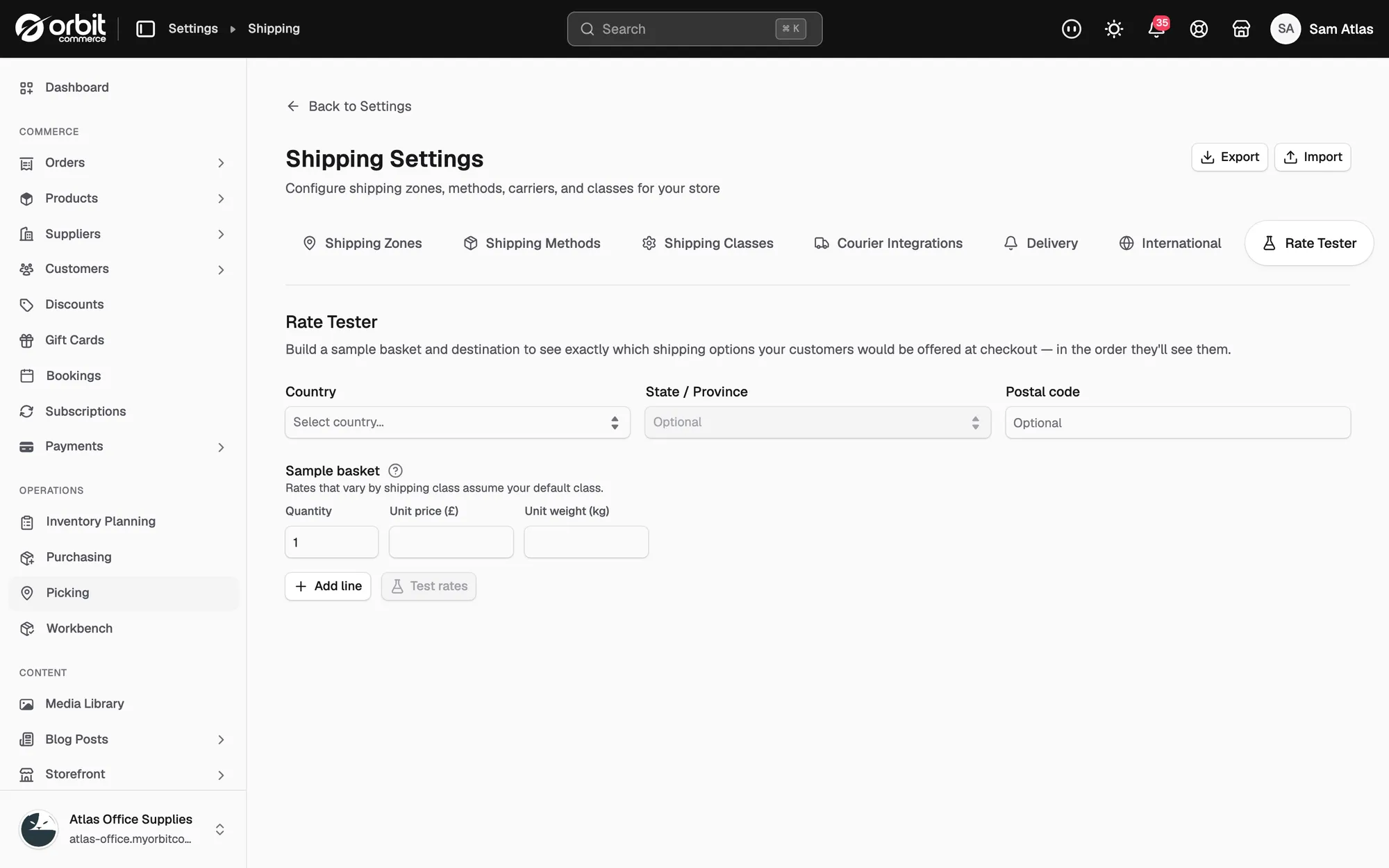
- Go to Settings, then Shipping.
- On the Shipping Zones tab, check that a zone covers the country the customer is in.
- Check that a rate in that zone covers the basket. A rate that stops at 10kg will not be offered for an 11kg basket, and the same goes for price limits.
- Open the Rate Tester tab. Enter the address and basket that failed. You see exactly what that customer would be offered.
- If the tester returns no options, fix the zone regions or the rate conditions and test again.
A card was declined
A decline is the customer's bank saying no. Your store did not reject anything.
- Ask whether it happened once or every time. One decline is normal: not enough funds, a cautious fraud check, a mistyped security code.
- Ask the customer to try again, or to use a different card.
- If every customer is being declined, the problem is at your end. Open Payments and check for a verification or account message affecting all charges.
Checkout shows an error or never finishes
An error message, or a checkout that spins and never completes, is worth reporting. These get priority when you can show them happening.
- Open Abandoned Checkouts. Compare today with yesterday. A sudden rise is the shape of a real fault.
- Try to buy something yourself in a private browser window.
- If it happens to you, note the exact step, the exact message and the time.
- Send support what you did, what happened, the time, and a screenshot.
Tip: Treat the abandoned checkout list as an early warning. A jump straight after you changed a setting points at the change, not at your customers.
If it still does not work
Contact support with the customer's country, the items in the basket, the message they saw and the time it happened. Those four things are enough to trace a checkout.
Related guides
Was this helpful?
0 people found this helpful