Connecting carriers and testing rates
Buy labels through Orbit Shipping or connect your own carrier accounts, see how label billing works, and use the Rate Tester to check the delivery options customers get at checkout.
Orbit can buy shipping labels for you through Orbit Shipping, or use carrier accounts you already hold. You set both up under Settings, then Shipping, on the Courier Integrations tab. The Rate Tester tab on the same page shows you the delivery options a customer would see at checkout.
Considerations
- Shipping zones, methods and classes are covered in Setting up shipping zones and rates. This guide covers carriers and the tester.
- Orbit Shipping needs a payment card on file before you can buy a label.
- International labels on Orbit Shipping are sent DDU/DAP. Your customer pays import duties on delivery. To send DDP, where you pay the duties, connect your own carrier account.
- Charges for your own carrier accounts go straight to your carrier. Orbit shipping billing is not used for them.
Open the Courier Integrations tab
- From your Orbit dashboard, go to Settings, then Shipping.
- Click the Courier Integrations tab.
- Choose Orbit Shipping or Your Carrier Accounts.
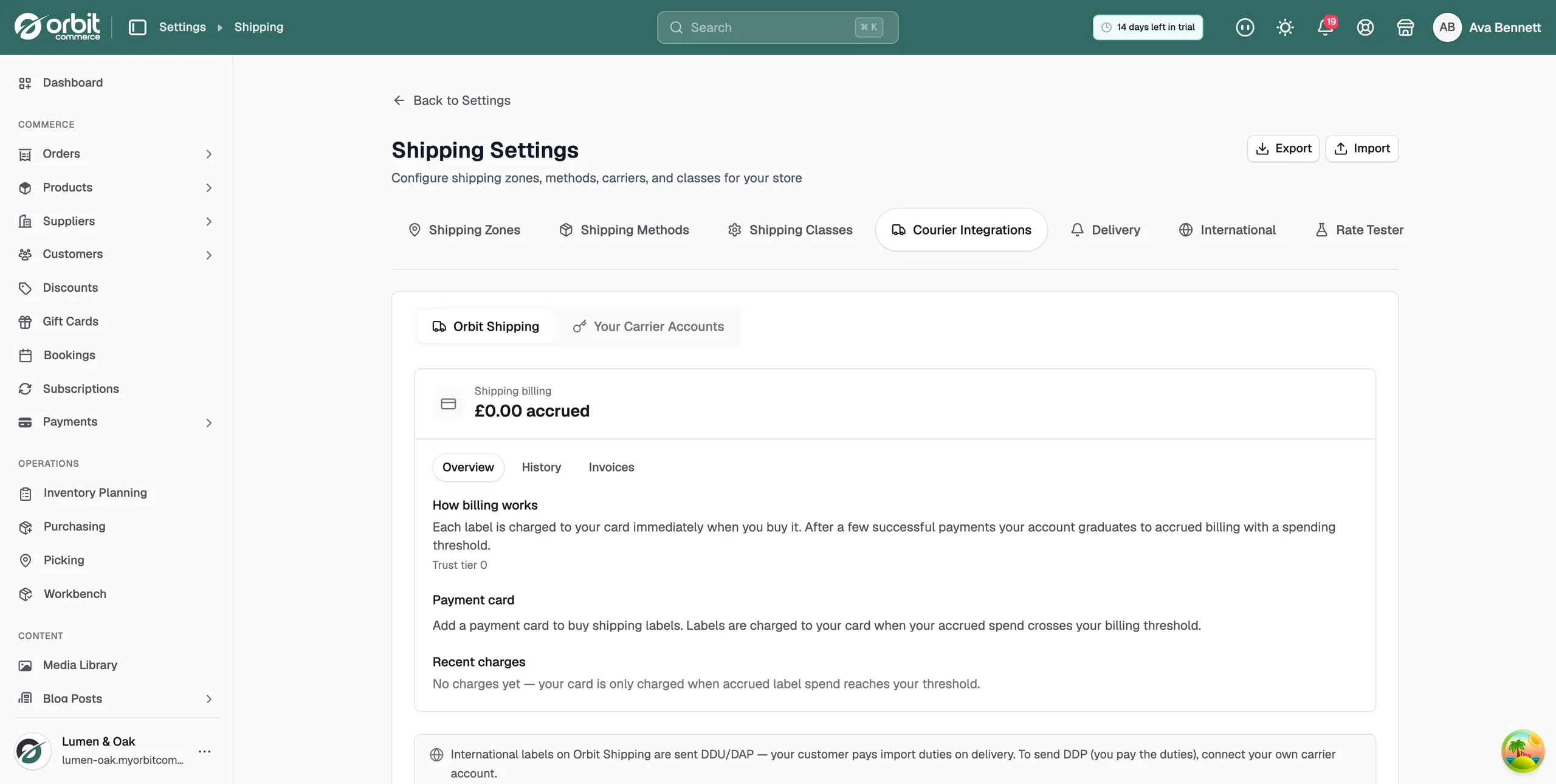
Use Orbit Shipping
Orbit Shipping is the built-in option. You buy labels through Orbit at pre-negotiated rates, with no carrier account of your own.
- On the Courier Integrations tab, click Orbit Shipping.
- Under Shipping billing, find Payment card and click Add card.
- Enter your card details and click Save card.
- In the carriers list below, turn on each carrier you want to use.
- Click Services next to a carrier to choose which of its services you offer. Click Save Settings.
The Shipping billing panel shows:
- Trust tier: your billing level, and the billing threshold once you have one.
- Payment card: the card Orbit charges for labels.
- Recent charges: your last few settlements. The History and Invoices tabs hold the full record.
How label billing works
- At first, each label is charged to your card as soon as you buy it.
- After a few successful payments your account moves to accrued billing with a spending threshold. Labels are then added to your balance, and your card is charged when accrued spend reaches the threshold.
- Any remaining credit on your account is used up before anything is charged to your card.
Connect your own carrier account
Use this when you have a contract with a carrier and want to ship at your own negotiated rates.
- On the Courier Integrations tab, click Your Carrier Accounts.
- Click Connect Account.
- Under Courier Provider, select your carrier.
- Under Connection Name, type a name you will recognise, such as My Royal Mail Account. Shoppers never see it.
- Enter the credentials the carrier asks for.
- Click Connect & Verify. The message Connection created and credentials verified! appears.
Some carriers approve new connections on their side first. Until then the account shows Pending approval. Click Check approval status to see if it has gone through. Once approved, the account shows Active.
From a connected account you can:
- Services: choose which of the carrier's services to offer, then click Save Settings.
- Edit Connection: change the name, update credentials, or set the incoterm for international labels (Use store default, DDU, DAP or DDP).
- Re-validate: check the credentials still work.
- Delete: remove the account and all of its configured services.
Warning: DDP bills import duties to your carrier account. Until duties are collected at checkout, your customer pays nothing at the door and you absorb the cost.
Test the rates customers see
The Rate Tester answers one question before you ship a change: what will customers see at checkout?
- Click the Rate Tester tab.
- Under Country, select the destination. State / Province and Postal code are optional.
- Under Sample basket, enter a Quantity, Unit price and Unit weight for each line. Click Add line to add more products.
- Click Test rates. The result lists the delivery options a customer would be offered, in the order they would see them. The option marked Default is the one selected for them.
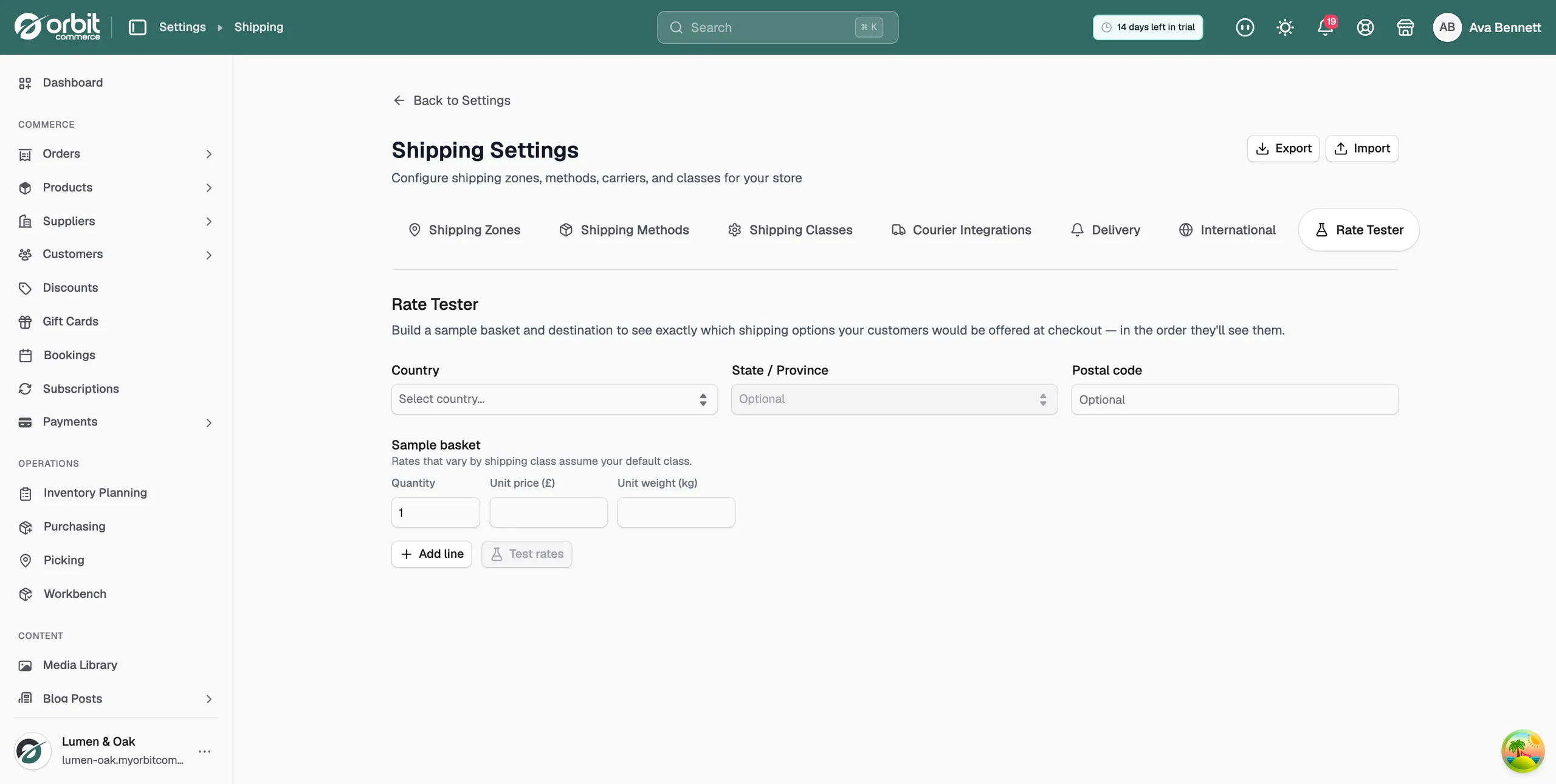
What the result can tell you:
- Checkout would offer N options: the number of delivery options for that basket and address.
- Free shipping unlocks at: the basket value at which free delivery appears for this destination.
- No shipping options matched: customers at this address could not check out. Check your zone regions and method conditions.
- Live carrier rates are currently unavailable: carrier methods are missing from this preview. Try again in a few minutes.
Note: The sample basket touches no real products or orders. Rates that vary by shipping class assume your default class.
When to run the tester
- After every zone or rate change. A broken rule is cheaper to find here than in a support ticket.
- Test the extremes: your heaviest product to your furthest zone, and one light item locally.
- Moving volume to your own carrier contract? Connect it under Your Carrier Accounts, then run the tester again and compare the prices with Orbit Shipping.
Related guides
Was this helpful?
0 people found this helpful