Fixing billing and plan problems
Work out why a plan payment failed, what happens after a trial or subscription ends, and how to read a charge you do not recognise.
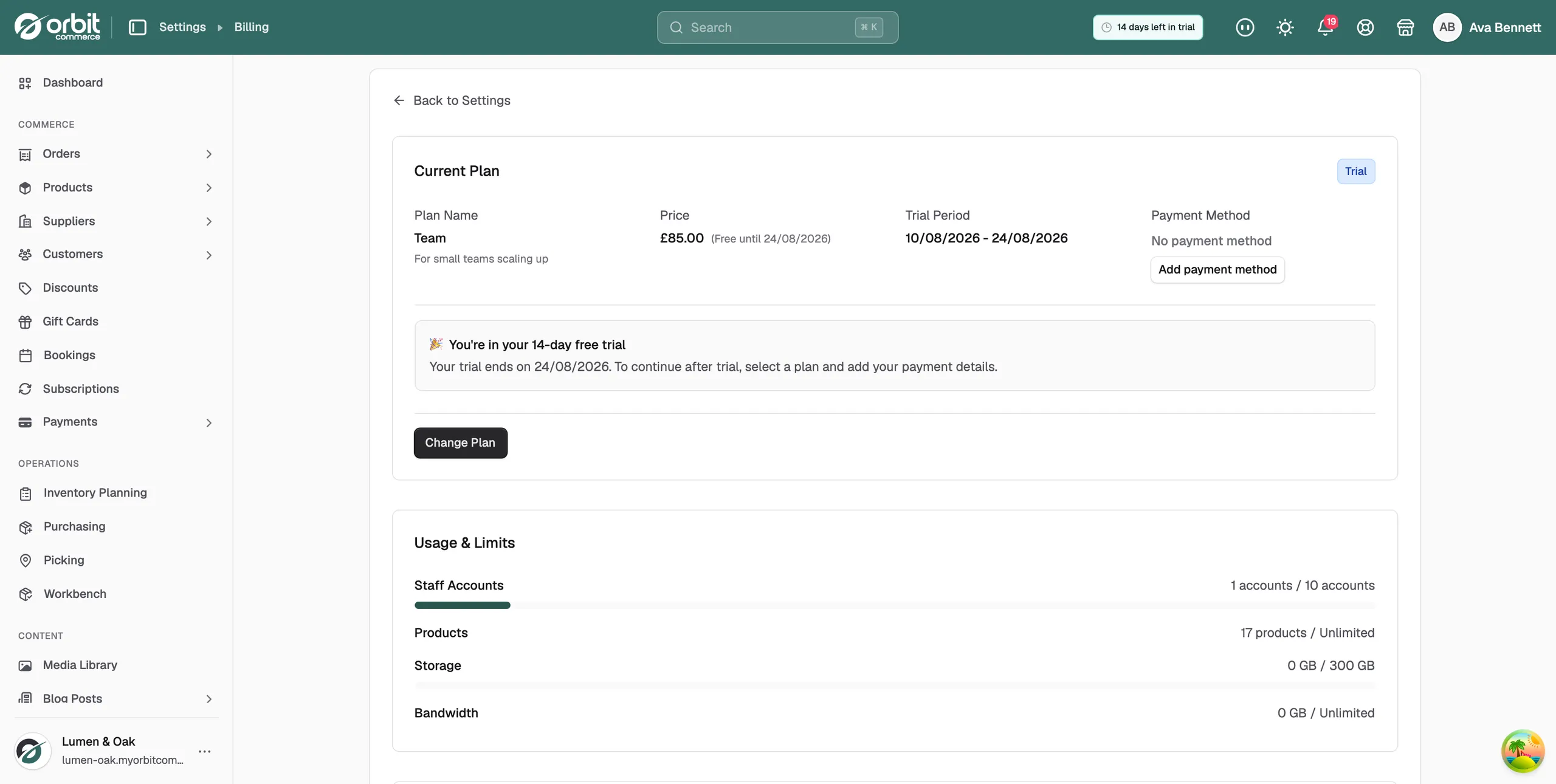
Your plan payment failed, your trial ran out, or there is a charge on your bill you do not recognise. Everything to do with your Orbit subscription sits on one page. From your Orbit dashboard, go to Settings, then Plan & Billing.
The status badge at the top of that page tells you which problem you have:
- Active: the plan is running and paid.
- Past Due: the last payment failed and you are inside the grace period.
- Expired: the subscription has ended and the store is blocked.
- Frozen: the store has been expired for 30 days or more.
Your plan payment was declined
The badge reads Past Due and a banner says your last payment failed. A failed renewal starts a seven day grace period that runs from the end of your billing period. No email goes out, so the banner in the dashboard is the only warning you get.
- From your Orbit dashboard, go to Settings, then Plan & Billing.
- Check the card on file. An expired card is the usual cause.
- Click Update Payment Method to switch to a working card. If there is no card at all, click Add payment method.
- Click Retry Payment. The charge runs again straight away.
- If it fails a second time, call your bank and ask them to approve the charge. Some banks block recurring online payments until you tell them not to.
Warning: When the grace period ends, the store is blocked and checkout stops until you pay.
Your trial has ended
The free trial runs for 14 days. When it ends and no plan has been chosen, selling stops. Your products, orders and settings are all kept.
- Go to Settings, then Plan & Billing.
- Choose a plan and pay. Your store starts selling again as soon as the payment goes through.
For help picking one, read Choosing a plan.
Your store is blocked or frozen
An expired subscription blocks the store within the hour, and the dashboard then lets you into Plan & Billing and nowhere else. Choosing a plan lifts the block.
If nothing is paid, the store moves through these stages:
- 30 days after expiry: the store is marked Frozen.
- A store that has never paid: deletion warnings start at day 60 and the store is deleted at day 90.
- A store that has paid before: the warning comes at day 334 and the store is deleted at day 365.
A frozen store still comes back. Choose a plan on Plan & Billing and the subscription restarts.
An invoice you do not recognise
Your billing history lists every charge with its invoice number. Three different things can appear there.
- Open Settings, then Plan & Billing, and find the invoice in the billing history.
- Check what it covers. It is either your plan charge, a plugin subscription, or a one off purchase. Each plugin bills its own subscription, so a plugin you installed months ago can show up on its own line.
- Shipping label costs are not on the plan invoice. They are charged to the card held in the shipping wallet under Settings, then Shipping.
- If you run more than one store, check the store name on the invoice. Each store bills separately.
- Still not sure? Contact support with the invoice number.
Warning: Do not raise a chargeback with your bank before you ask us. A chargeback freezes the account while the bank investigates it.
A plan change did not happen when you expected
Upgrades and downgrades work in opposite directions, which catches people out.
- Upgrades: applied at once. You are charged a prorated amount for the days left in the billing period.
- Downgrades: applied at the end of the billing period. You keep your current plan until then.
- Cancellations: also applied at the end of the billing period.
Cancelling schedules an end date rather than stopping anything now. The status badge still reads Active, with an orange Scheduled for Cancellation banner beside it, and you keep full access until the date on that banner.
You cancelled and want the plan back
- Go to Settings, then Plan & Billing.
- On the plan card, click Keep Subscription. There is no confirmation step.
- The orange banner goes and your plan carries on as before.
Note: While a cancellation is scheduled, Change Plan is not on the card. Click Keep Subscription first, then change plan.
If it still does not work
Contact support with the store name, the invoice number if there is one, and the date and time the payment failed. Say what the status badge on Plan & Billing reads.
Related guides
Was this helpful?
0 people found this helpful