Changing your subscription settings
Set cancellation timing, the grace period for failed payments, what customers can do themselves, and which subscription emails go out.
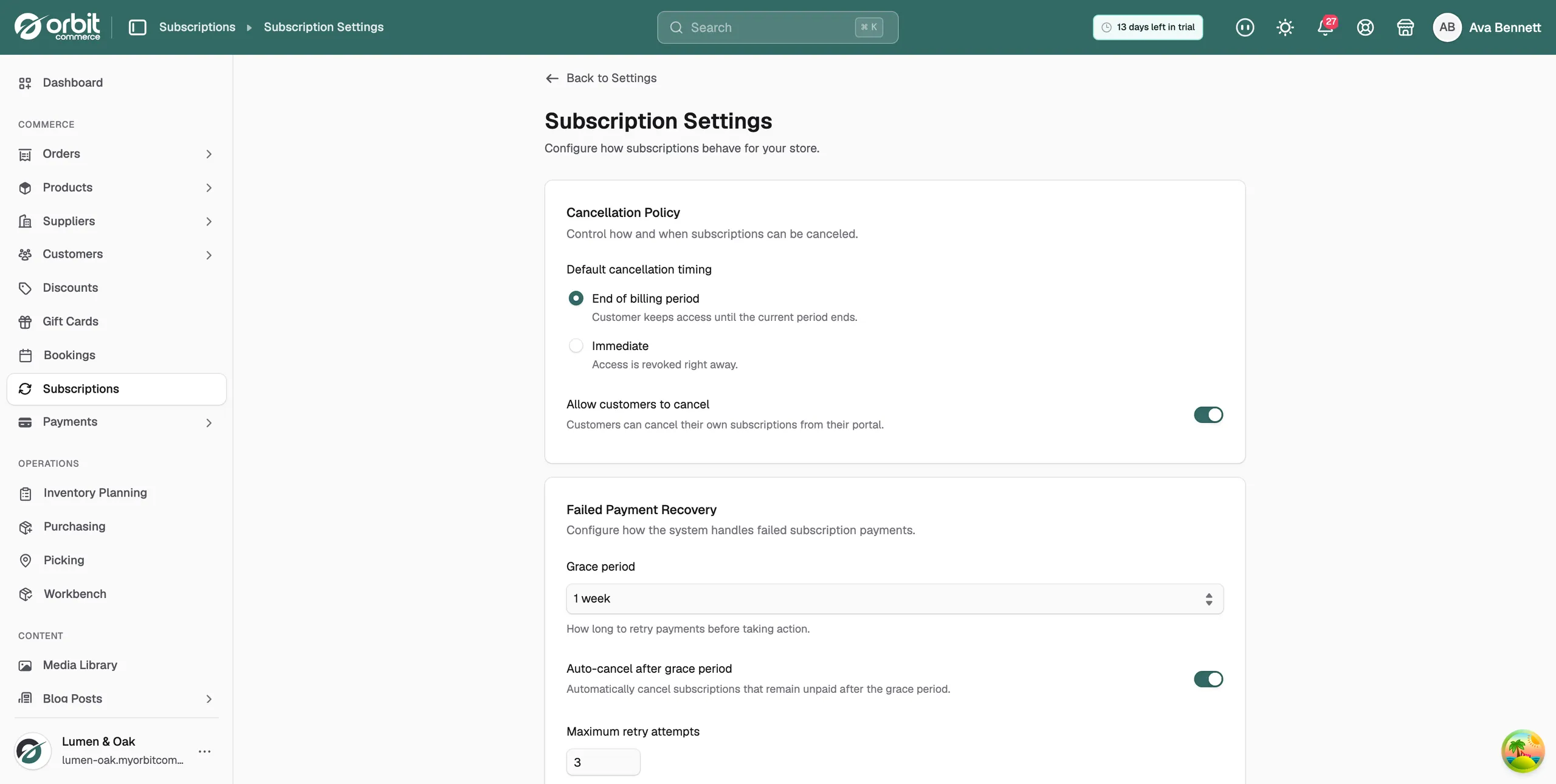
The Subscription Settings page sets how subscriptions behave across your whole store. From here you choose when cancellations take effect and how long you keep trying a failed payment. You also set what customers can do for themselves, and which emails go out.
Open subscription settings
- From your Orbit dashboard, go to Settings.
- Click Subscriptions. The Subscription Settings page opens, with each group of options in its own panel.
Tip: The gear icon at the top of the Subscriptions page opens this page too. So does Open settings on the Payment Recovery page.
Cancellation Policy
- Default cancellation timing: pick End of billing period to let the customer keep access until the period ends. Pick Immediate to revoke access right away.
- Allow customers to cancel: when this is on, customers can cancel their own subscriptions from their portal.
Note: Default cancellation timing does not change what you see when you cancel a subscription yourself. That form always starts on At end of billing period. See Cancelling a subscription.
Failed Payment Recovery
- Grace period: how long to keep trying the payment before taking action. Choose 1 week, 2 weeks or 3 weeks.
- Auto-cancel after grace period: when this is on, a subscription that is still unpaid at the end of the grace period is cancelled for you.
- Maximum retry attempts: a number from 1 to 10. It is shown on the recovery cards, but it does not set how many retries happen. Your card provider's own retry schedule decides that.
Grace period and Auto-cancel after grace period are the two settings here that change what happens.
Customer Self-Service
- Allow customers to pause: customers can pause and resume their subscriptions from their portal.
- Allow customers to change plan: customers can move themselves to another plan.
Plan Changes
This panel saves what you pick, but the settings are not in use yet. A plan change always applies to the subscription at once, and nothing is prorated, whatever you choose here.
- Upgrade timing: Immediately or Next billing period. Upgrades always apply immediately.
- Downgrade timing: Immediately or Next billing period. Downgrades also apply immediately.
- Enable proration: no prorated amounts are worked out whether this is on or off.
Email Notifications
Three of these emails are sent today. Two of them save the setting but send nothing.
- Payment failed: tells the customer a payment attempt failed. Sent.
- Subscription canceled: sends a confirmation when a subscription is cancelled. Sent.
- Subscription renewed: sends a receipt when a subscription renews. Sent.
- Payment reminder: not in use. The switch and the day count from 1 to 14 save, but no reminder is sent.
- Trial ending soon: not in use. The switch and the day count from 1 to 14 save, but no warning is sent.
Save your changes
- Change any setting. Discard and Save changes appear, both at the top of the page and in a bar at the bottom.
- Click Save changes. The two buttons go away, which is how you know the settings are saved. There is no other message.
- To drop your edits instead, click Discard. The page goes back to the last saved settings at once.
Related guides
Was this helpful?
0 people found this helpful