Recovering a failed subscription payment
Find the subscriptions with failed payments, see how much revenue is at risk, and try the payment again before the grace period runs out.
When a subscription payment fails, Orbit does not cancel the subscription straight away. It keeps the subscription in a grace period and retries the card. Payment Recovery is the page for this work. It shows who is behind and how much money is at risk, and it lets you try the payment again.
Considerations
- The only way in is the red bar on the Subscriptions page. There is no Payment Recovery item in the menu.
- The red bar shows only while at least one subscription has a failed payment. When everything is paid, the page reads No past due subscriptions. All payments are up to date.
- The page lists up to 100 past-due subscriptions.
Open Payment Recovery
- From your Orbit dashboard, go to Subscriptions.
- Scroll past the cards and charts to the red bar. It reads 1 subscription with failed payments, with the number you have.
- Click the bar. The Payment Recovery page opens.
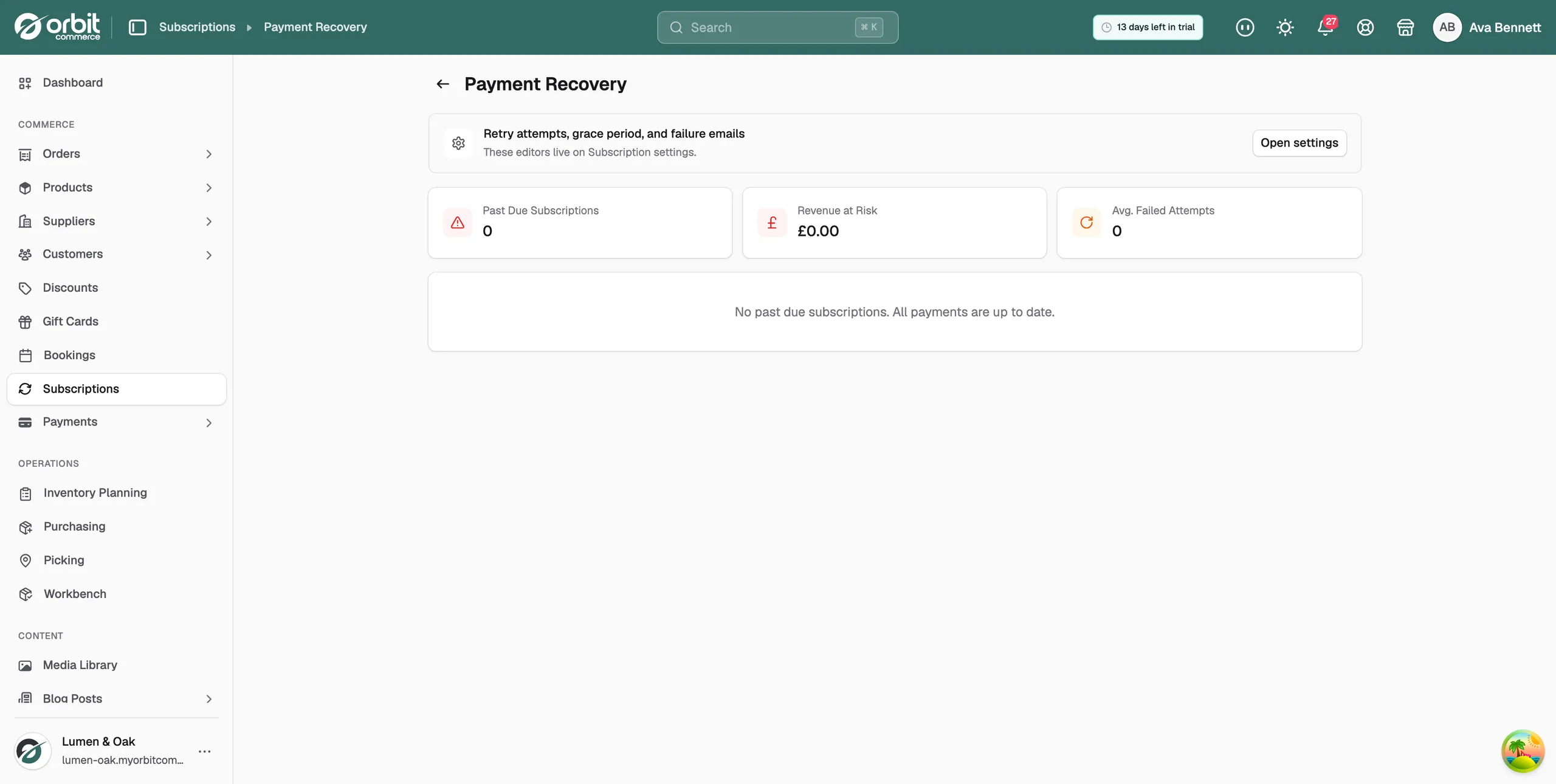
The three cards at the top
- Past Due Subscriptions: how many subscriptions have a failed payment and are in recovery.
- Revenue at Risk: the monthly value of those subscriptions added up.
- Avg. Failed Attempts: the average number of failed attempts across the subscriptions on this page.
What each subscription card shows
Below the three cards, every past-due subscription has its own card.
- The customer's name and email address. Click the name to open the subscription.
- A Past Due badge and a Retry button.
- Product: what they subscribed to.
- Amount at risk: the amount per cycle, in red.
- Period end and Last payment: the end of the current period, and the date they last paid.
Inside the card, a red Payment Recovery panel shows how far through recovery the subscription is:
- Retry attempts: how many attempts have been used, for example 1 / 3 used.
- Grace period: the days left before the grace period ends, with a bar showing how far through it is.
- Last payment attempt: the date Orbit last tried the card.
- When every attempt is used, the panel warns that the subscription will cancel when the grace period ends.
Note: The Retry attempts and Grace period figures on this panel are fixed at 3 attempts and 7 days. They do not follow what you set in your subscription settings.
Retry a payment
- Find the subscription card on the Payment Recovery page.
- Click Retry. Orbit asks for the payment again using the card the customer has on file.
- The message Payment retry requested appears at the bottom right.
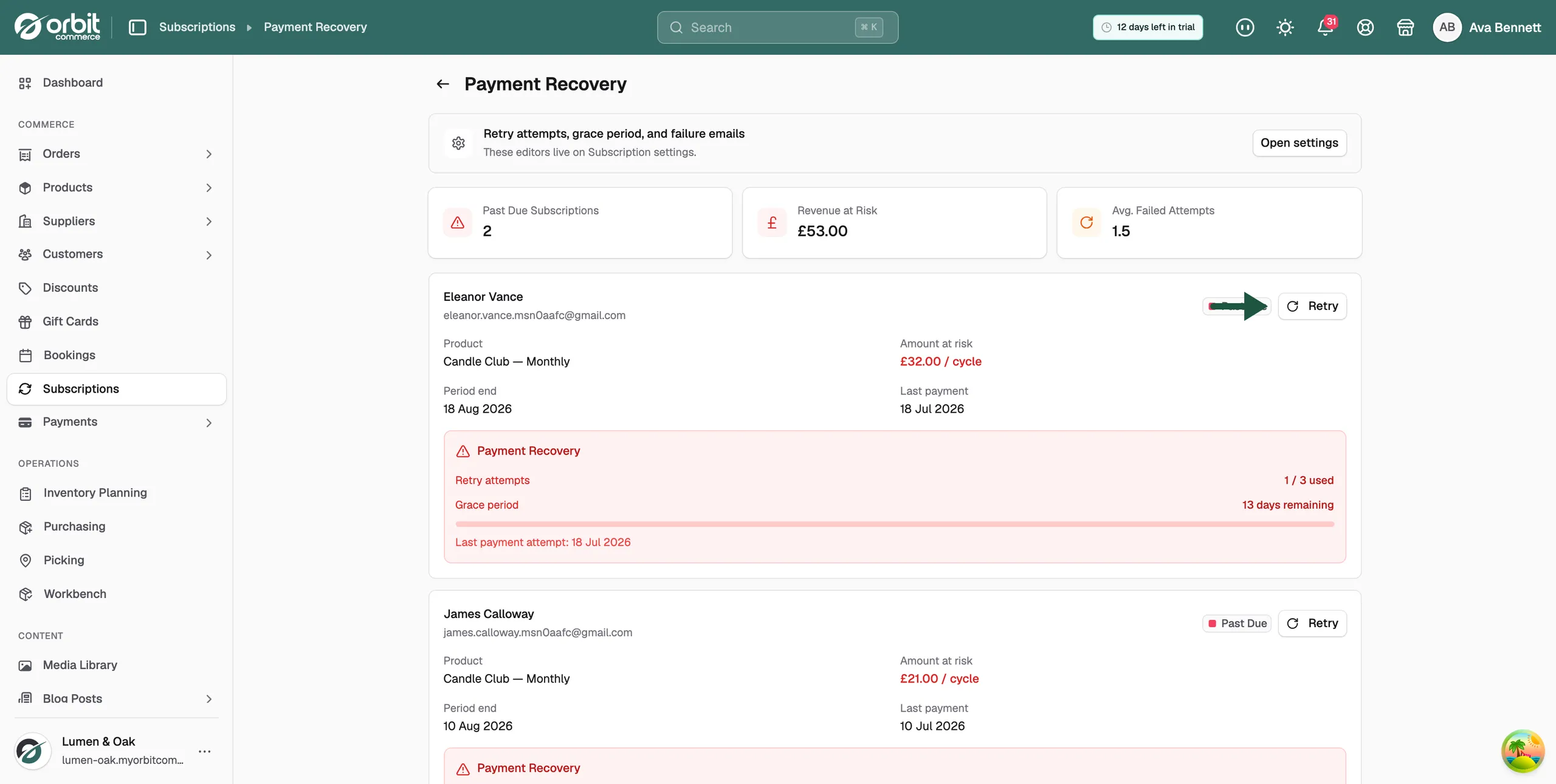
The card on screen does not change when you click Retry. The badge still reads Past Due, the counters stay where they were, and the three cards at the top stay the same. That is expected. The payment is confirmed by the card provider a moment later, and the subscription goes back to active then. Reload the page after a minute to see where it stands.
What happens at the end of the grace period
During the grace period Orbit keeps retrying the payment. It also sends the failed payment email, if you have that switched on. If the payment goes through, the subscription carries on as normal.
If the grace period ends with no payment, the subscription is cancelled. That happens only while Auto-cancel after grace period is on in your subscription settings.
Change how recovery works
The grace period, the retry count and the emails are set elsewhere. The panel at the top of the page reads Retry attempts, grace period, and failure emails. Its Open settings button takes you straight there. See Changing your subscription settings.
Related guides
Was this helpful?
0 people found this helpful