Adding a favicon and social sharing image
Upload the icon that appears in browser tabs and the image that shows when your store link is shared, and check how the preview looks.
Two small images shape how your store looks outside its own pages. The favicon is the icon in the browser tab and bookmarks bar. The social sharing image is the picture that appears when someone pastes your store link into WhatsApp, Facebook, LinkedIn or a text message. You upload the favicon in your store settings and the social sharing image on the Preferences page.
Considerations
- Favicon: 32 x 32 or 64 x 64 pixels, as PNG, ICO or SVG. Use a simple mark such as your logo's icon, not the full wordmark.
- Social sharing image: 1200 x 628 pixels, as a wide image. Keep the important content in the middle, because some platforms crop the edges.
- The social sharing image is a fallback. Pages with their own featured image use that instead.
- Both images must be in your Media Library before you can pick them.
Upload a favicon
- From your Orbit dashboard, go to Settings > Store Settings.
- Click the Store Information tab.
- Under Store Favicon, click Upload Favicon. The Select Store Favicon window opens.
- Pick an image from your Media Library, or upload a new one.
- Click Save Changes at the bottom of the form. The favicon appears in browser tabs and bookmarks from the next page load.
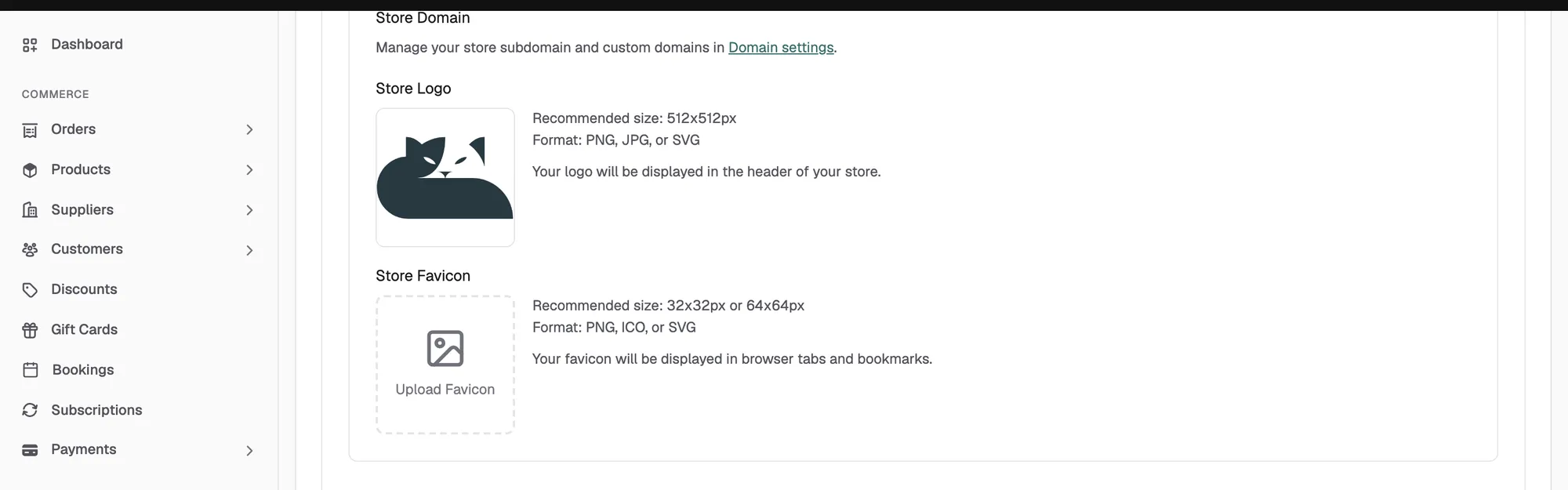
Your store logo sits on the same tab under Store Logo. It shows in your storefront header and is a separate image. The recommended size for the logo is 512 x 512 pixels.
Tip: A store with a missing favicon looks unfinished in a tab bar full of other sites. Upload one before you share your store link anywhere.
Set a social sharing image
- From your Orbit dashboard, go to Storefront > Preferences.
- Under Social sharing image, click Add image. The Select Social Sharing Image window opens.
- Pick an image from your Media Library, or upload a new one. A preview appears on the card.
- Click Save at the bottom of the page. The message Preferences saved successfully appears.
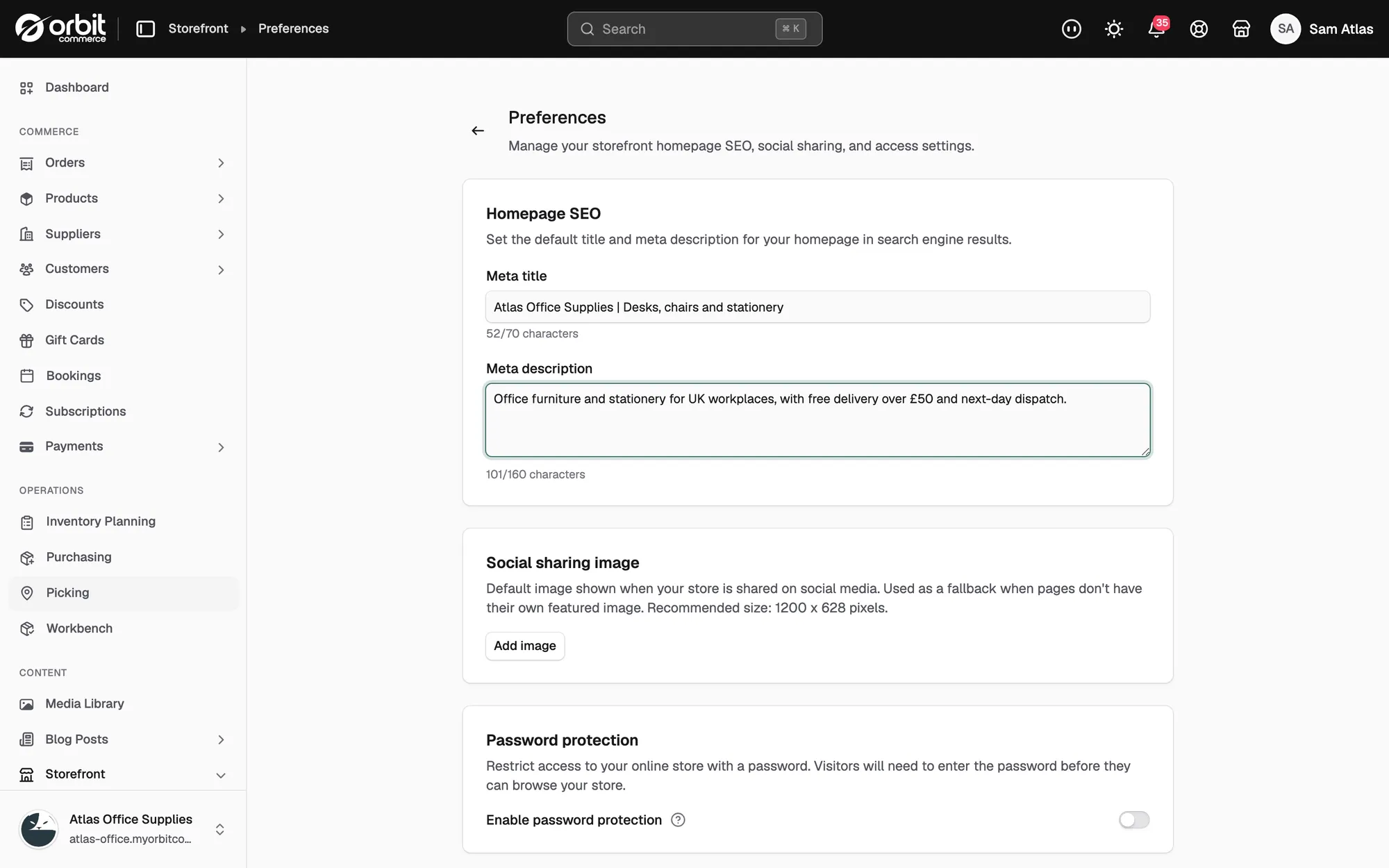
To swap the image later, click Change image. To clear it, click Remove, then Save.
Show your brand and your best product or lifestyle shot. Think of it as an advert you make once and every share reuses.
Check how your link looks
- Paste your homepage link into a message to yourself and look at the preview card.
- Do the same with a product page. Product pages use the product's main image, so a strong main image matters here too.
Related guides
Was this helpful?
0 people found this helpful