Adding a social embed
Put one Instagram, X, TikTok or Facebook post on a page by pasting its address. Set the width, the alignment and whether the caption shows.
The Social Embed element puts one social post on your page. Paste the address of an Instagram, X, TikTok or Facebook post and Orbit works out which network it came from. The post itself is loaded from that network when the page opens.
Considerations
- The page builder shows a placeholder, not the post. The real post appears on the published page.
- One element holds one post. Add another element for a second post.
- For a site that is not one of the four networks, set Provider to Generic iframe.
Add the element
- Open the page in the page builder.
- In the toolbox on the far left, click Elements.
- Find Social Embed in the Basic group, or search for it.
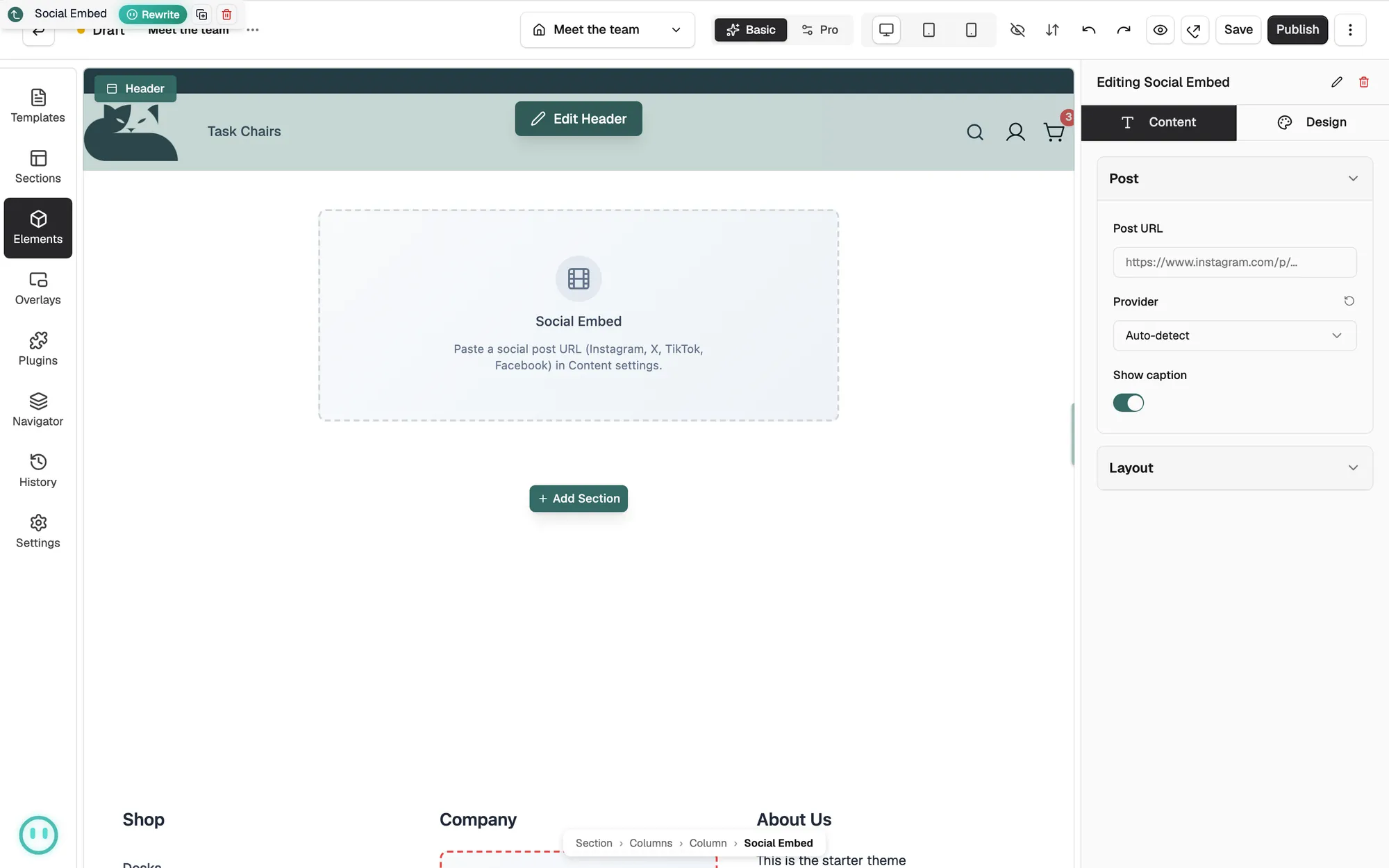
- Drag it onto the canvas and drop it where you want it. The settings panel opens on Editing Social Embed.
Embed a post
- With the element selected, open the Content tab.
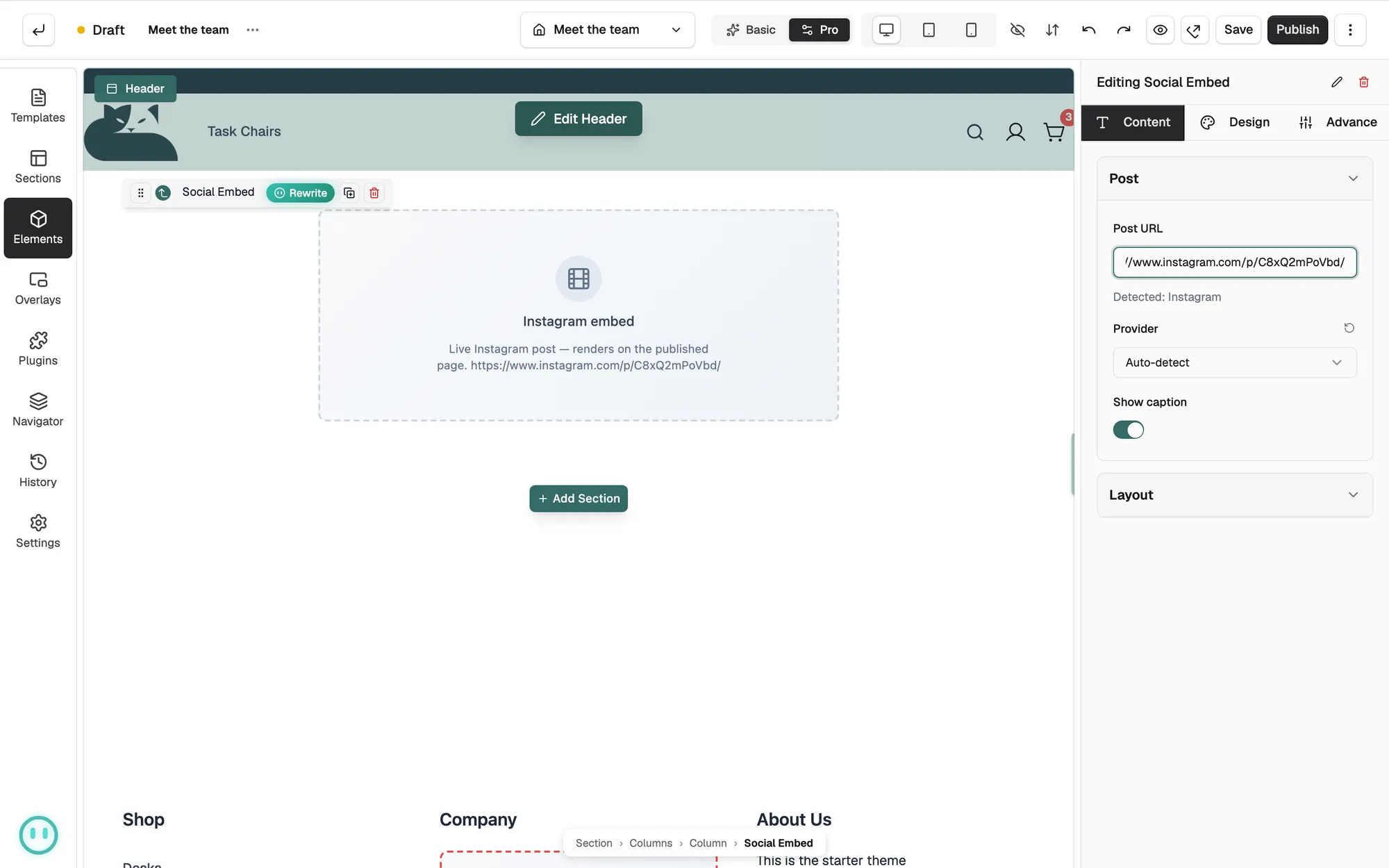
- Under Post, paste the address of the post into Post URL.
- Read the line under the box. It names the network it found, such as Detected: Instagram. If it says Unsupported URL, check the address or pick a provider yourself.
- Leave Provider on Auto-detect, or choose the network from the list.
- Turn Show caption off if you want the post without its text.
- Under Layout, drag Max Width to set how wide the post can be, then pick an Alignment.
- Save the page, then open it in your shop to see the post.
Content settings
- Post URL: the web address of the single post you want to show.
- Provider: Auto-detect, Instagram, X (Twitter), TikTok, Facebook or Generic iframe.
- Show caption: shows the text that comes with the post.
- Max Width: the widest the post can go, from 200 to 1000 pixels.
- Alignment: puts the post on the Left, in the Center or on the Right.
- Iframe Height: the height of the frame. It appears only when the provider is Generic iframe.
Design settings
Open the Design tab to change the look. The groups are Border, Shadow and Spacing.
Related guides
Was this helpful?
0 people found this helpful