Cancelling an order
Cancel an unshipped order from More actions. A paid order is refunded and its stock released in one step. Learn when to refund instead.
Cancel an order when it should not go ahead and nothing has shipped. For example, the customer changed their mind, or you cannot supply the goods. Cancel Order is under More actions on the order page. If the customer has paid, cancelling refunds them and releases the stock in one step.
Considerations
- You cannot undo a cancellation.
- You cannot cancel a Completed order, or a paid order that contains digital, gift card or service items. Use a refund or a return instead.
- You cannot cancel an order that already has a partial refund. Refund the rest instead.
- Staff need permission to issue refunds before they can cancel a paid order.
- For orders paid by Bank Transfer, Cash on Delivery, Cheque / Money Order or a Custom method, Orbit records the refund only. You move the money yourself.
Cancel an order
- From your Orbit dashboard, go to Orders.
- Open the order.
- Click More actions at the top of the page.
- Click Cancel Order.
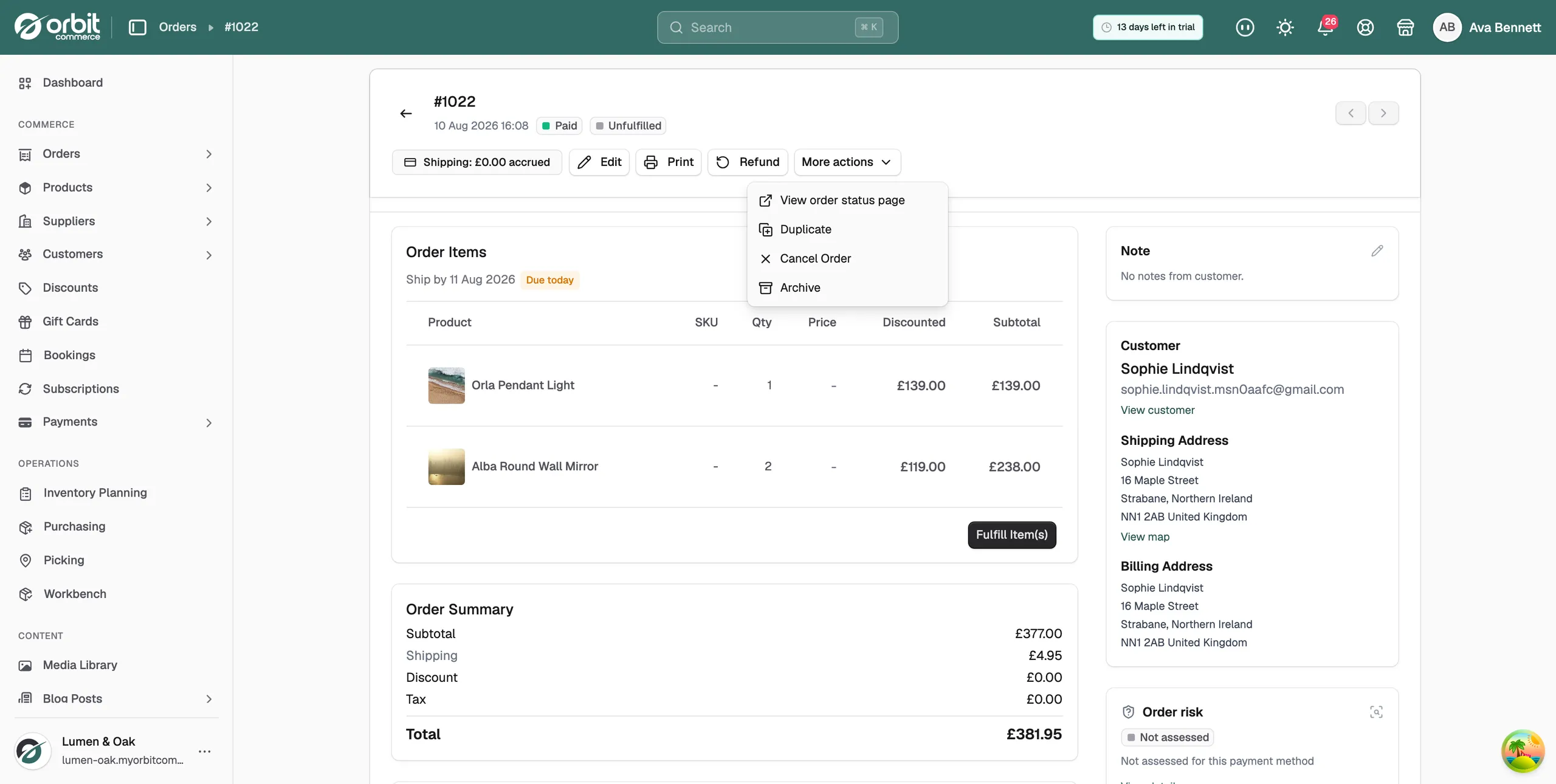
- Read the message. On a paid order it says the customer will be refunded and any reserved stock released, and that this cannot be undone.
- Click Cancel Order to go ahead, or Keep Order to go back.
- The message Order cancelled successfully appears and the order badge changes to Cancelled.
What cancelling does
- Fulfilment: the order leaves the fulfilment queue and its ship-by date is removed.
- Stock: any reserved stock goes back to your available quantities.
- Payment: if the order was paid, every captured payment is refunded before the order becomes Cancelled. There is no separate refund step. An unpaid order cancels and releases its stock.
Cancel or refund?
- Cancel: nothing has shipped and the order should not happen. If the customer paid, the cancellation refunds them.
- Refund: goods have gone out, or you only want to give back part of the money. Click Refund at the top of the order page. See Refunding an order.
Tip: If the customer wants a change rather than a cancellation, click More actions, then Duplicate. Edit the copy, then cancel the original with a note. This keeps the history clear.
Orders that cancel themselves
An unpaid card checkout cancels itself after 60 minutes if the payment is still pending or failed. Orbit records the reason in the order's notes. Orders awaiting a bank transfer or cash on delivery, and orders you created yourself, never cancel on their own. Cancel those by hand.
Customer cancellation requests
A customer can ask to cancel from their account. The request appears on the order as Customer requested cancellation, with the reason they gave. The customer is not charged or refunded until you act.
- Open the order and read the request.
- To approve it, click More actions, then Cancel Order. This refunds the customer and releases the stock.
- To decline it, leave the order as it is and let the customer know.
Related guides
Was this helpful?
0 people found this helpful