Creating and receiving purchase orders
Raise a purchase order for a supplier, send it, then record the delivery so accepted units reach your stock and rejected ones are logged.
Purchasing is the buying side of your stock. You keep a list of the suppliers you buy from, raise a purchase order for what you need, and record the delivery against that order when it turns up. You will find it under Operations > Purchasing.
Considerations
- Purchasing is part of the Enterprise plan. On other plans the Operations section does not appear.
- Recording a delivery is the step that moves stock. Marking an order as ordered does not.
- Units you reject are recorded against the supplier and never added to your stock.
- A purchase order receives into one location. You choose it when you create the order.
- The Payment card on an order is for your own records. Your accounting tool is still the ledger.
Create a purchase order
- Go to Operations > Purchasing.
- If the supplier is new, open the Suppliers tab and click Add supplier. Fill in the name, the contact details, the currency and the default lead time.
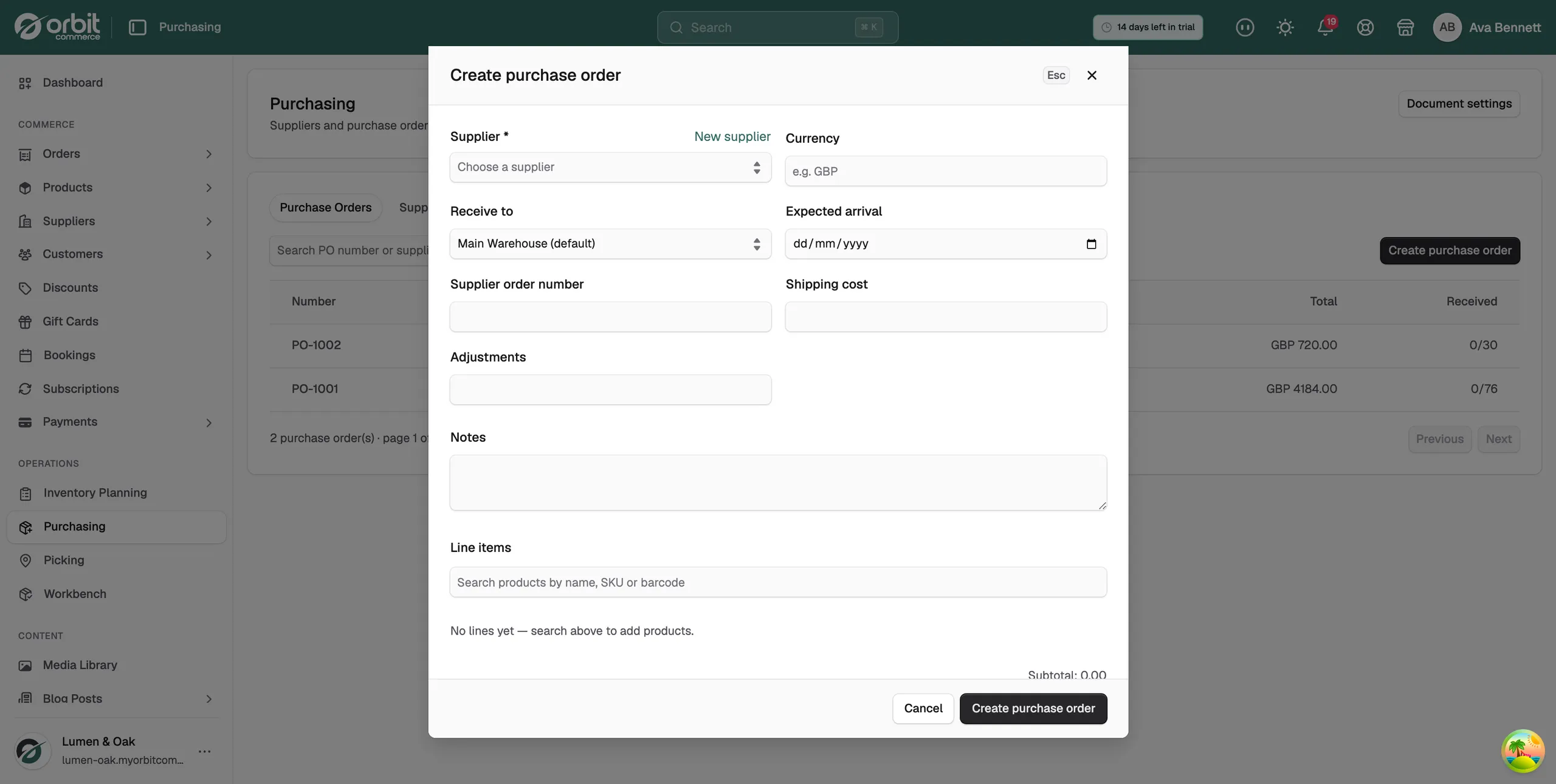
- Back on the Purchase Orders tab, click Create purchase order.
- Pick the supplier and the location the stock will arrive at.
- Add each item you are ordering, with its quantity and its unit cost.
- Set the expected delivery date and add any notes for the supplier.
- Save it. The order is created as a Draft, and nothing is sent until you send it.
Send it to your supplier
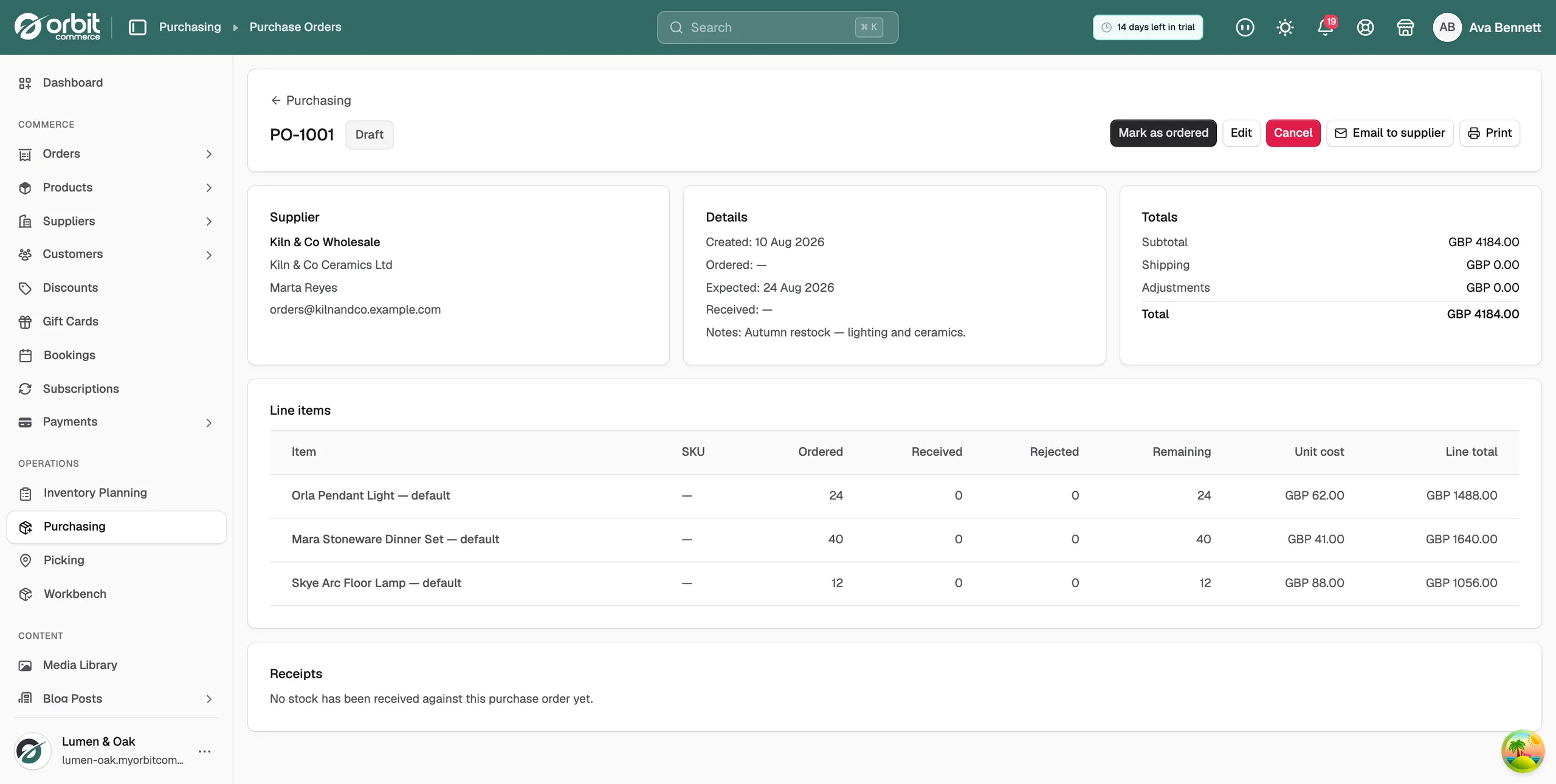
Open the order to work on it. While it is a Draft you can still change it or drop it.
- Click Email to supplier to send the order document from the page, or Print for a copy you can read out or file.
- Click Edit to change a line, or Cancel to drop the order.
- Once the order is really placed, click Mark as ordered. The status changes to Ordered and a Receive button appears, ready for the delivery.
Note: Cancel goes away as soon as anything has been received against the order, including rejected units.
Receive a delivery
- Open the purchase order and click Receive. A panel opens on the right.
- Scan a barcode into the Scan barcode or SKU box, or type a code and press Enter. Each scan adds 1 to that line's accepted count.
- If you counted the boxes by hand, type the figure into the line's Accept box instead. Remaining next to it shows what is still owed on that line.
- Type any damaged or wrong units into the line's Reject box.
- Use Notes to say what went wrong with the delivery.
- Click Receive stock. Accepted units are added to your stock at the order's location, and the receipt is added to the order.
The Accept and Reject boxes start empty, so only what you type is recorded. If part of the order is still to come, the status changes to Partially received and the line's Remaining figure tells you what is left.
Tip: Receive against the order even when a delivery is perfect. The received count is what keeps the incoming figures on your planning page honest.
What the purchase order page shows
Three cards sit at the top of the order:
- Supplier: who you are buying from, with their contact details.
- Details: the created, ordered, expected and received dates, and Receive to, the location the stock arrives at. Received is filled in only when the whole order has landed.
- Totals: Subtotal, Shipping, Adjustments and Total, with the landed cost those add per unit.
Below them, Line items lists each item with its Ordered, Received, Rejected and Remaining counts, its Unit cost and its Line total. Receipts lists every delivery you have recorded, with the date, who received it, the accepted and rejected counts and the notes.
Track your purchase orders
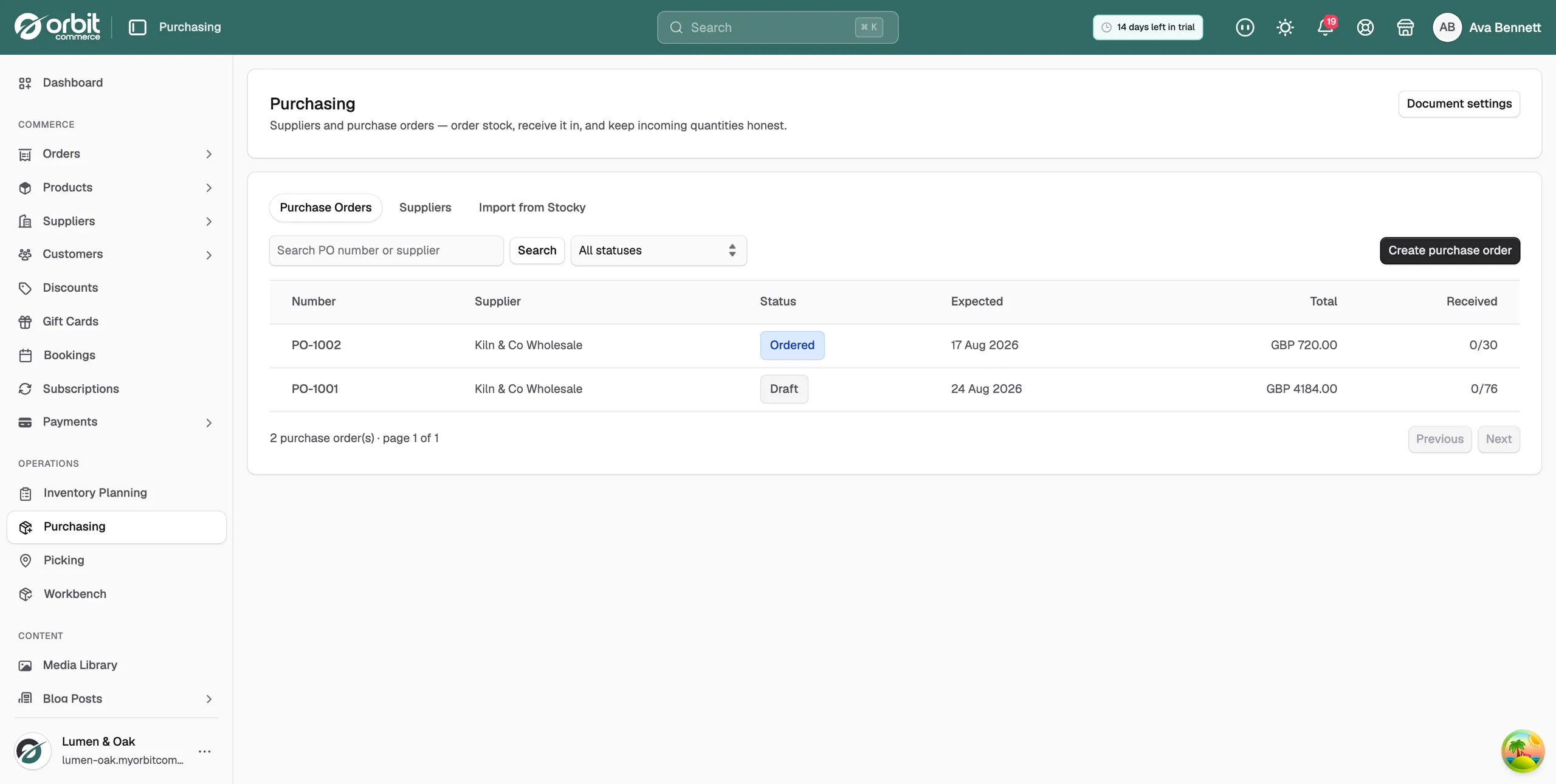
The Purchase Orders tab lists every order with its number, supplier, status, expected date, total and how much has arrived. A received count of 0/76 means none of the 76 units ordered have landed yet.
- Use the status filter to show only drafts, or only orders still on their way.
- Use the search box to find an order by its number or by supplier.
- The Suppliers tab holds the people you buy from.
- Import from Stocky brings suppliers and orders across if you are moving from Stocky.
- Document settings controls how your printed and emailed purchase orders look.
Related guides
Was this helpful?
0 people found this helpful