Refunding to a gift card
Hand a refund back as store credit by issuing a new card, and the rules to follow before you offer it.
A return does not always have to mean money leaving your business. With the customer's agreement, you can hand the value back as a gift card instead. The credit arrives by email straight away, and the money stays in your store.
Considerations
- Orbit has no refund option that pays money back onto a gift card. You refund or cancel the order as usual, then issue a new card by hand.
- This also applies when the customer paid with a gift card. Refunding that order does not put the value back on the card they used.
- Ask the customer first. Store credit instead of money is their choice to accept, not a default you can apply.
Give a refund as store credit
- Agree the amount with the customer, and check they are happy to take it as a gift card.
- Handle the return or cancellation in Orders the way you normally would.
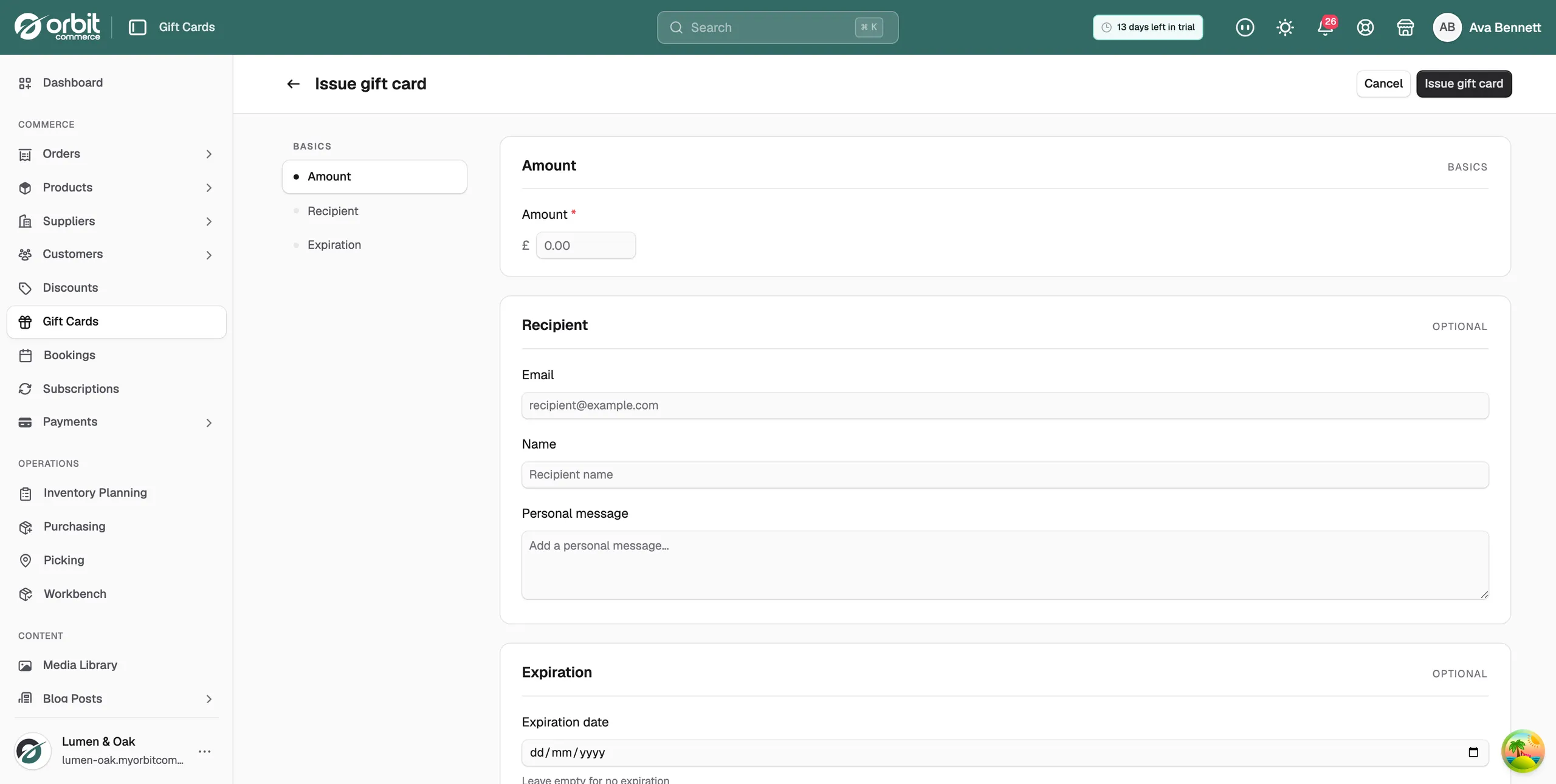
- From your Orbit dashboard, go to Gift Cards.
- Click Issue gift card.
- Enter the refund figure in Amount.
- Under Recipient, enter the customer's Email and Name, and add a Personal message if you want to explain what the card is for.
- Click Issue gift card. The code is emailed to the customer.
Add a note to the order saying the refund went out as a gift card, with the card code. That way anyone who picks the order up later can see what happened.
Warning: Statutory returns, such as faulty goods or a cancelled distance sale, usually entitle the customer to their money back. Do not replace that with store credit unless they have agreed to it.
When a gift card is the right answer
- A goodwill gesture after a delivery went wrong or a service slipped.
- A return the customer is happy to swap for credit, often with a small extra amount on top.
- A gesture you offer without a return at all, such as keep the item and have credit for the trouble.
Gift cards are also a tidy way to hand out prizes, staff perks and samples, because each one carries its own balance and history.
Related guides
Was this helpful?
0 people found this helpful