Redeeming gift cards and checking balances
How a customer spends a card at checkout, why a code can be refused, and where to look up a balance and its history.
3 min read5viewsUpdated 17 September 2026Orbit Commerce
A gift card is a way to pay, not a discount. The customer types the code at checkout and the card pays down the total. Whatever is left stays on the card for next time. You can look up any card and its balance under Gift Cards in your Orbit dashboard.
Considerations
- A card can only be spent on an order in the same currency as the card.
- A customer can put more than one gift card on the same order.
- If the basket costs more than the cards cover, the customer pays the rest with a normal payment method.
- The balance on a card does not expire unless you set an expiry date when you issue it.
How a customer redeems a card
- They shop and go to checkout as normal.
- In the order summary, they type the code into the Gift card code field.
- They click Apply. The card is listed with its balance, and the message Gift card applied appears.
- They can apply another card the same way, or remove one by clicking the cross beside it.
- They pay any remaining balance with a normal payment method and place the order.
The card is charged when the order is placed. If the order costs less than the card, only that part comes off and the rest stays on the card.
Why a code can be refused
- Invalid gift card code: the code does not match a card in your store. Check for typing mistakes.
- Gift card is inactive: the card has been deactivated. Activate it if it should still work.
- Gift card has expired: the card is past its expiry date.
- Gift card has no remaining balance: the card has been spent down to 0.
- Gift card currency does not match order currency: the card was issued in a different currency to the one the customer is shopping in.
Check a balance
- From your Orbit dashboard, go to Gift Cards.
- Type the code or the customer's email address into Search by code or email.
- Click the row to open the card.
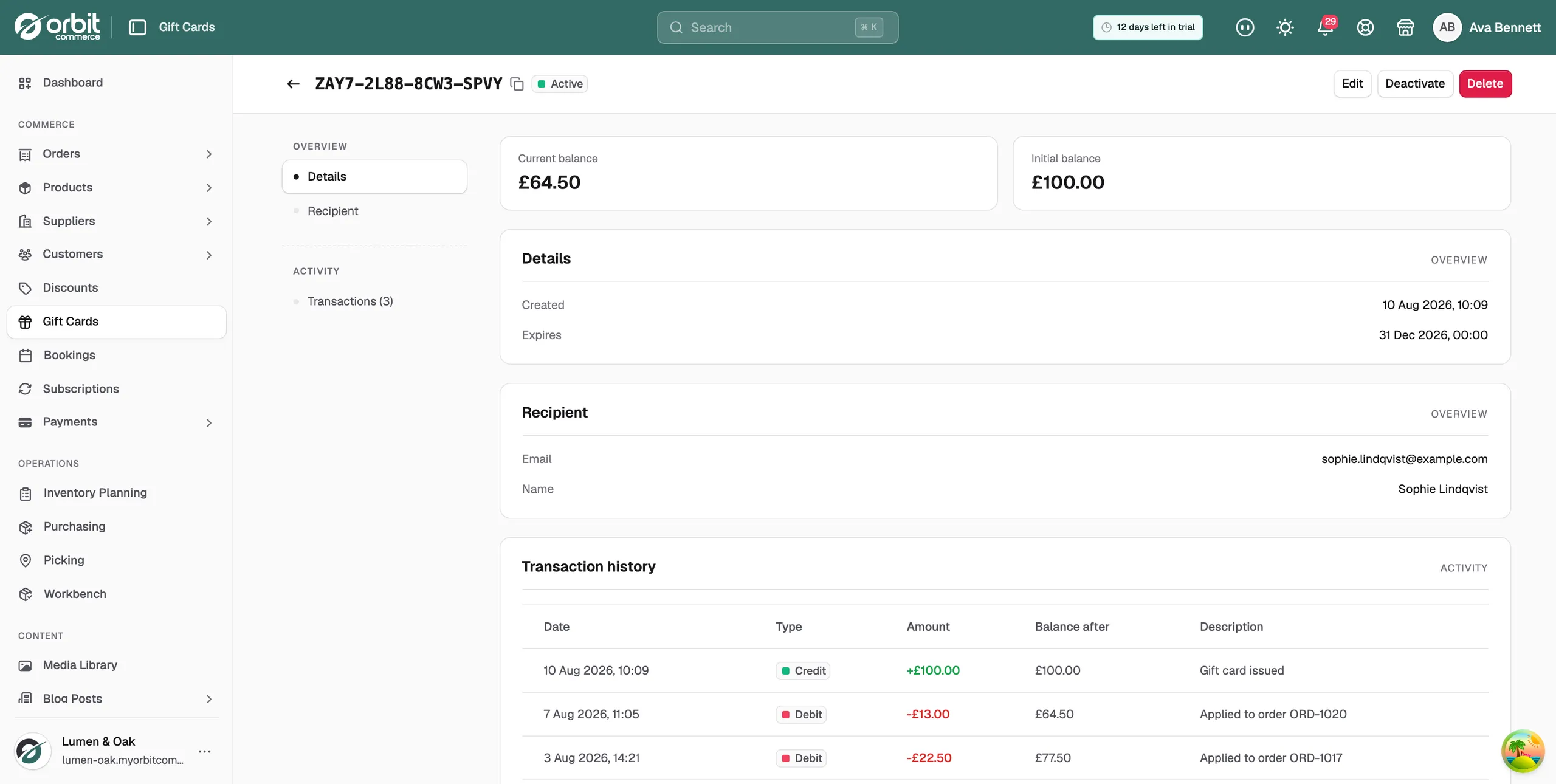
- Read Current balance at the top of the page. Initial balance beside it is what the card started with.
- Scroll to Transaction history to see where the money went, order by order.
If a customer loses their code
- Find the card and check the Current balance.
- Click Deactivate and confirm, so the old code stops working.
- Issue a new card for the balance that was left, addressed to the same customer.
Note: You cannot top up or correct the balance on a card from your dashboard. If a card needs more value on it, issue a second card.
Related guides
Was this helpful?
0 people found this helpful