Setting gift card expiry dates
What the expiry field does, how to set or change it, and what to weigh up before you put a date on a card.
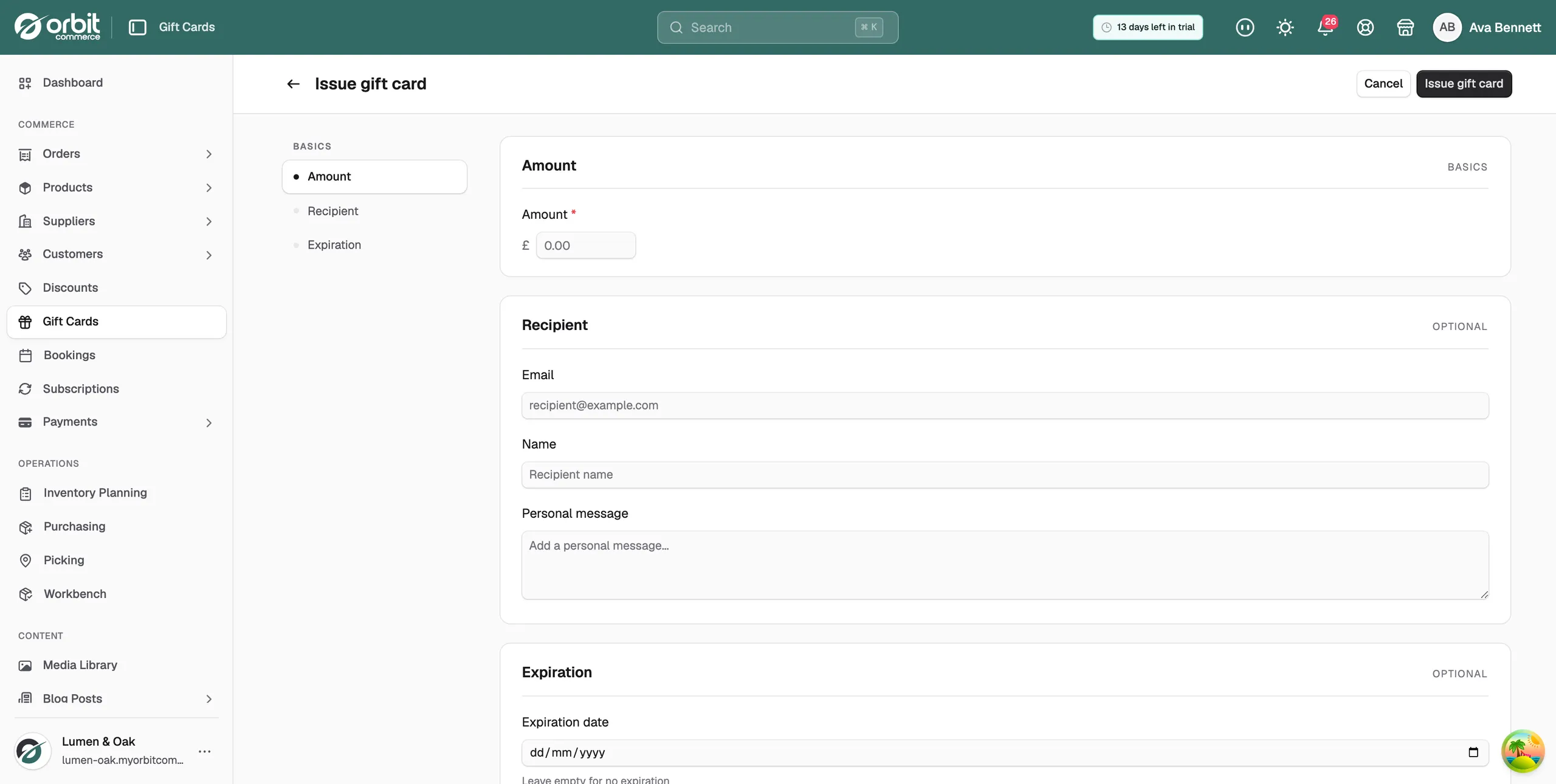
Every gift card can have an expiry date, and none of them has to. The Expiration date field sits on the Issue gift card page in your Orbit dashboard. Leave it empty and the card never expires.
Considerations
- After the expiry date the card cannot be redeemed at checkout, even if there is still money on it.
- An expiry date has to be in the future when you set it.
- You can add, change or clear the date later by editing the card.
- Expiring Soon on the Gift Cards page counts active cards that expire in the next 30 days.
Set an expiry date
- From your Orbit dashboard, go to Gift Cards.
- Click Issue gift card.
- Fill in the Amount and any recipient details.
- Scroll to Expiration and pick an Expiration date. The help line under the field reads Leave empty for no expiration.
- Click Issue gift card.
To change the date on a card you have already issued, open the card, click Edit, change the Expiration date and click Save changes.
Think about this before you set one
A gift card is a promise to honour money the customer has already handed over, so most places have rules about it. Orbit gives you the field. The policy, and whether it is legal where you sell, is yours.
- UK: consumer protection guidance expects the terms to be fair. Very short expiry windows draw complaints and chargebacks. Many UK retailers use 12 to 24 months, or no expiry at all.
- EU: the rules differ from one member state to the next, and some restrict expiry outright.
- US: federal law requires at least 5 years on most gift cards.
No expiry is compliant everywhere and is the friendliest policy. If you do set a date, make it generous and say so clearly wherever you sell or promote the cards.
Other rules worth knowing
- Unspent balances: money sitting on cards is a liability, not sales. Your accountant should see your outstanding gift card balance, not only your takings.
- Refunds: where an order was paid for with a gift card, local law decides whether a refund can go back as store credit or has to go back as money.
- Lost cards: deactivate the card so the old code stops working, then issue a new one for the balance that was left.
Note: This guide is orientation, not legal advice. A short conversation with your accountant or adviser is worth more than a policy you have to unpick later.
Related guides
Was this helpful?
0 people found this helpful