Inviting customers to create an account
Check whether a customer can sign in, send them an account invite from their profile, and see what a storefront account gives them.
Any customer record can become a signed in account on your storefront. Most accounts start at checkout. For the rest, you can send an invite from the customer's profile in your Orbit dashboard.
Considerations
- An invite does not create the account. The customer follows the link and registers themselves.
- The Account badge stays on No account until they finish signing up, so it does not change when you send the invite.
- Send account invite is only in the menu while the customer has no account yet.
- Passwords never move between platforms. Customers you imported from another store have a record but no login.
Check whether a customer has an account
- From your Orbit dashboard, go to Customers.
- Click the customer's name.
- Look at the Account row at the bottom of the Contact information card. It reads Has account in green, or No account in grey.
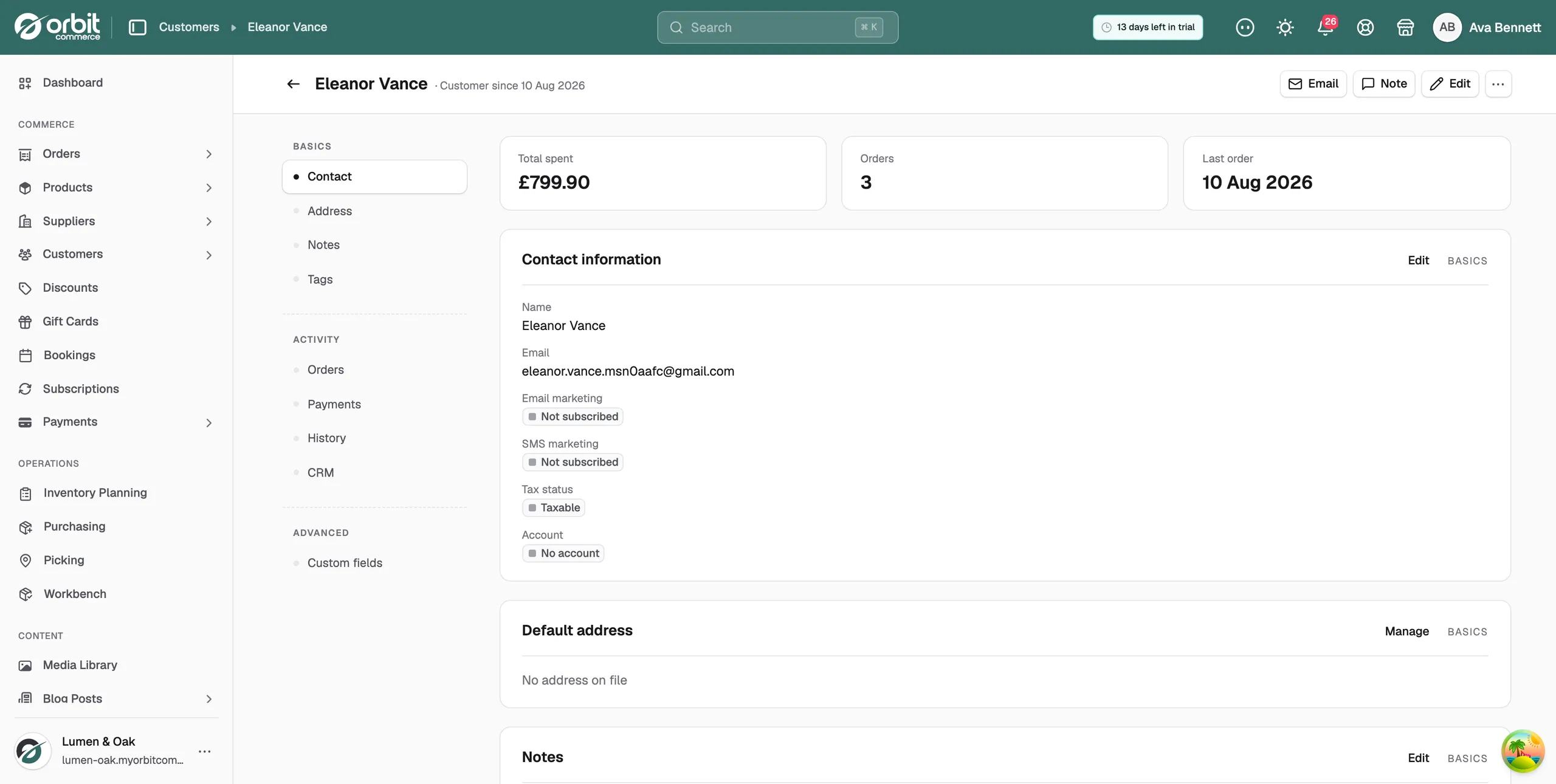
Send an account invite
- Open the customer's profile.
- Click the three dots menu at the top right.
- Choose Send account invite.
- Check the email address in the box that opens. The invite goes to that address.
- Click Send invite. The message Invite sent appears.
The customer gets an email with a link to the registration page, with their details already filled in. They set a password, and the history you already hold is waiting for them.
Note: The Account badge still reads No account straight after you send an invite, and the menu item stays in place. It changes only once the customer has registered.
What a customer can do when signed in
- Orders: see their order status, invoices and tracking.
- Addresses: keep their own delivery addresses up to date, which makes checkout faster.
- Subscriptions: pause, resume or change a plan without emailing you.
- Downloads: get the digital files and licence keys they have bought.
- Loyalty points: check their balance, if you run the loyalty plugin.
Trade customers need an account to see the prices you agreed with them. The storefront can only apply B2B pricing once it knows who is looking.
Related guides
Was this helpful?
0 people found this helpful