Managing availability and service hours
Your weekly hours and your time blocks decide when customers can book. Set both, and see what has to be true before a slot appears.
The booking calendar only offers times you have said you can work. Those times come from two places: your weekly service hours in Settings, and one-off blocks you add on the Bookings page. This guide explains how the two fit together.
Considerations
- Service hours apply to every bookable service in your store. You set them once, not per product.
- A time block covers one service. If you are away from all of them, add a block for each service.
- A time block cannot be edited or removed once you save it.
Set your weekly hours
Service hours are your normal week: which days you take bookings and the hours on each.
- From your Orbit dashboard, go to Settings.
- Under Selling, click Services.
- Use the toggle on each day to set it Open or Closed.
- On an open day, set the Opens and Closes times.
- Click Save Changes.
For the full steps, including the timezone, see Setting your service hours.
Block out time
Blocks handle the exceptions to your normal week: holidays, staff training, a day out on site visits. No slot opens across a block, whatever your weekly hours say.
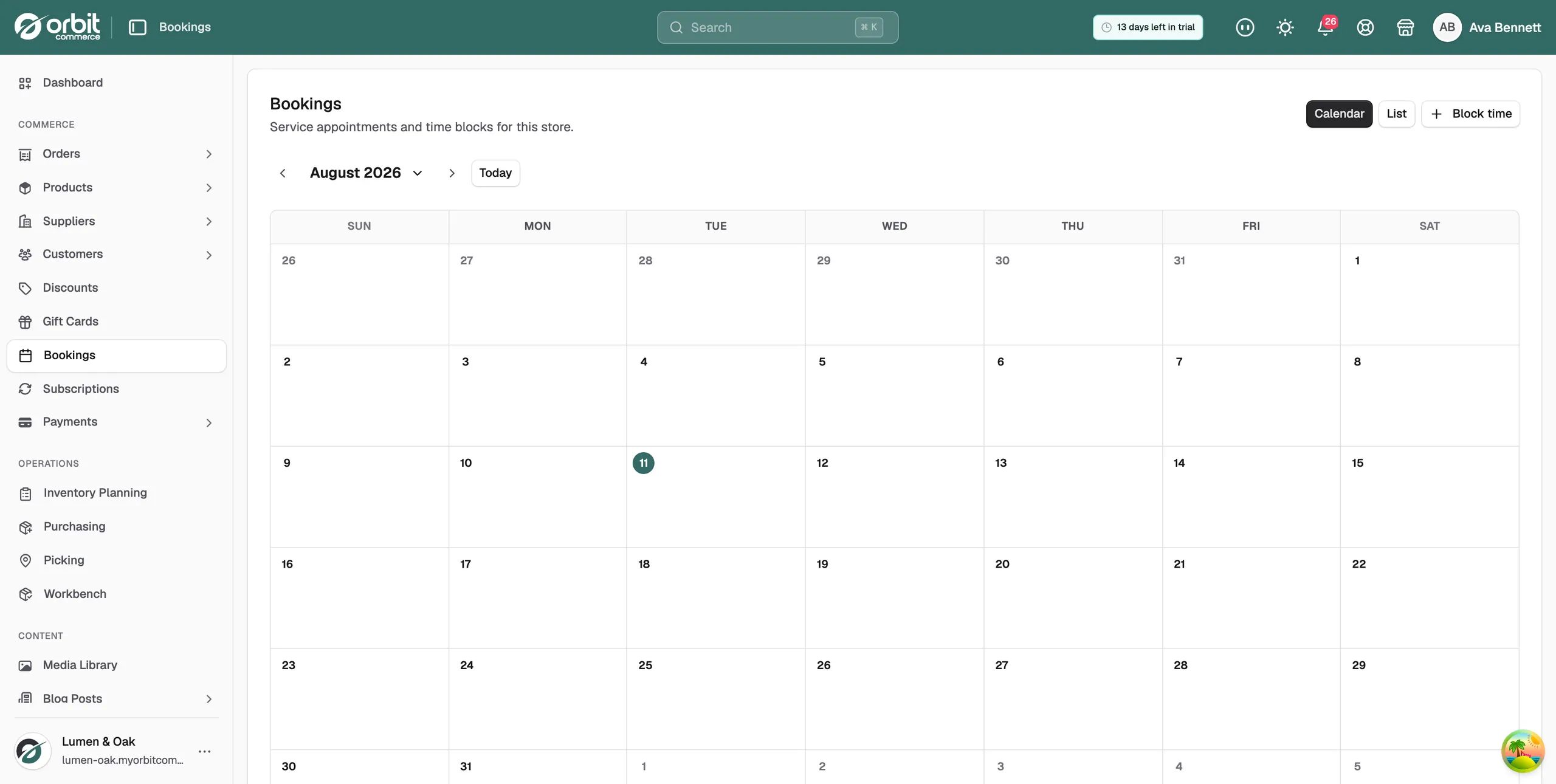
- From your Orbit dashboard, go to Bookings.
- Click Block time in the top right.
- Under Service product, pick the service the block applies to.
- Set the Start date and time, then the End date and time.
- Click Block time. The reserved period appears on the calendar with the status Blocked.
Warning: A time block is permanent. Check the dates before you save it.
The start and end times are read in your store's timezone, not the customer's. Bookings already made inside that window are not cancelled. The block stops new ones.
When a customer sees a slot
A slot only appears on your storefront when all of these are true:
- It falls inside your service hours for that day.
- It is not covered by a time block.
- It is further ahead than the product's lead time.
- The slot is not already booked to capacity.
Lead time and capacity are set on the service product itself. See Setting up a bookable service.
Tip: Block the year ahead's holidays in one sitting. Finding a booking on the day you fly is worse than the ten minutes it takes now.
If your hours change with the season, update your service hours rather than blocking out weeks at a time.
Related guides
Was this helpful?
0 people found this helpful