Setting up a bookable service
Create a product with the type Service, then set the duration, capacity, lead time and buffer that drive your storefront booking calendar.
A service is a product customers book a time for, such as a consultation, a fitting, a class or a repair. You make one by creating a product with the type Service, then filling in the Service details section. Those settings drive the booking calendar on your storefront.
Considerations
- Session duration and Unit are required. You cannot save a service product without them.
- A service product has no shipping and no inventory. Those sections do not appear.
- The days and times slots appear on come from your service hours, not from the product. See Setting your service hours.
Create a service product
- From your Orbit dashboard, go to Products.
- Click Add product.
- Under Product Type, click Service. The form changes to what a booking needs.
- In Title, type the name customers would search for, such as Desk Assembly and Installation.
- Write a description saying what is included, so nobody has to ask.
- Add photos or video under Add media to your product, if you have them.
- In the menu on the left, click Pricing and set the Price for one visit.
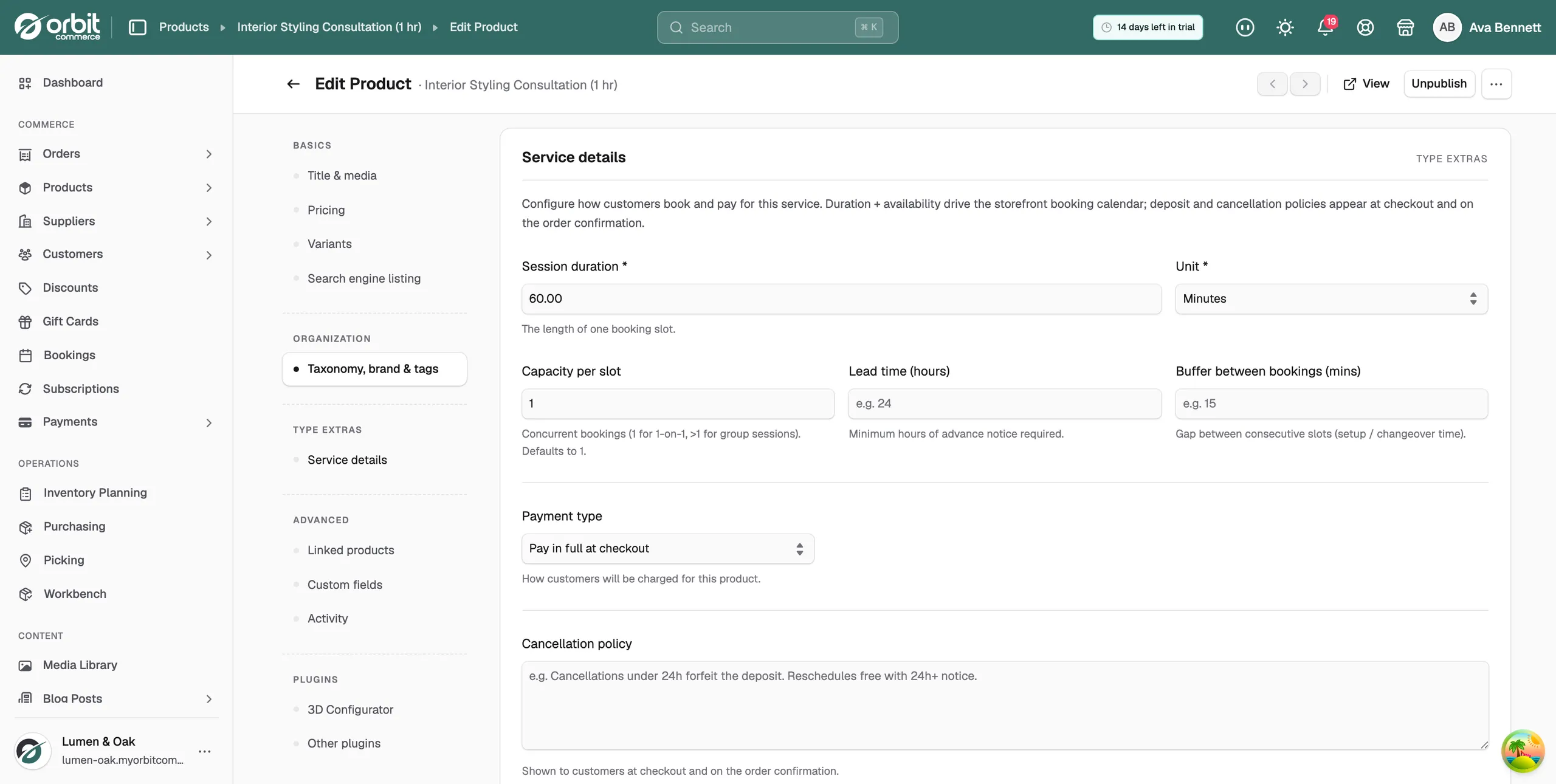
- In the menu on the left, click Service details.
Set the booking details
- In Session duration, type the length of one booking slot, for example 3.
- Click Unit and pick Minutes, Hours or Days. Duration and unit together set the slot length.
- In Capacity per slot, type how many bookings can run at once. Use 1 for one to one work, or more for a group session. It defaults to 1.
- In Lead time (hours), type the least notice you need, for example 48. Customers cannot book inside that window.
- In Buffer between bookings (mins), type the gap you need between slots for setup or changeover, for example 30.
- Click Publish at the top right when the details are right.
Tip: Book your own service once after you set it up. One run through the storefront calendar shows up a wrong duration or a missing buffer straight away.
Service details fields
- Session duration: the length of one booking slot. Required.
- Unit: whether the duration is in minutes, hours or days. Required.
- Capacity per slot: how many bookings can run at the same time. 1 for one to one, more for group sessions. Defaults to 1.
- Lead time (hours): the minimum hours of notice you need before a booking.
- Buffer between bookings (mins): the gap between one slot and the next.
- Payment type: how the customer is charged. Choose Pay in full at checkout, Deposit + balance or Installments (scheduled payments).
- Cancellation policy: the text customers see at checkout and on the order confirmation.
- Cancellation fee (%): what you keep when a booking is cancelled, from 0 to 100.
Note: Installment plans can only be added after the product is saved. Save the product first, then reopen Service details.
Set when customers can book
Duration, capacity and buffers decide how long each slot is. Your service hours decide which days and hours slots exist on. Set them under Settings, then Services. Together they produce a calendar you can honour.
Related guides
Was this helpful?
0 people found this helpful