Building a B2B price catalogue
Create a price book for the businesses you supply, set per-product and group prices, check them in the preview, then attach the catalogue to a company.
A catalogue is a price book for the businesses you supply. You set agreed prices in it, then attach it to a company so its buyers see those prices instead of your normal ones. Catalogues live in your Orbit dashboard, under Customers, then Catalogues. B2B features need the Enterprise plan.
Considerations
- You pick the currency when you create the catalogue. You cannot change it once the catalogue holds prices.
- A new catalogue starts as a Draft. Draft catalogues do not appear in the menu on a company record, so activate yours before you try to attach it.
- A price override for one product always beats a rule.
- One catalogue can serve many companies. A common pattern is one catalogue per pricing tier.
Create a catalogue
- From your Orbit dashboard, go to Customers, then Catalogues.
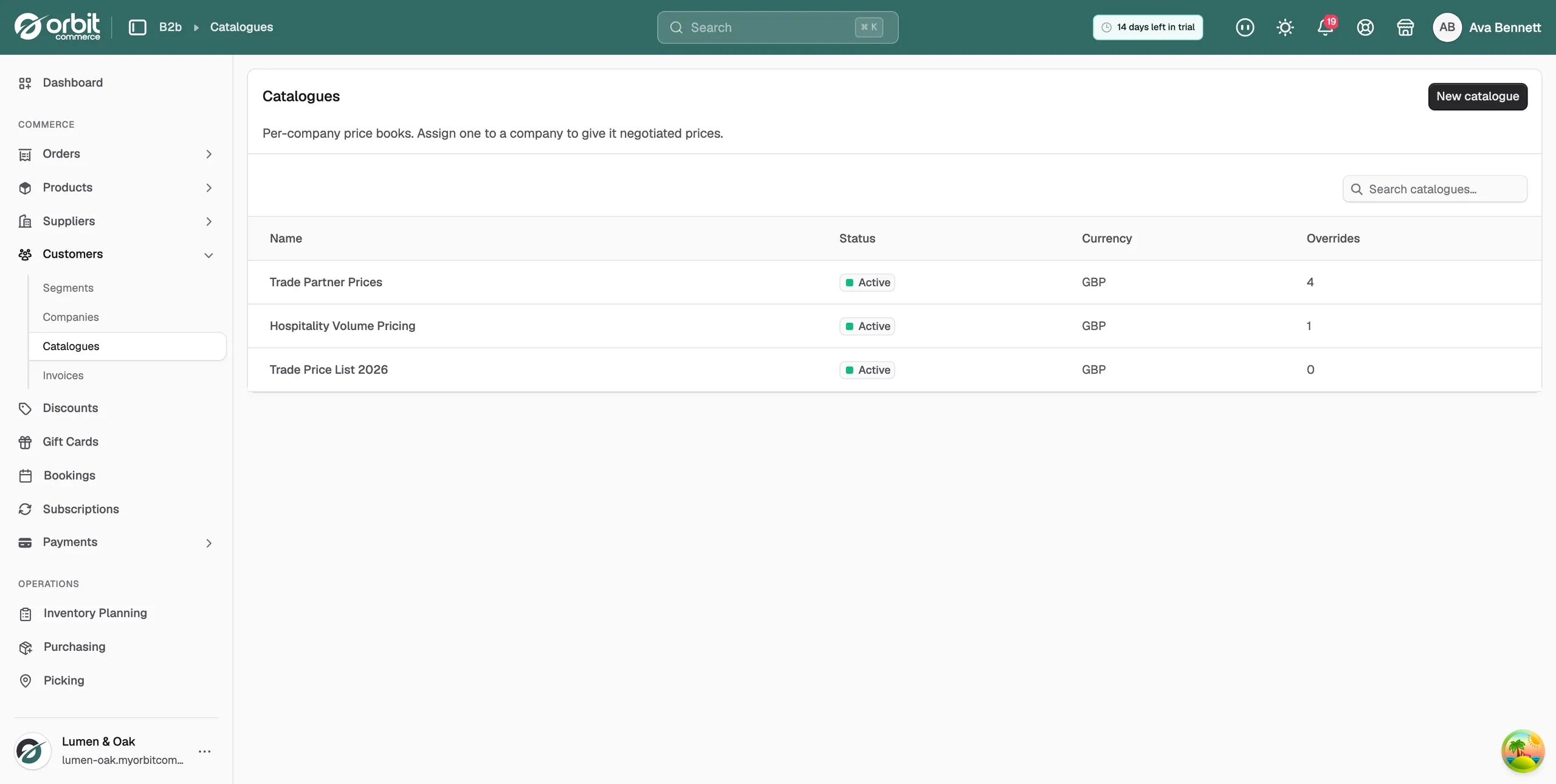
- Click New catalogue.
- Type a Name. Name it after the company or the tier these prices are for, for example Trade Partner Prices.
- Choose a Currency. The list holds the currencies your store sells in.
- Click Create. The catalogue opens, marked Draft.
Warning: The currency is fixed once the catalogue has prices in it. To change it later you have to remove every price first.
Set a price for one product
An override is an exact price for one product. Use it where a negotiation names a figure.
- Open the catalogue, then click Price overrides in the list on the left.
- Click Set a price.
- In the Product box, type part of the product name, then click the product in the list.
- Under Type, choose Fixed price for a flat rate, or % off base for a discount off your normal price.
- Type the agreed figure in Price, or the discount in Percent off.
- Click Save price. The product appears in the table with its type and value.
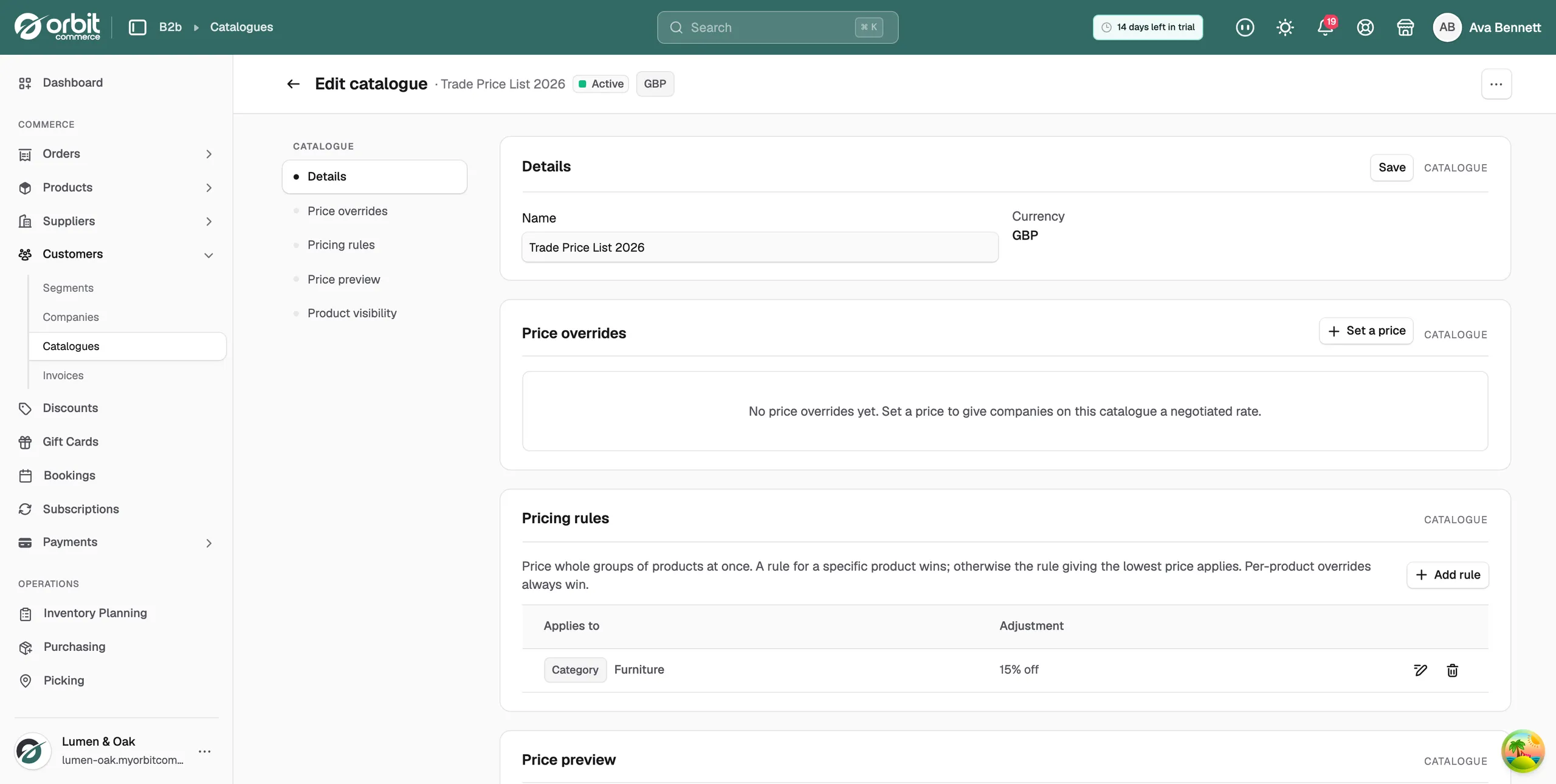
To change or remove an override later, use the pencil and bin buttons at the end of its row.
Price a whole group with a rule
A rule prices many products at once, so there is far less to keep up to date.
- Open the catalogue, then click Pricing rules in the list on the left.
- Click Add rule.
- Under Apply to, choose Category, Tag, Brand, Custom type or Product.
- In Target, pick the category, tag, brand, custom type or product the rule covers.
- Under Adjustment, choose Percentage off, Amount off or Fixed price.
- Type the figure.
- Click Add rule. It appears in the table with what it applies to and what it does.
A catalogue can hold one rule per target. Adding a second rule for the same category is refused.
How Orbit picks a price
For each product, Orbit works down this order and stops at the first match.
- Price overrides: an exact price for that product. This always wins.
- A rule for that product: beats any rule that covers a group.
- Group rules: where more than one matches, the rule giving the lowest price applies.
- Your base price: used when nothing in the catalogue matches.
Check the prices before they go live
- Open the catalogue, then click Price preview in the list on the left.
- Read down the table. It lists your products with their Base price and their Catalogue price side by side.
- Look at the Applied column to see where each price came from: Override, the name of the rule that matched, or Base.
- Use the search box to check a product by name.
The preview works on a draft catalogue, so you can check everything before a single customer sees it.
Limit what a company can buy
- Open the catalogue, then click Product visibility in the list on the left.
- Turn on Restrict to selected products.
- Add the products this catalogue's companies are allowed to see.
With the switch off, companies on this catalogue see everything in your store at their agreed prices.
Activate the catalogue and attach it
- Open the catalogue and check the prices in Price preview.
- Click Activate at the top right. The status changes to Active.
- Go to Customers, then Companies, and open the company.
- Click Pricing catalogue and choose your catalogue.
To take a catalogue back out of use, open it and click Set to draft.
Related guides
Was this helpful?
0 people found this helpful