Managing B2B invoices
Track what your business customers owe, chase overdue invoices, and record a payment that arrived by bank transfer. Needs the Enterprise plan.
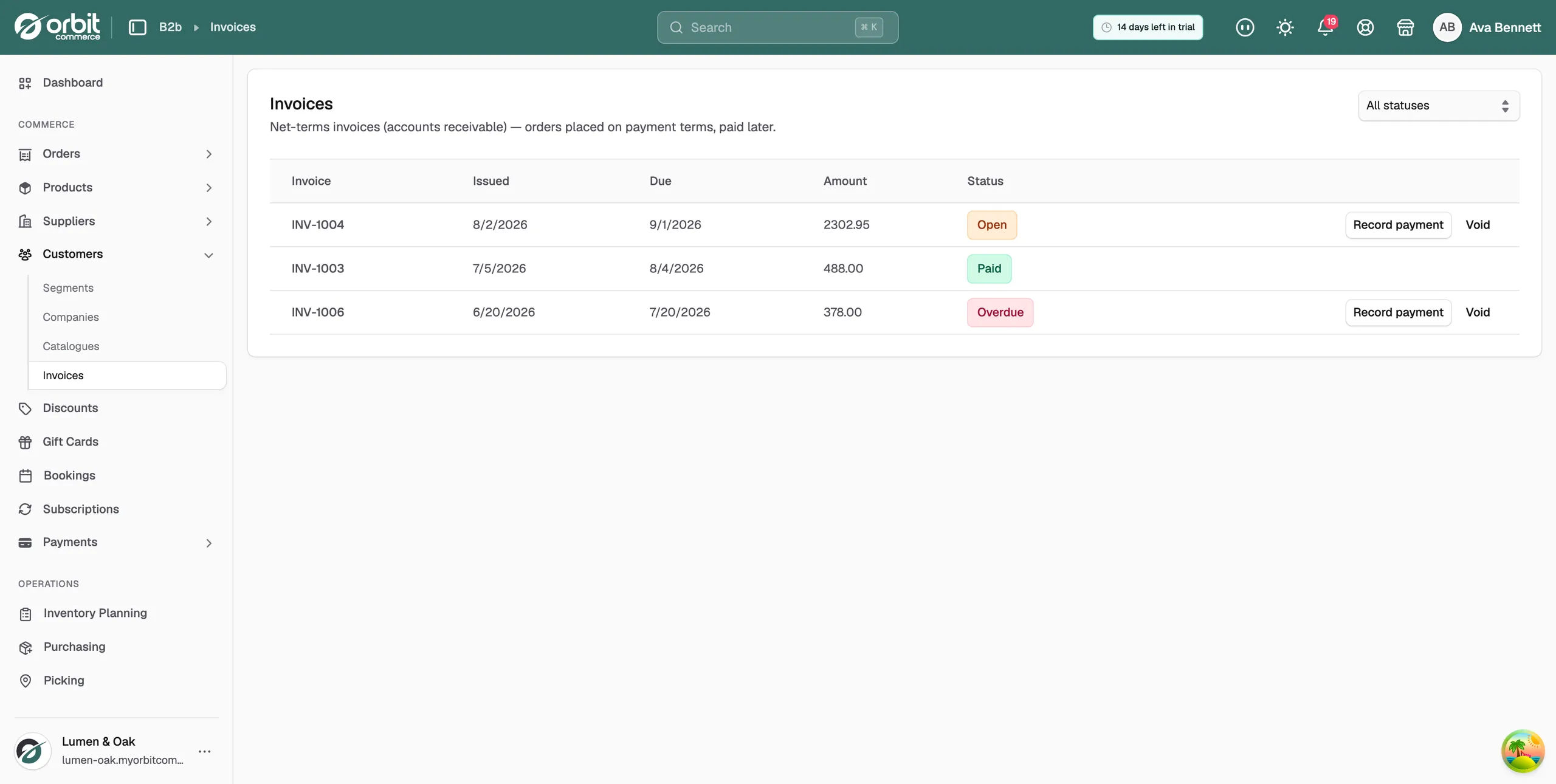
When a company buys on payment terms, the order does not take payment at checkout. It creates an invoice instead. The Invoices page is your accounts receivable: what is owed, by whom, and by when. You find it in your Orbit dashboard, under Customers, then Invoices. B2B features need the Enterprise plan.
Considerations
- Invoices are created at checkout when a company buys on terms. You cannot create one here.
- A late invoice still has the status Open. Orbit works out Overdue from the due date, so late invoices sit in the Open list.
- Recording a payment marks the order paid as well as the invoice. You cannot undo it.
- Payment terms are agreed per company. See Adding a B2B company.
Read the invoice list
Each row shows one invoice.
- Invoice: the invoice number. It carries the order number, so INV-1022 is order 1022.
- Issued: the date the invoice was raised.
- Due: the date payment is due.
- Amount: what the company owes.
- Status: Open, Overdue, Paid or Void.
At the end of each row sit its actions. View opens the invoice itself. Record payment and Void show only while an invoice is unpaid.
Find what is owed
- From your Orbit dashboard, go to Customers, then Invoices.
- Open the status menu at the top right. It reads All statuses to start with.
- Choose Open. The list shows everything still owed, including anything past its due date.
An invoice past its due date carries a red Overdue badge, so you can pick your chase list out of the Open view at a glance.
Tip: Look at the Open list once a week. Cash flow problems show up here first.
Record a payment
Use this when the money arrives outside Orbit, for example by bank transfer.
- Find the invoice in the list.
- Click Record payment on its row.
- Read the confirmation, then click Record payment again to confirm.
- The message Payment recorded appears.
If the Open filter is still on, the invoice drops out of the list, because it is no longer open. Set the status menu back to All statuses to see it again, now marked Paid.
Warning: Recording a payment marks the invoice and its order as paid, and it cannot be undone. Only do it once the money is in your bank.
Void an invoice
Void an invoice you raised by mistake. The company no longer owes it, and the record stays in the list.
- Find the invoice in the list.
- Click Void on its row.
- Confirm. The message Invoice voided appears.
View an invoice
Click View on a row to open the invoice in a new tab. View stays on a row after the invoice is paid or voided, so you can always go back to the paperwork.
Note: View only appears once the invoice has a hosted copy to open. That needs payments to be set up on your store.
Related guides
Was this helpful?
0 people found this helpful