Choosing a plan
Compare Solo, Team, Pro and Enterprise, check how long your trial has left, and change your plan under Settings, then Plan & Billing.
2 min read9viewsUpdated 13 October 2026Orbit Commerce
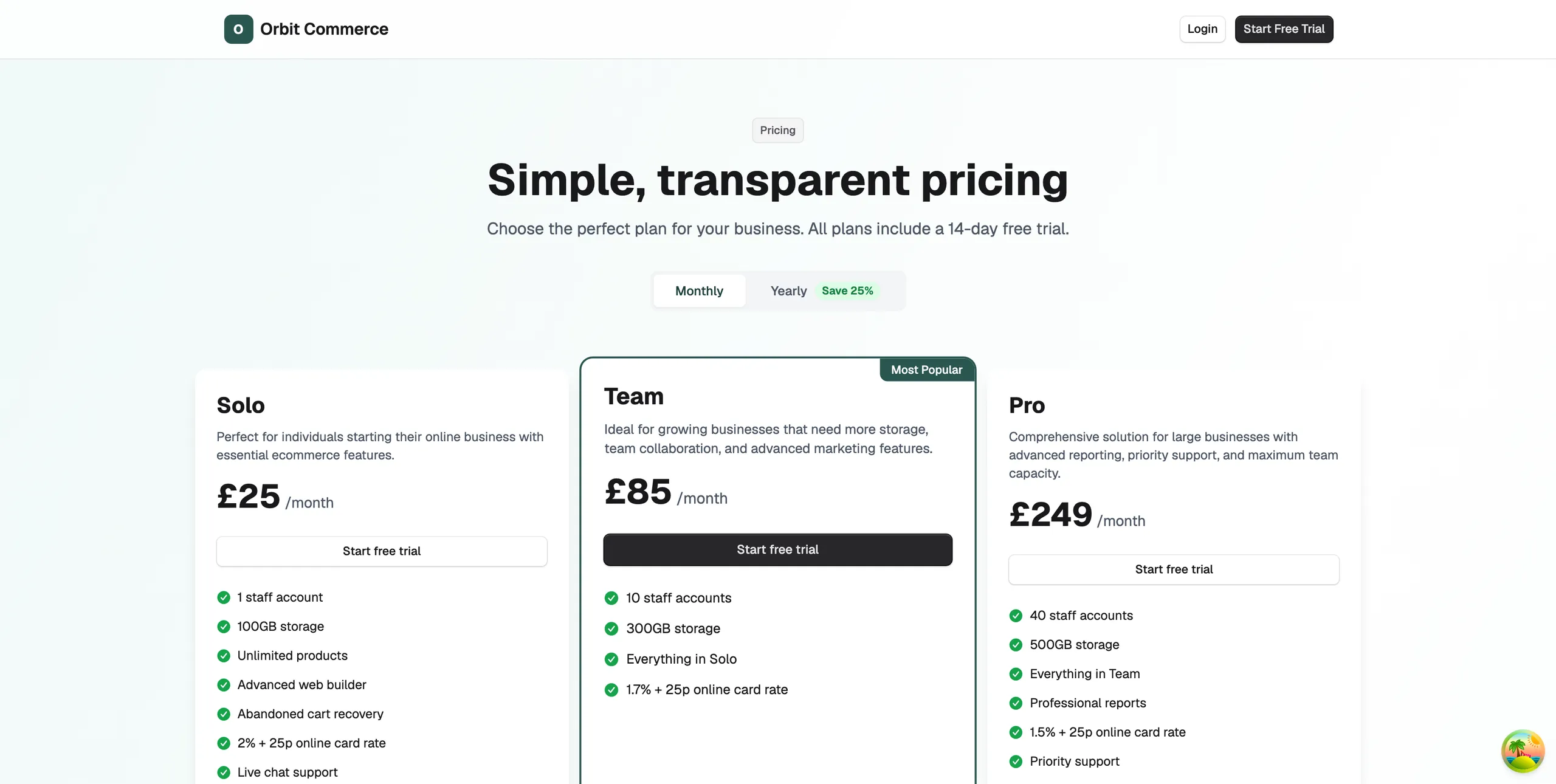
Every new store starts on a 14-day free trial with every feature turned on. You do not need a credit card to start. To keep selling after the trial, pick one of four plans: Solo, Team, Pro or Enterprise. You do it under Settings, then Plan & Billing.
Considerations
- You can pay monthly or yearly. Yearly saves 25%, and you can switch from monthly at any renewal.
- Each plan has its own online card rate. Work out your real card volume first. A lower rate on a higher plan can pay for the plan.
- B2B and the operations toolkit are on Enterprise only. Trial those features early if you sell wholesale or run a warehouse.
- Prices change, so check the pricing page or the plan cards in your dashboard for today's figures.
The plans
- Solo: for people starting out. 1 staff account, unlimited products, abandoned cart recovery and live chat support.
- Team: for growing businesses. 10 staff accounts, more storage and a lower card rate.
- Pro: for large businesses. 40 staff accounts, professional reports, priority support and the lowest standard card rate.
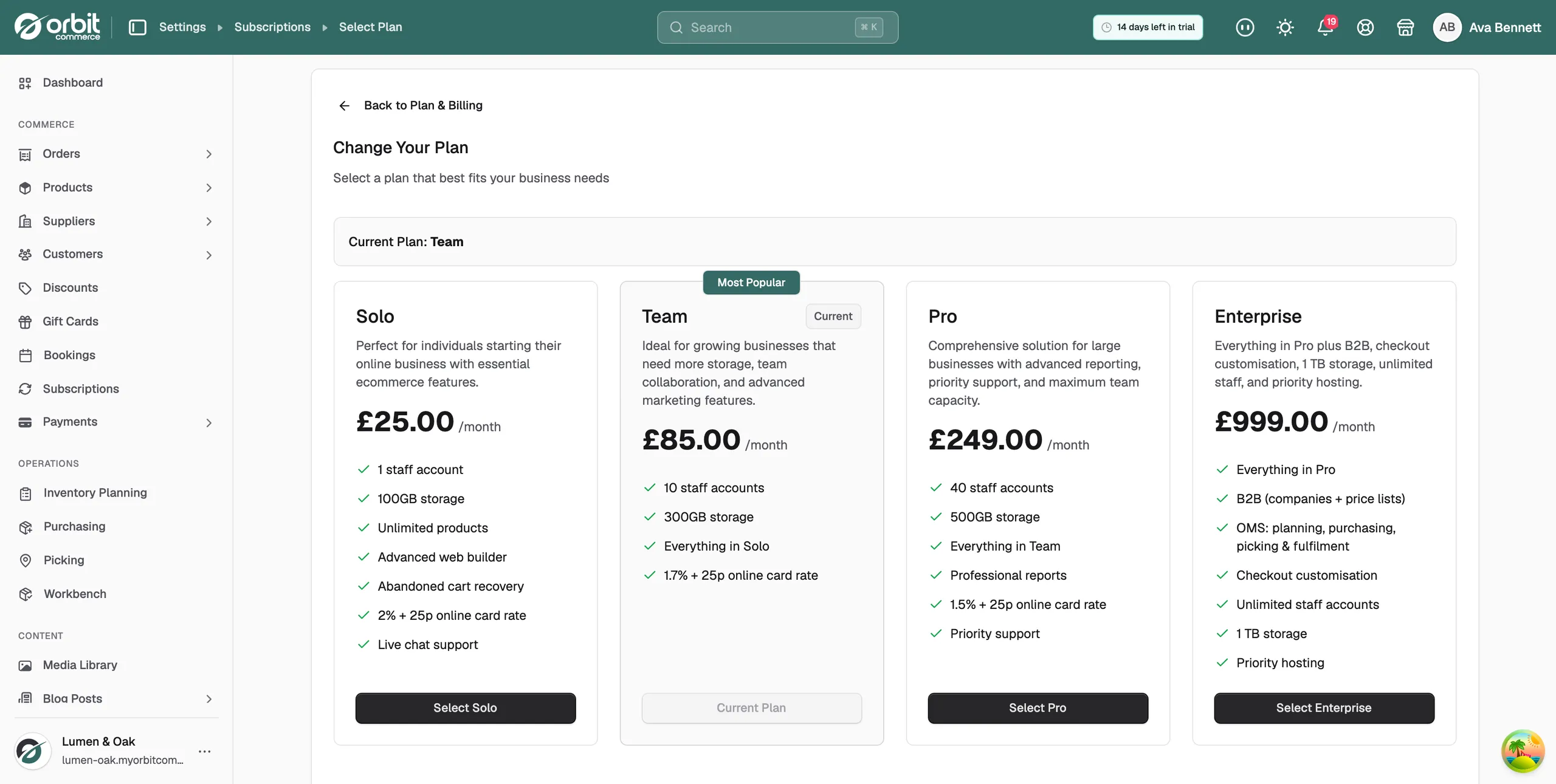
- Enterprise: everything in Pro, plus B2B companies and price lists, the operations toolkit for planning, purchasing, picking and fulfilment, checkout customisation, unlimited staff and 1 TB storage.
Check your trial and your usage
- From your Orbit dashboard, go to Settings.
- Click Plan & Billing.
- Read Current Plan. It shows the plan you are on and the date your trial ends.
- Read Usage & Limits. It shows your products, staff accounts, storage and bandwidth against your plan limits.
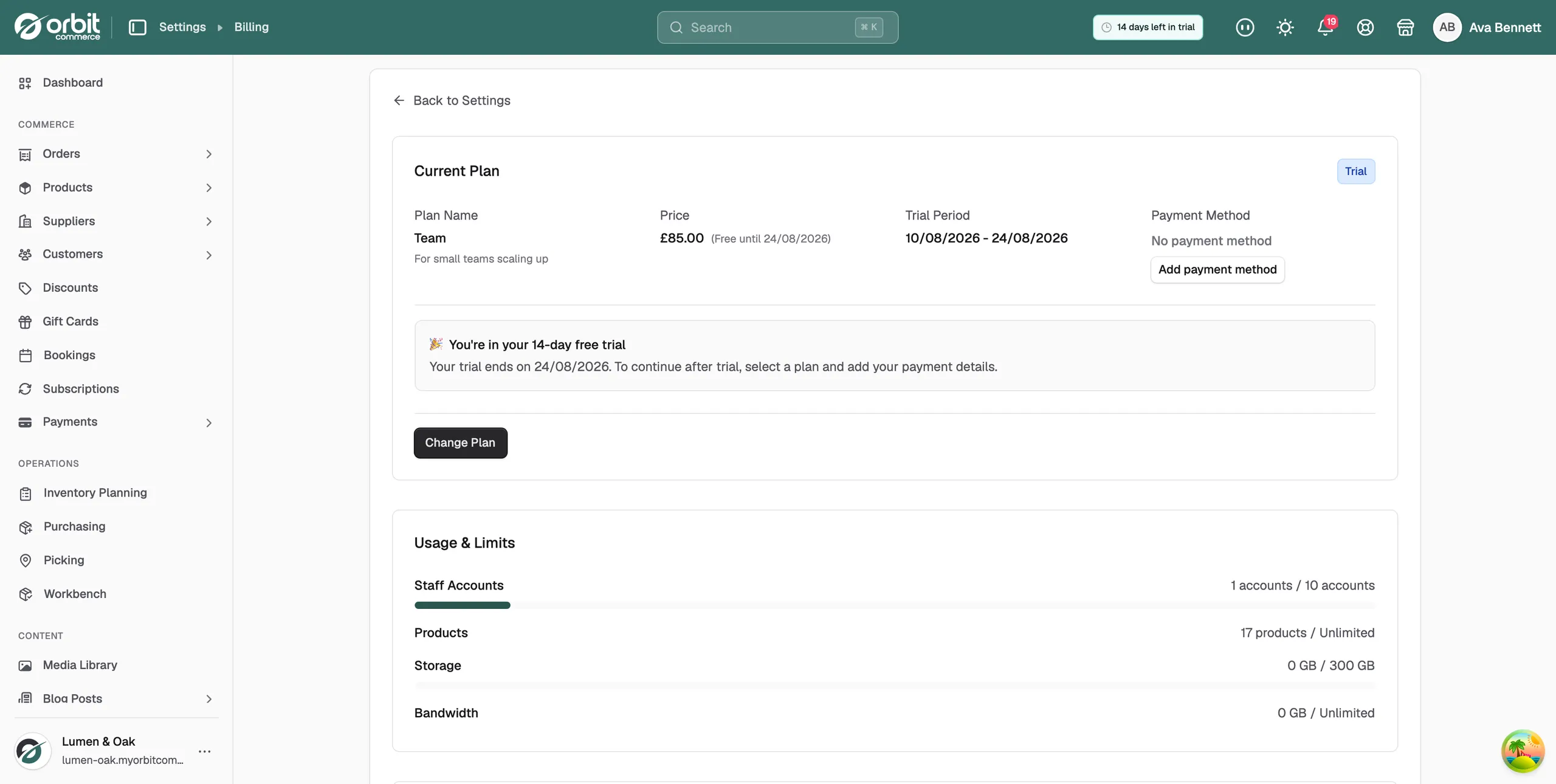
Tip: The pill in the dashboard header counts down the days left in your trial.
Choose or change your plan
- Go to Settings, then Plan & Billing.
- Click Change Plan. The Change Your Plan page opens.
- Compare the plan cards. Your current plan is marked Current, and the most popular one is marked Most Popular. Compare Plans below them sets the features out feature by feature.
- Click the button on the plan you want.
- Add a payment method to confirm.
Note: Upgrades start straight away. Downgrades start at the end of your current billing period. Nothing is charged while your trial is still running.
Related guides
Was this helpful?
0 people found this helpful