Creating subscription plans
Add billing plans to a subscription product, set trials, setup fees and discounts, and edit or remove a plan later.
4 min read10viewsUpdated 12 October 2026Orbit Commerce
A subscription product sells plans rather than single items. A plan is one billing interval with its own trial, setup fee and discount. You add plans in the Subscription plans section of the product editor.
Considerations
- Only a product with the type Subscription has a Subscription plans section.
- Set the product Price first. Plans work from that base price, and the Pricing Preview in the plan window appears only once a price is set.
- On a new product, plans are held until you save. The line Plans will be saved when you create the product. sits under the list.
- On a product that already exists, adding, editing or removing a plan saves straight away.
Add a plan
- From your Orbit dashboard, go to Products.
- Click Add product, or open a subscription product you already have.
- On a new product, under Product Type, choose Subscription.
- Enter a Title and a Price. The price is the base recurring price your plans work from.
- In the left-hand list, under Type extras, click Subscription plans.
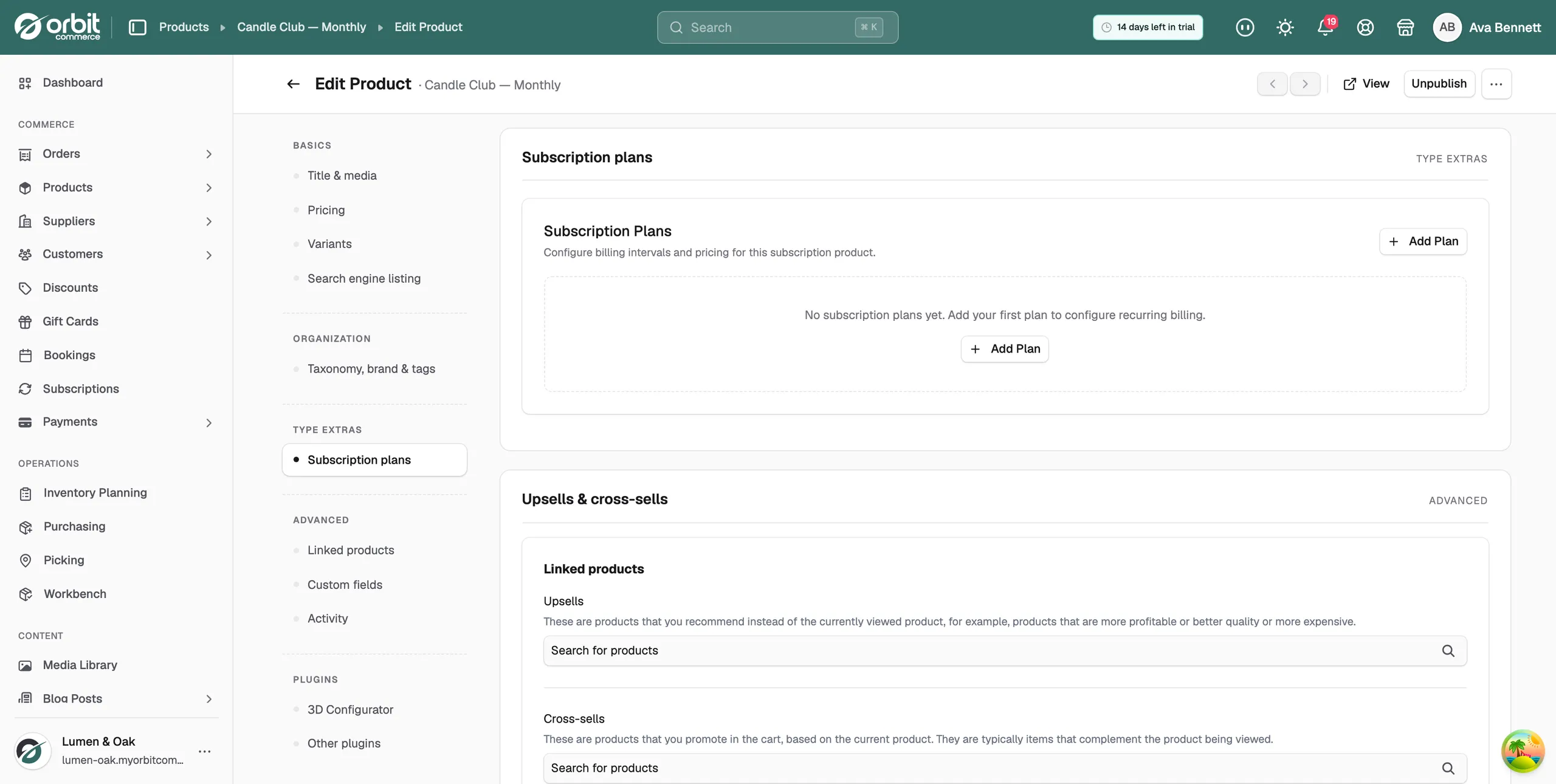
- Click Add Plan. The Add Subscription Plan window opens.
- Fill in the plan fields. They are listed in the next section.
- Click Add Plan at the bottom of the window. The plan appears in the list with a green Active badge.
- To offer a choice, click Add Plan again and set up a second plan, such as quarterly or annual.
- Click Publish, or Save draft to come back later.
Tip: Two or three plans is usually enough. A monthly plan next to a longer one gives shoppers a choice without a long list to read.
Plan fields
- Plan Name: the name of the plan, such as Monthly Plan. This is the only field you have to fill in.
- Billing Interval: Weekly, Monthly, Quarterly, Semi-Annual or Annual. Monthly is already set for you.
- Repeat Every: how many intervals between charges, from 1 to 12. Set 3 with a monthly interval to bill every three months.
- Trial Period (days): days before the first full charge. Leave it at 0 for no trial.
- Trial Price (£): what the trial costs. It appears once the trial period is above 0. Leave it at 0 for a free trial, or set a lower price for a paid trial.
- Setup Fee (£): a one-time charge billed on signup, separate from the recurring price.
- Maximum Pause Duration (days): the total days a customer can pause this plan before it is cancelled automatically. Leave it blank for No limit.
- Discount: No discount, Percentage or Fixed Amount.
- Discount Value: how much comes off. It appears once you pick a discount type.
- Pricing Preview: what the customer pays after the trial and the discount, worked out from the product price.
Edit or remove a plan
- From your Orbit dashboard, go to Products and open the product.
- In the left-hand list, click Subscription plans.
- Find the plan in the list. Each row shows the plan name, how often it bills, and any trial or discount.
- Click the pencil icon on the row to change the plan, then click Save Changes. The message Plan updated appears.
- Click the bin icon to remove the plan. The message Plan removed appears.
Warning: On a product that is already saved, the bin icon removes the plan at once. There is no confirmation step and you cannot undo it. Check who is on the plan first.
Related guides
Was this helpful?
0 people found this helpful