Installing and activating a theme
Find a theme in the Theme Store, install or buy it, activate it on your store, and decide what happens to pages you already have.
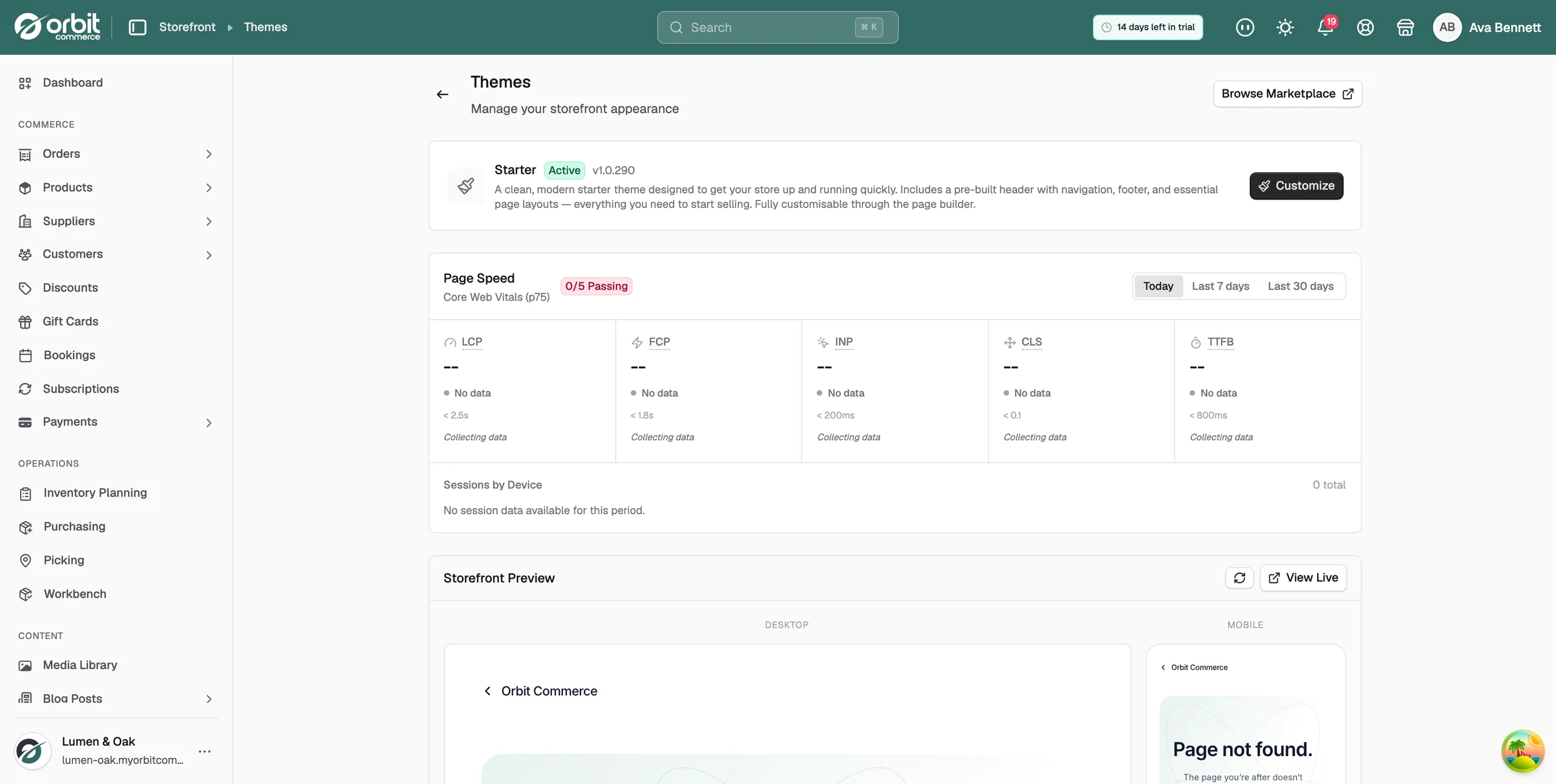
Themes control how your storefront looks. Storefront > Themes shows your active theme at the top, your Page Speed scores, a preview of your store, and the Theme Library of every theme you have installed. You can install as many themes as you like. Nothing changes for shoppers until you activate one.
Considerations
- Activating a theme changes your live storefront at once.
- Your previous theme stays installed. You can switch back at any time.
- Theme settings such as colours and typography reset to the new theme's defaults.
- If the new theme's pages clash with pages you already have, you choose what to do with each one.
- Uninstall removes a theme straight away, with no confirmation.
Find and install a theme
- From your Orbit dashboard, go to Storefront > Themes.
- Click Browse Marketplace at the top right, or Browse Store next to the Theme Library. The Theme Store opens in a new tab. Preview each theme on a demo store and read what it includes.
- Pick a theme. Its install page opens in your Orbit dashboard and shows the price, or Free.
- For a free theme, click Install & Activate to switch to it now, or Install Only to add it to your library for later. The message Theme installed successfully appears.
Buy a paid theme
- On the theme's install page, under Select License Type, choose Single Store or Agency License.
- Click Proceed to Payment. The checkout page opens with an Order Summary.
- Under Payment Method, pick a saved card or click Add Payment Method.
- Click Purchase Theme. When the payment goes through you see Purchase Complete! and can install and activate the theme.
A theme purchase is a one-off payment. It includes lifetime updates for that version and a 30-day money-back guarantee. Payments go through Stripe.
Activate a theme
- From your Orbit dashboard, go to Storefront > Themes.
- Scroll down to the Theme Library and find the theme you want.
- Click Activate. The Activate Theme dialog opens and lists what will happen: your current theme is deactivated but stays installed, new pages are created from the theme's templates, theme settings reset to defaults, and your storefront changes immediately.
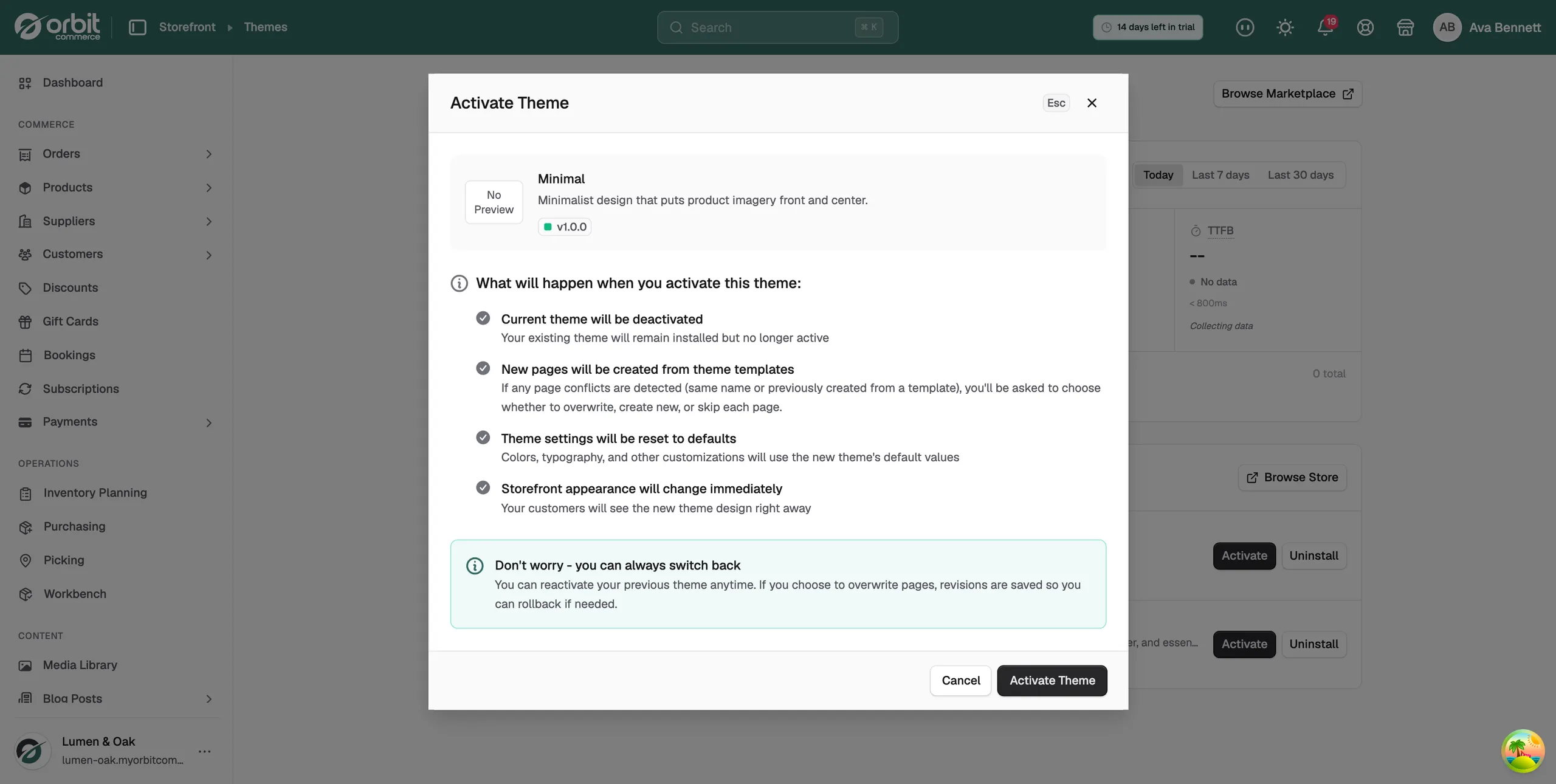
- Click Activate Theme. If none of the theme's pages clash with yours, the switch completes and the message Theme activated successfully appears.
Choose what happens to existing pages
If the theme's templates clash with pages your store already has, such as a homepage, the Page Conflicts Detected dialog opens. It shows one card per page, with the name of the page you already have and why it clashes.
- On each card, pick one option:
- Overwrite existing page: replace your page with the theme's version. A revision is saved, so you can roll back.
- Create new page: keep your page and add the theme's version alongside it with a unique name.
- Skip this page: keep your page unchanged.
- Check the Summary at the bottom. It counts how many pages you chose to overwrite, create new or skip.
- Click Activate Theme. Every choice is applied in one go.
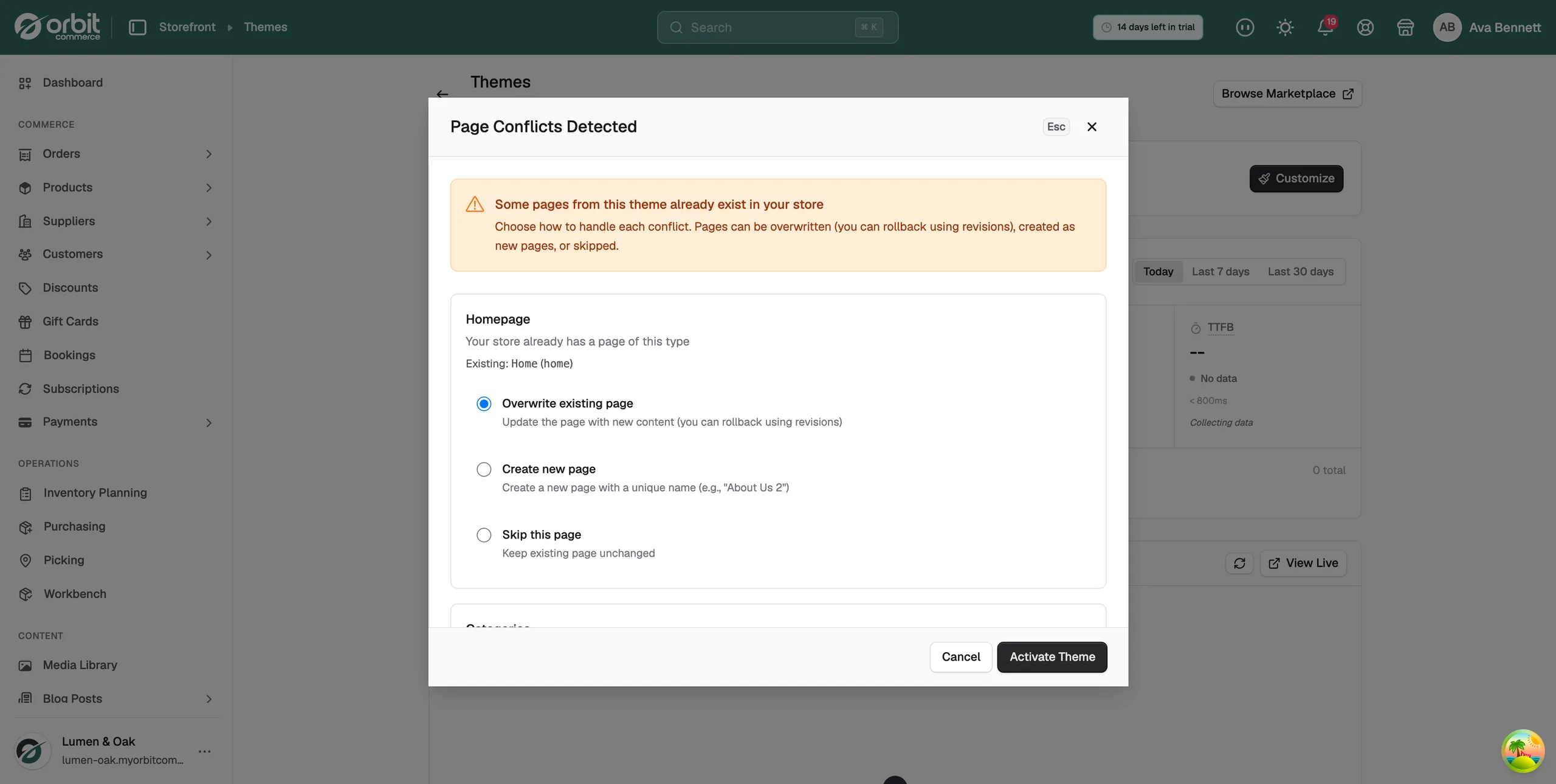
Warning: The theme switch has already happened by the time this dialog opens. Clicking Cancel leaves the new theme active with none of its pages copied in. Pick an option for every page instead.
After you switch
- Customize on the active theme card opens the theme in the page builder.
- View Live in the Storefront Preview card opens your store as shoppers see it.
- Page Speed shows Core Web Vitals measured from real visitors. On a fresh theme every tile reads Collecting data until visitors arrive. Hover a metric name such as LCP to see what it measures.
- Run a test order after a theme change. Checkout is where template surprises show up.
Remove a theme
- In the Theme Library, click Uninstall on the theme.
Warning: There is no confirmation step. The theme is removed from your library the moment you click. To get it back, install it again from the Theme Store.
Related guides
Was this helpful?
0 people found this helpful