Handling tax overrides and exemptions
Cover a new region with a tax zone, add reduced or zero-rate classes and rates, and mark customers who do not pay tax as tax-exempt. Your VAT number does not decide where tax is charged.
Most orders take the standard rate from the tax zone that matches the customer's address. This guide covers the cases where that is the wrong answer: goods at a reduced or zero rate, customers who do not pay tax, and selling into a new region. Tax settings live under Settings, then Store Settings, on the Tax Settings tab. Setting tax up in the first place is covered in Setting up taxes.
Considerations
- Orbit has no list of the places you are registered for tax. Tax is charged wherever Enable Taxes is on and an active tax zone with a rate matches the customer's address, whether or not you hold a registration there.
- The Tax Registration Number under Global Tax Configuration is your VAT number. It prints on VAT invoices. It does not decide where tax is charged.
- Tax settings set what you charge. They do not decide what you owe. When your turnover crosses into new obligations, talk to your accountant before you change anything here.
Charge tax in a new region
When you start selling somewhere new, check that a zone covers it. Without one, customers there pay no tax.
- From your Orbit dashboard, go to Settings, then Store Settings.
- Click the Tax Settings tab.
- Under Tax Zones & Rates, look for a zone whose regions include the new country or state.
- If there is none, either tick the region under Quick Setup and click Set Up Tax Rates, or click Add Zone and build it yourself.
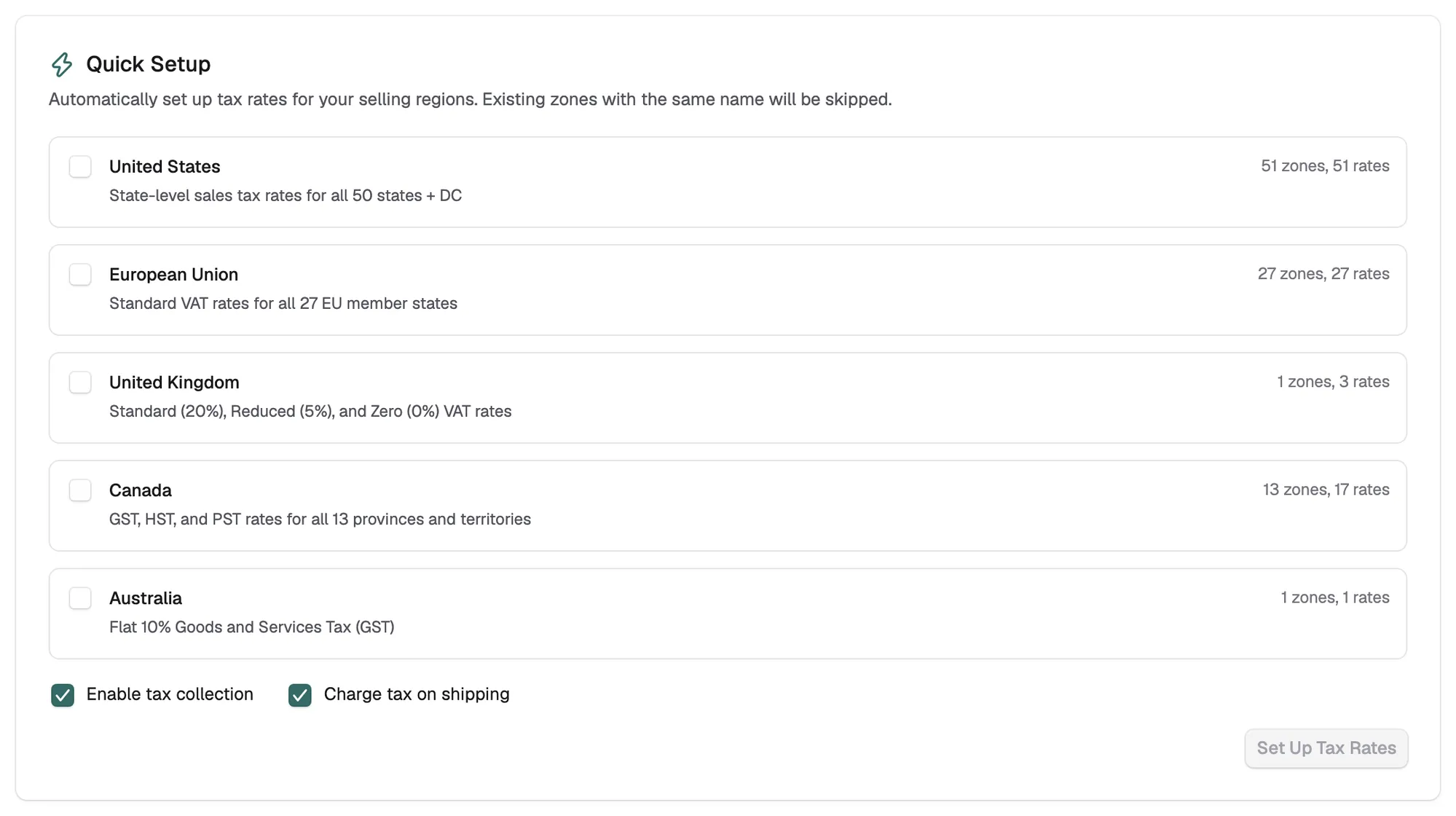
Note: The address Orbit matches against is set by Calculate Tax Based On. The default is the customer's shipping address.
Charge a reduced or zero rate on some products
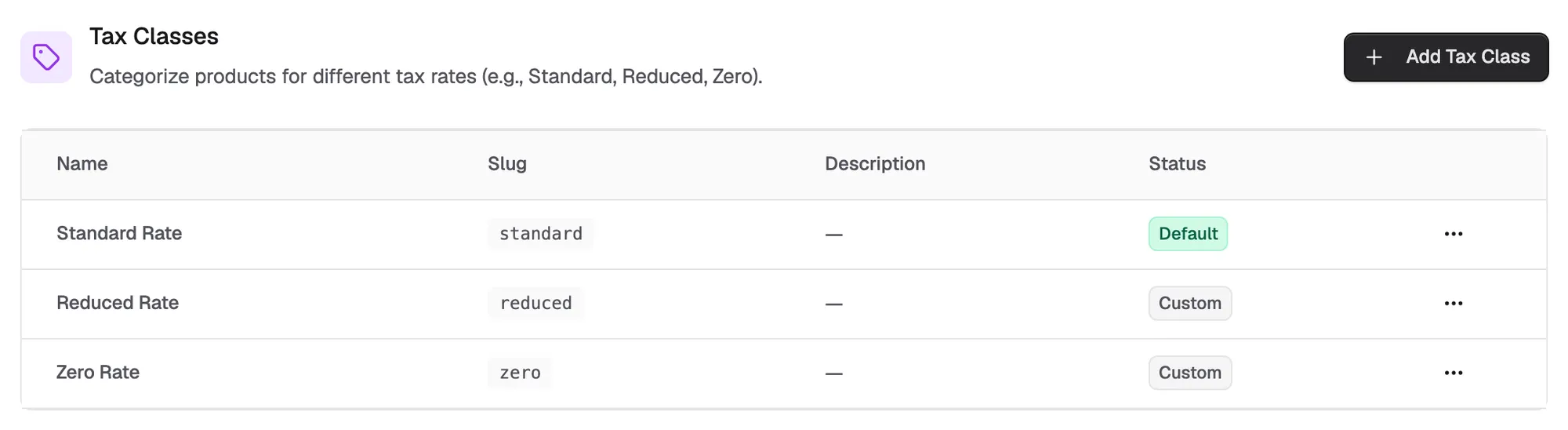
Rates are tied to tax classes. A rate with a Tax Class set only applies to products in that class. A rate set to All classes applies to everything. The UK preset creates three classes, Standard Rate, Reduced Rate and Zero Rate, and a rate for each: 20%, 5% and 0%.
To add a class and a rate of your own:
- On the Tax Settings tab, under Tax Classes, click Add Tax Class.
- Enter a Name, such as Children's clothing, and click Create Tax Class.
- Under Tax Zones & Rates, click the zone the rate belongs to.
- Click Add Rate.
- Enter a Name and the Rate (%).
- Under Tax Class, pick the class you created.
- Click Create Rate.
Warning: Every product uses the Standard Rate class by default, and there is no tax class field in the product editor yet. Until a product can be moved into another class, it is charged the standard rate. Do not lower your standard rate to work around this; it would change tax on every order.
Mark a customer as tax-exempt
Some buyers do not pay tax, such as qualifying businesses with a valid exemption. Mark them on their customer record and checkout skips tax on their orders.
- From your Orbit dashboard, go to Customers and open the customer.
- Find Tax status. It reads Taxable or Tax-exempt.
- Click Edit preferences.
- In the Customer Preferences dialog, turn on Tax-exempt.
- Click Save Changes.
Note: Only mark a customer exempt where you hold evidence they qualify, and keep that evidence. Your tax authority asks about your customer list, not your software.
Check the basket maths
After any change to classes, rates or exemptions, place a test order and read the tax line.
- A basket with a zero-rated item and a standard-rated item should tax only part of the order.
- An order for a tax-exempt customer should show no tax at all.
- An order to a region with no zone shows no tax. If that is wrong, add the zone.
Related guides
Was this helpful?
0 people found this helpful