Setting up your domain
Change your Orbit subdomain, buy a domain, or connect one you already own by adding DNS records and verifying them. Then pick your primary domain.
Every Orbit store starts on a free subdomain ending in myorbitcommerce.net. Under Settings, then Domains, you can change that subdomain, buy a domain, or connect a domain you already own.
Considerations
- Changing your subdomain stops the old address working at once. There is no redirect.
- A domain you connect stays Pending verification until its DNS records are in place and checked. Orbit re-checks pending domains every 10 minutes.
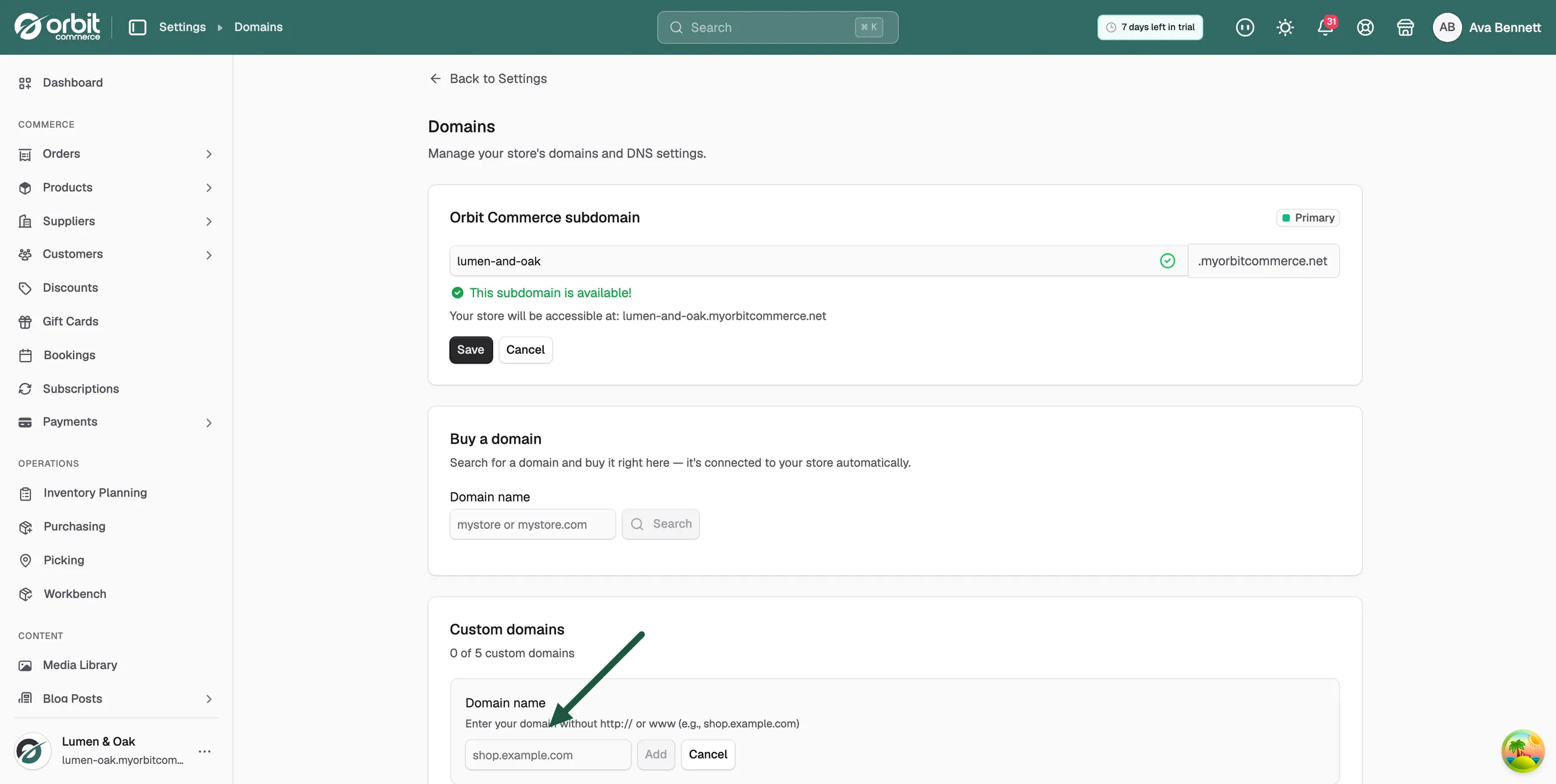
- Enter your domain without http:// or www, for example shop.example.com.
- The Custom domains heading shows how many domains you have connected and how many you can add.
Open Domains
- From your Orbit dashboard, go to Settings.
- Under Store, click Domains. The page shows your Orbit Commerce subdomain, Buy a domain and Custom domains.
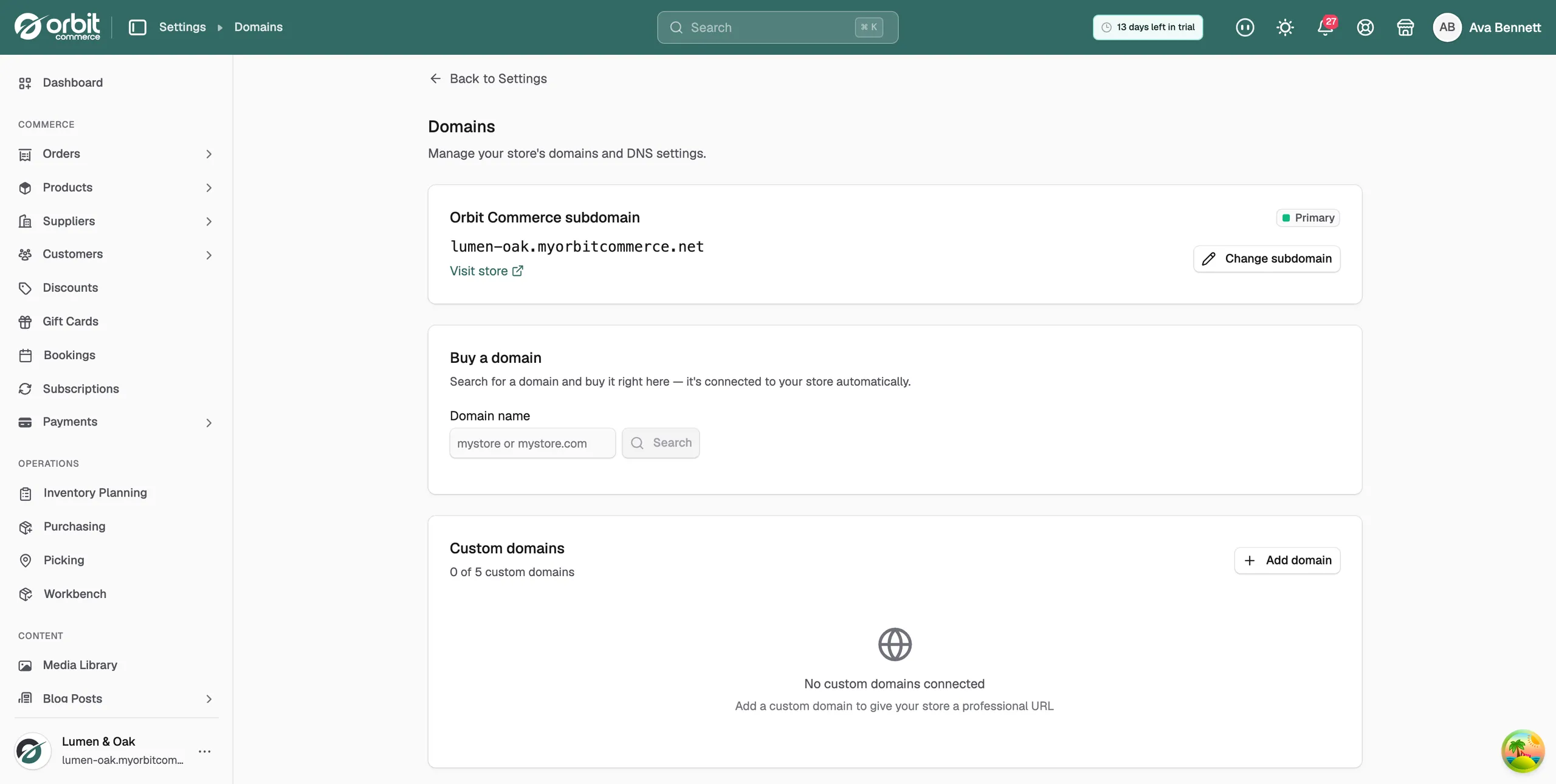
Change your subdomain
- Under Orbit Commerce subdomain, click Change subdomain.
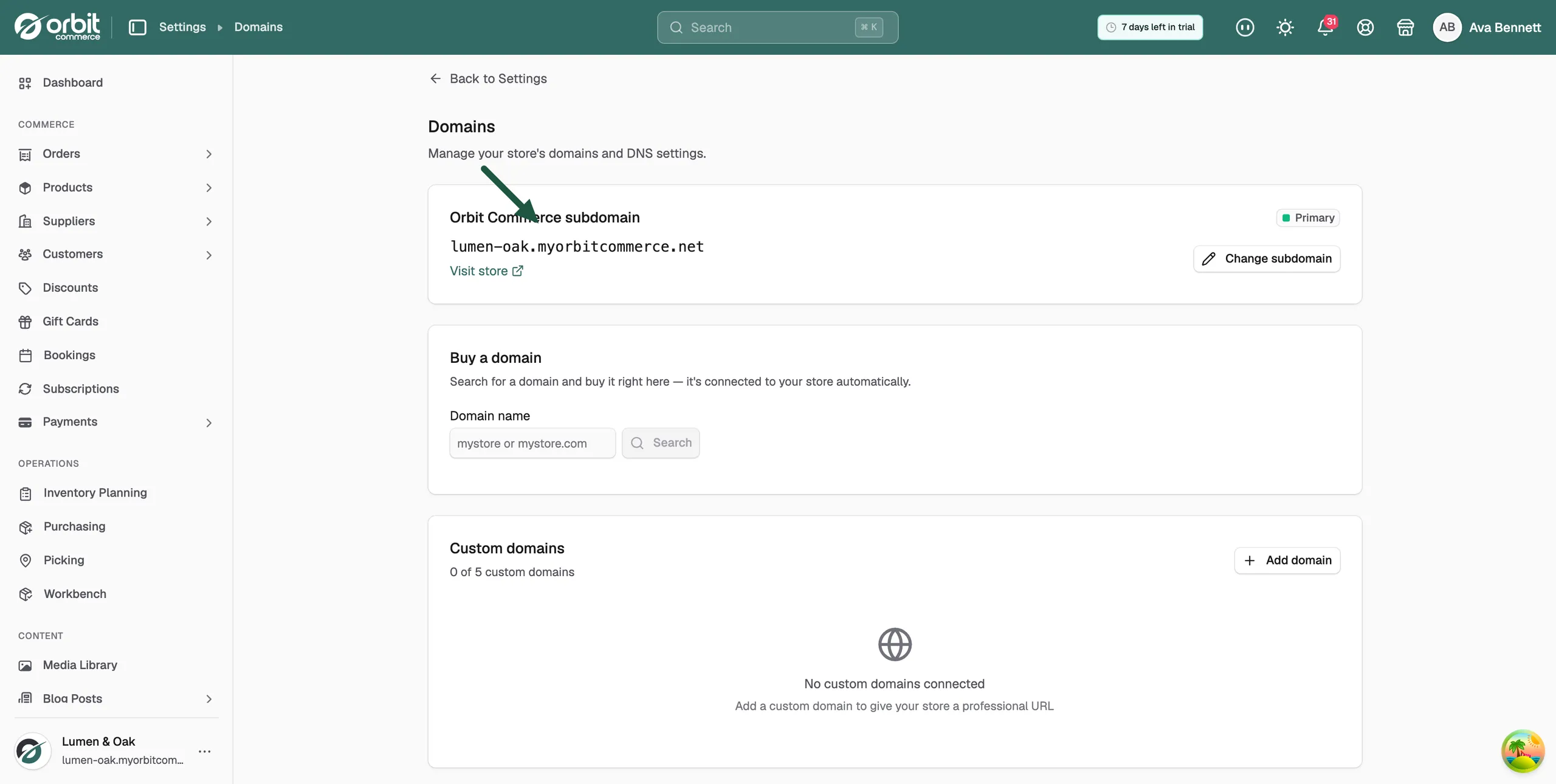
- Type the new subdomain. Orbit checks whether it is available.
- If it is available, click Save. Your store opens at the new address straight away.
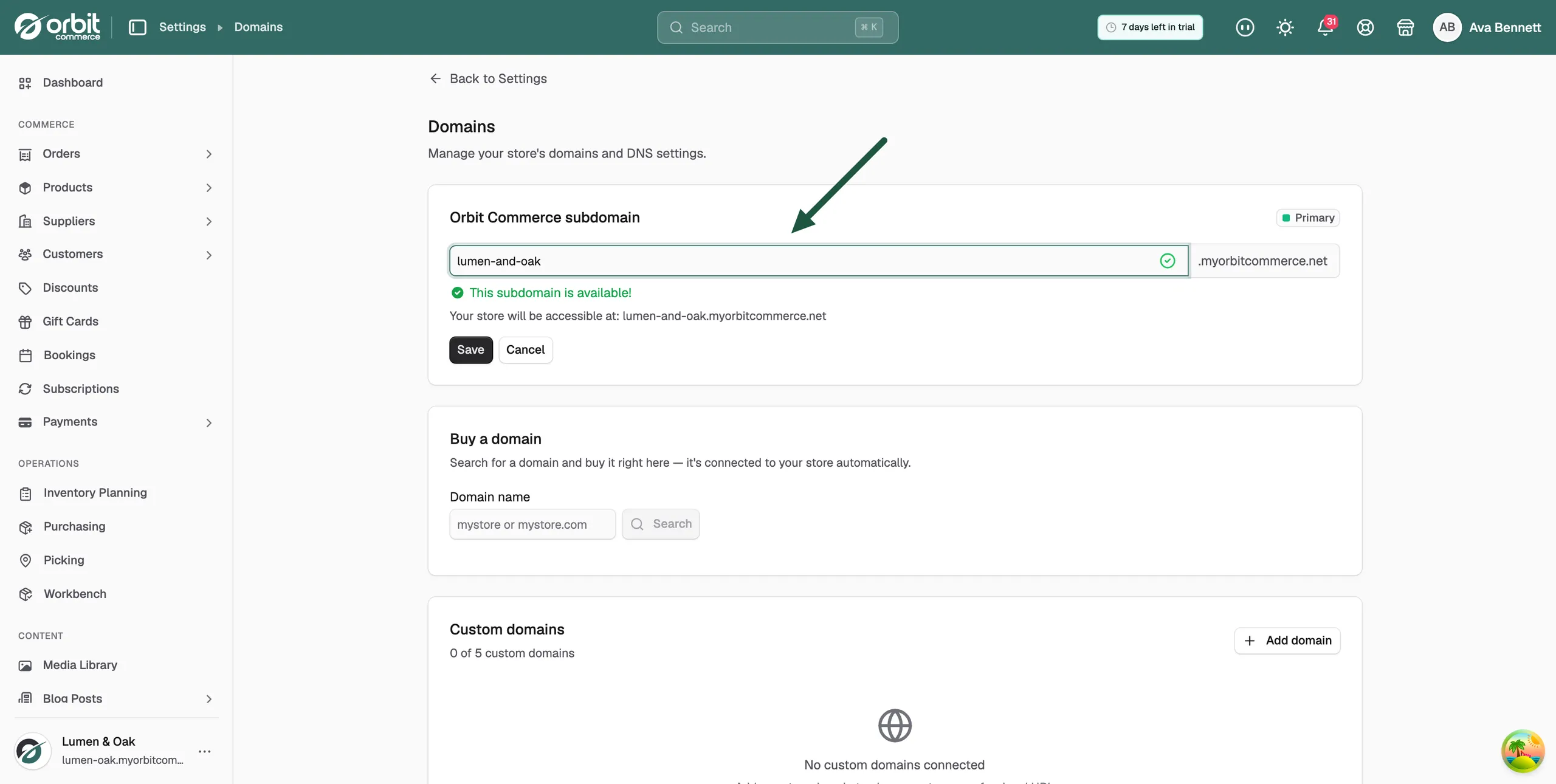
Warning: The old subdomain stops working the moment you save, with no redirect. Every shared link, bookmark and printed address that uses it breaks. Update your links first.
Buy a domain
- Under Buy a domain, type the name you want in Domain name and click Search.
- Pick the domain you want from the results and complete the purchase.
- The domain is connected to your store automatically. DNS and SSL finish in the background, usually within minutes. No DNS setup is needed.
Domains you buy appear under Your purchased domains. Each one shows:
- Auto-renew: on by default. Domains are priced per year, and renewals are charged to your saved payment method.
- WHOIS privacy: hides your contact details from the public domain record.
- Renew: renews the domain now for the period shown.
Connect a domain you already own
- Under Custom domains, click Add domain.
- Type your domain without http:// or www, for example shop.example.com.
- Click Add. The domain appears in the list with the status Pending verification.
- Click the domain to open it. Under Domain Pointing, a table lists each DNS record with its Type, Name and Required value.
- Log in to your domain provider, where you bought the name, and add each record exactly as shown. Click Copy next to a value to copy it. A subdomain such as shop.example.com needs one CNAME record. A root domain such as example.com needs an A record, plus a www record marked Optional.
- If Orbit shows Connect automatically with your provider, you can click that instead of adding the records by hand.
- Back in Orbit, click Verify DNS configuration. When the check passes, the message Domain verified successfully appears, the status changes to Active, and the SSL card reads TLS certificate provisioned. Your domain is secured with HTTPS.
Note: DNS changes can take anything from a few minutes to a day to spread. If the check fails straight after you add the records, wait and try again. Orbit also re-checks pending domains every 10 minutes.
Some domains also show an Email (DKIM) card. Those records let you send customer emails from the domain. They are optional and do not affect the website going live.
Set your primary domain
The domain marked Primary is the main address customers are sent to. Your first verified custom domain becomes primary on its own. Other domains still reach your store but are not the main address.
- Under Custom domains, click the domain you want as the main address.
- Under Domain settings, click Set as primary. Only an Active domain can be set as primary.
To go back to your Orbit subdomain, click Set as primary on the Orbit Commerce subdomain card.
Remove a domain
- Under Custom domains, click the domain.
- Under Domain settings, next to Remove domain, click Remove and confirm. The domain is disconnected from your store.
Visit your store
Click Visit store on the Domains page to open your storefront in a new tab. Use it to check that the address works after any change.
Related guides
Was this helpful?
0 people found this helpful