Product statuses and visibility
What Draft, Active and Archived mean, how to publish or unpublish a product, and how to keep a product out of storefront search.
A product's status decides whether customers can see and buy it. You change the status from the product editor, or for several products at once from the product list.
Product statuses
- Draft: not visible on your storefront. Use it for products you are still working on.
- Active: live on your storefront. Customers can find it and buy it.
- Archived: hidden from your storefront and from the product list. All its data is kept.
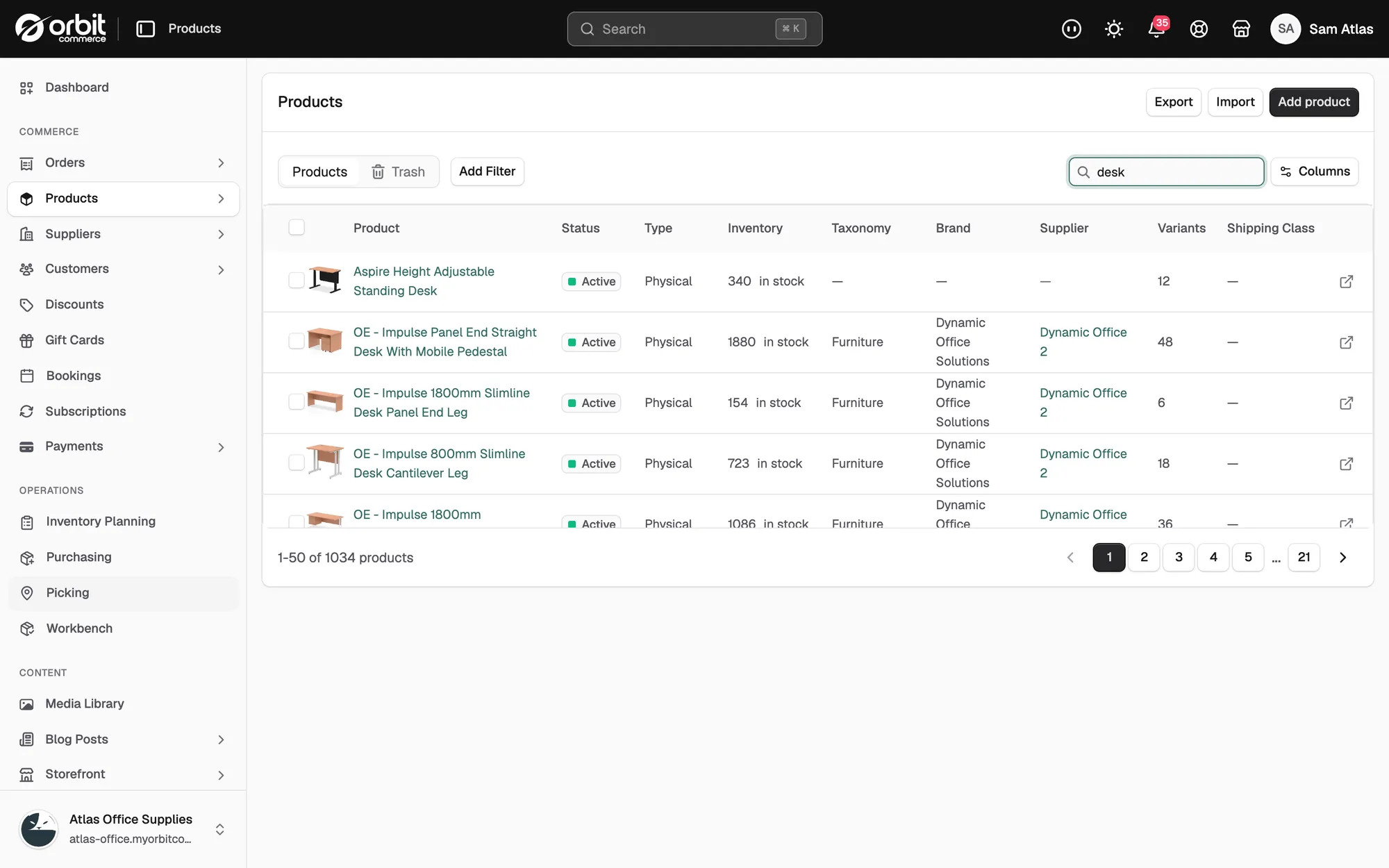
The Status column on the product list shows each product's status. Deleted products are not a status. They go to the Trash for 7 days. See Duplicating, scheduling and deleting products.
Publish or unpublish a product
- From your Orbit dashboard, go to Products.
- Click the product to open it.
- At the top right, click Publish to make the product active, or Unpublish to make it a draft.
The button changes to show the other action. The storefront button next to it reads View for an active product and Preview for a draft. Prices, photos and stock do not change.
Warning: Only the title is checked when you publish. A product with an empty price goes live at £0.00 and can be bought. Check the price before you click Publish.
Change the status of several products
- From your Orbit dashboard, go to Products.
- Tick the box next to each product. A bar of actions appears in place of the column headings.
- Click Set as active to publish, or Set as draft to take the products off sale. To archive, click the … button, then Archive products.
- Click Set as active, Set as draft or Archive product to confirm.
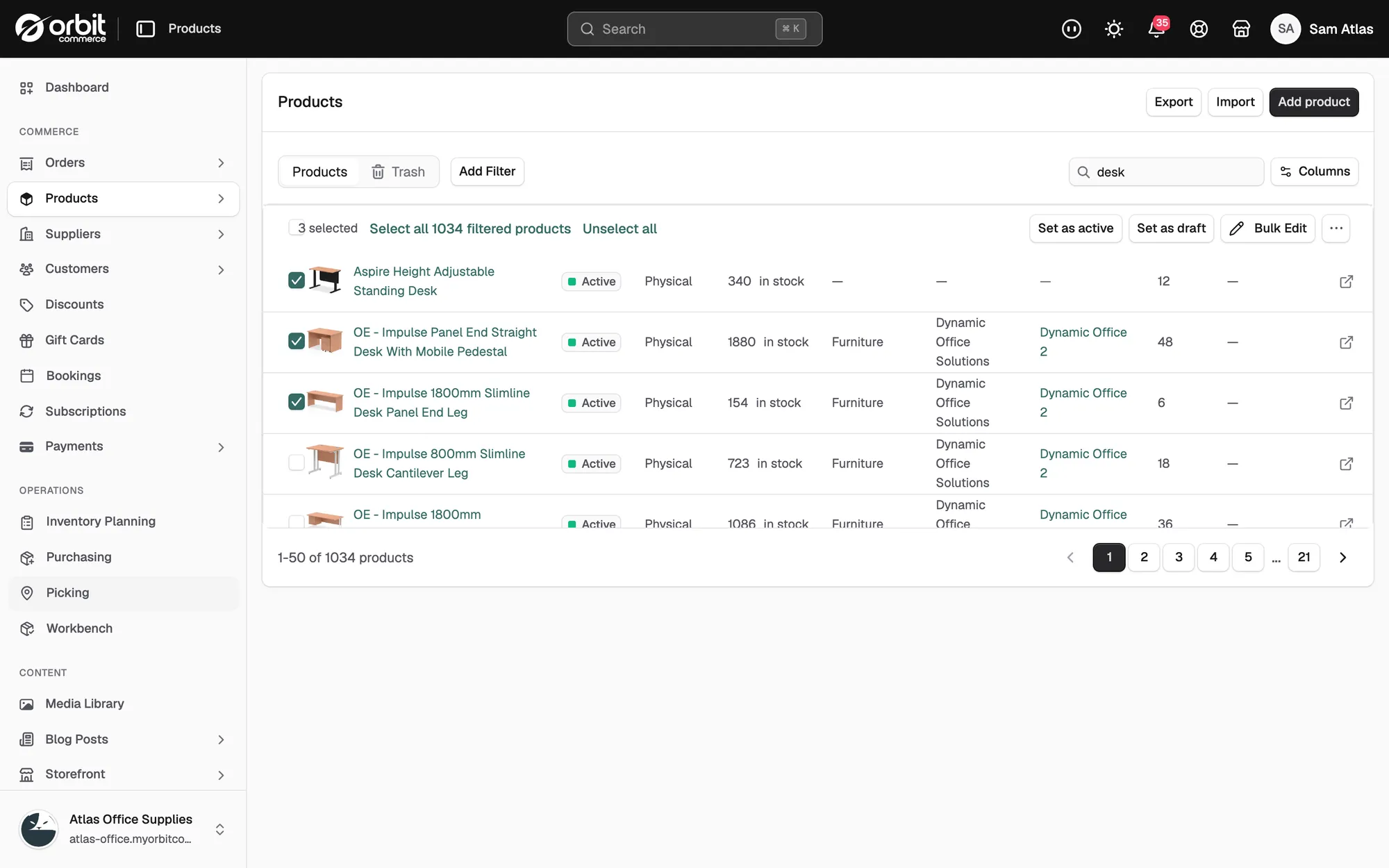
The Status column updates for each product you ticked.
Find and restore archived products
- From your Orbit dashboard, go to Products.
- Click Add Filter and filter by status.
- Tick the box next to the archived product.
- Click Set as active or Set as draft, then confirm.
The product returns to the product list with its new status.
Hide a product from storefront search
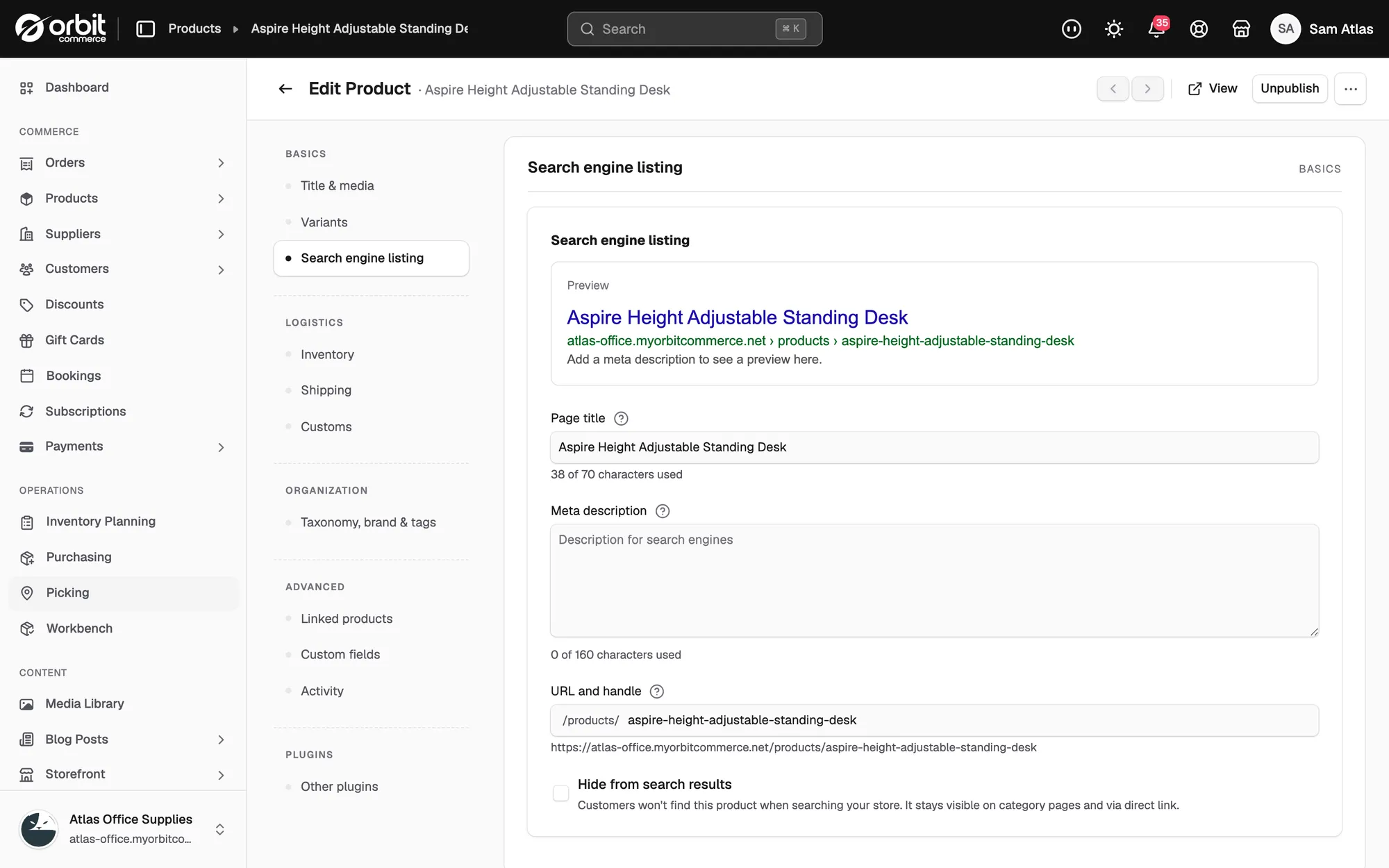
An active product can be kept out of your storefront's search results. Customers can still open it from category pages or a direct link.
- From your Orbit dashboard, go to Products.
- Click the product to open it.
- In the left-hand menu, click Search engine listing.
- Tick Hide from search results.
- Click Save.
Schedule a publish date
The product editor's … menu has a Schedule publish option, but it does not yet set a future publish date. The product keeps its current status. Publish by hand on the day you want the product to go live.
Related guides
Was this helpful?
0 people found this helpful