Adding SKUs and barcodes
Give each product or variant a SKU and a barcode in the product editor, and find out where Orbit uses those codes.
3 min read6viewsUpdated 9 October 2026Orbit Commerce
A SKU is your own code for a product. A barcode is the number printed on the packaging, such as an EAN, UPC or ISBN. You add both in the product editor in your Orbit dashboard, either on the product itself or on each of its variants.
Considerations
- A SKU (Stock Keeping Unit) is a code you make up. Use one pattern for every product, for example FC-SQ-SGE for the Fern Cushion, Square, Sage.
- Do not reuse an old SKU on a different product. Reports and stock history assume each SKU belongs to one item for good.
- A barcode is the global number the maker printed on the packaging. Enter it for any product you did not make yourself. Marketplaces and shopping feeds match your listings by barcode.
- If you make your products by hand, you can leave the barcode empty.
- A product without variants has one SKU and one barcode, set in the Inventory section. A product with variants has a SKU and barcode on every variant, set in the Variants section. To create variants, see Adding variants.
Add a SKU or barcode to a product without variants
- From your Orbit dashboard, go to Products.
- Open the product.
- In the left-hand list, click Inventory.
- Tick This product has a SKU or barcode.
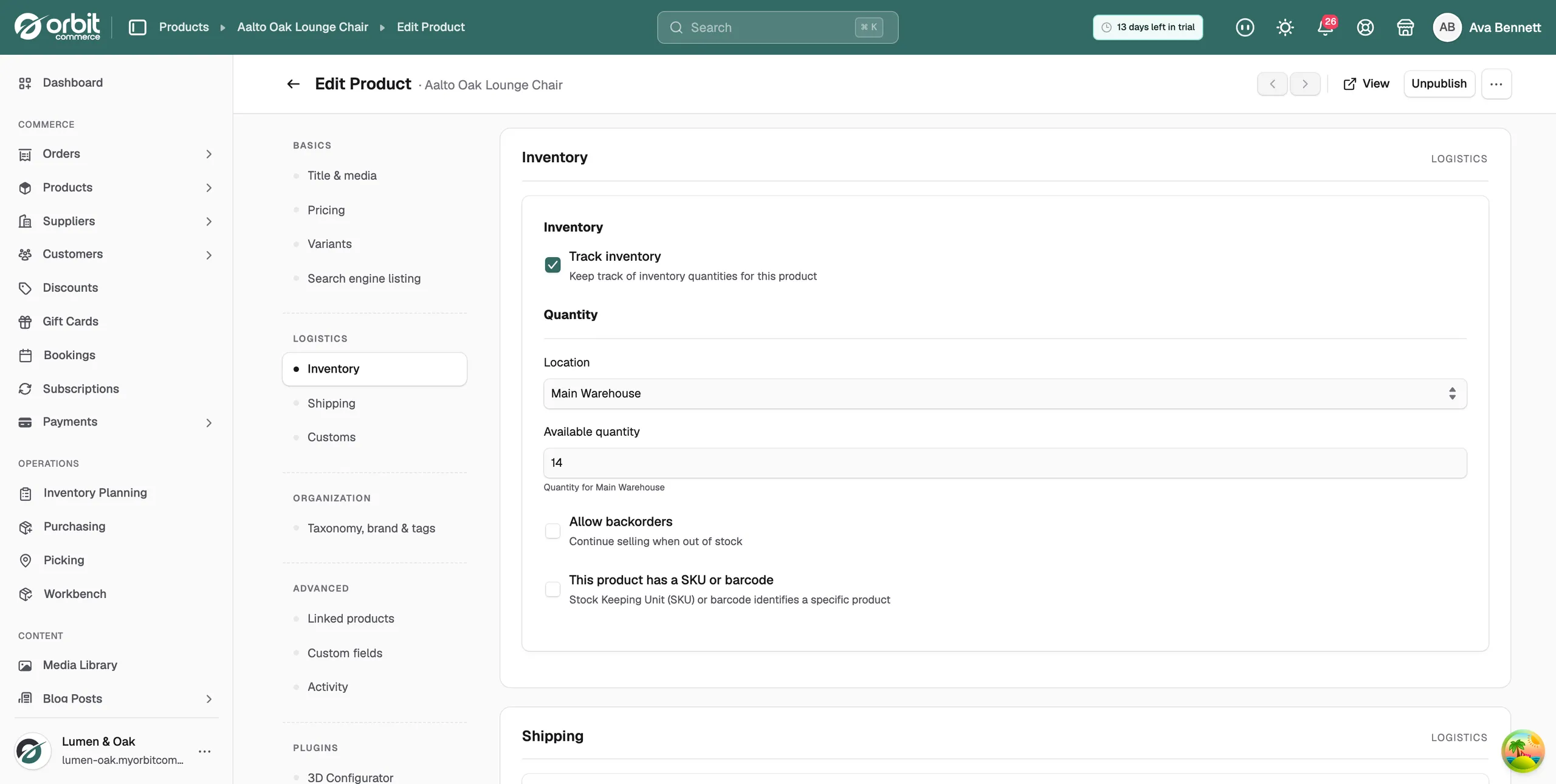
- Enter the SKU (Stock Keeping Unit) and the Barcode (ISBN, UPC, GTIN, etc.). You can fill in one or both.
- Click Save changes. On a new product, click Save draft or Publish.
Add SKUs and barcodes to variants
- From your Orbit dashboard, go to Products.
- Open the product.
- In the left-hand list, click Variants.
- In the Variant Options table, click a group to open it.
- Type a code into the SKU and Barcode columns on each row.
- Click Save changes.
Tip: The search box above the table finds a variant by name, SKU or barcode. Use it when a product has many variants.
Edit the SKU or barcode of one variant
- From your Orbit dashboard, go to Products.
- Open the product, then click Variants in the left-hand list.
- In the Variant Options table, click the variant's name. The variant page opens.
- In the Inventory section, enter the SKU and Barcode.
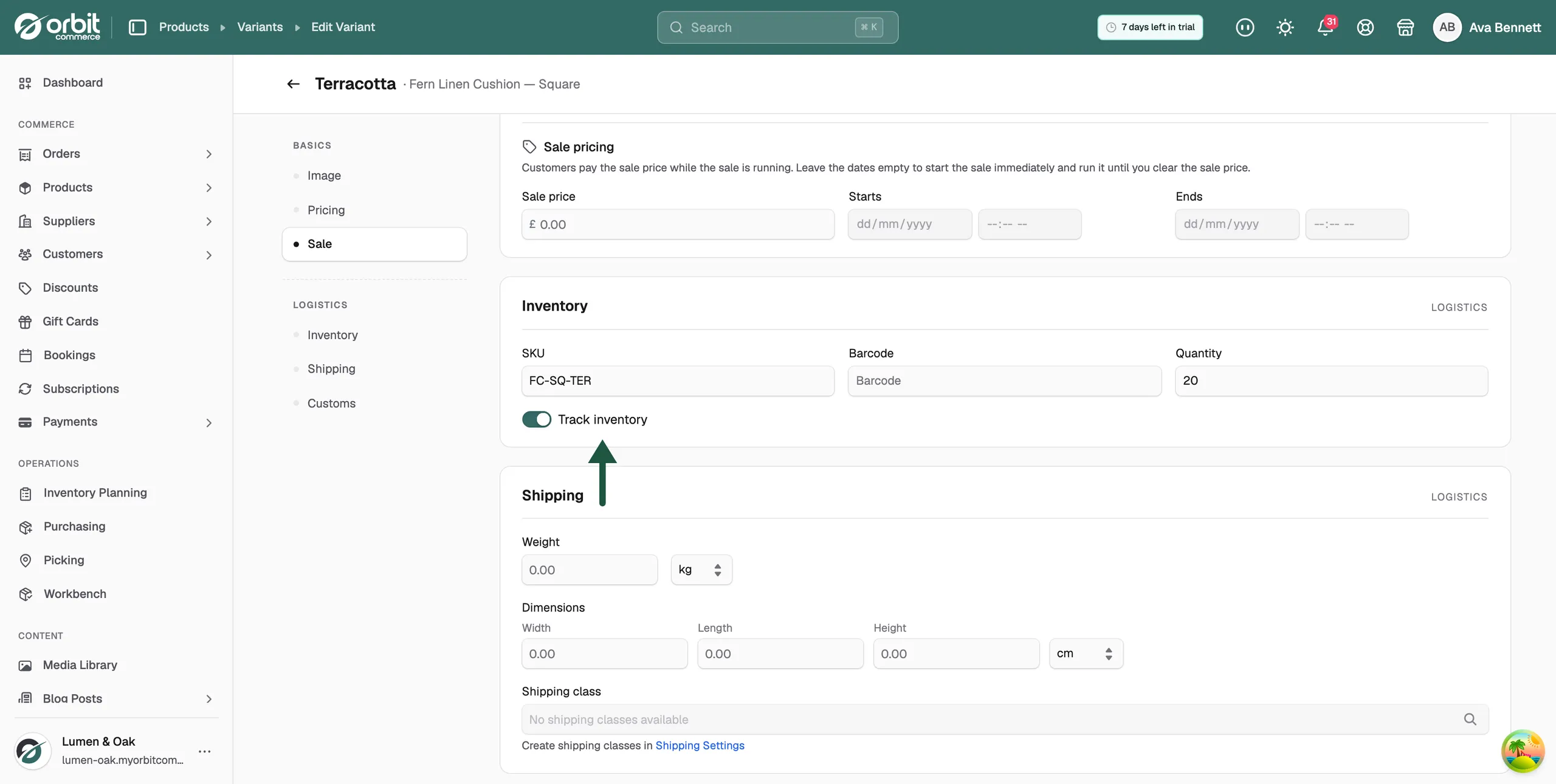
- Click Save variant.
Where SKUs and barcodes are used
- Inventory page: search by product name, SKU or barcode, and see the SKU next to each stock line. Go to Products, then Inventory.
- Bulk Edit: the grid has a SKU and a Barcode column, so you can fill in codes for many products at once.
- Pick lists, packing slips and purchase orders show the SKU, so your team can find the right item.
- Marketplace and shopping feed plugins match your product to the same item elsewhere by its barcode.
Related guides
Was this helpful?
0 people found this helpful