Adding upsells and cross-sells
Link upsells and cross-sells to a product under Linked products in the product editor, and remove links you no longer need.
2 min read2viewsUpdated 14 September 2026Orbit Commerce
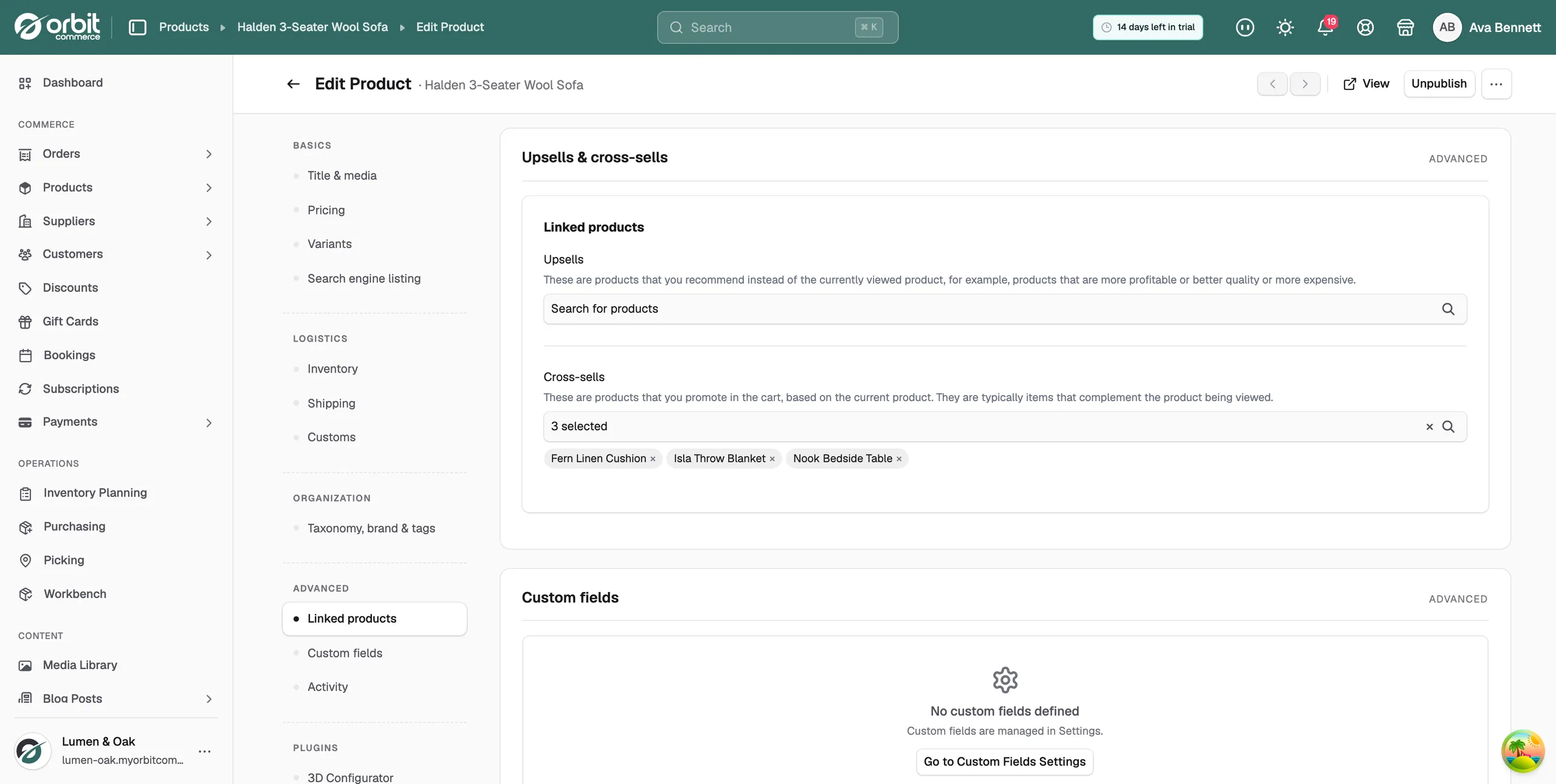
Linked products let you suggest other products alongside a product. An upsell is a product you recommend instead of the one being viewed. A cross-sell is a product you promote in the cart to go with it. You set both in the product editor, under Linked products.
Considerations
- Links go one way. Adding a cross-sell to a sofa does not add the sofa to the cushion.
- The product you are editing does not appear in its own upsell or cross-sell list.
- The list shows product names only. Search by name, not by SKU or price.
Add an upsell
- From your Orbit dashboard, go to Products.
- Open the product you want to edit.
- In the menu on the left, click Linked products. The page scrolls to the Upsells & cross-sells card.
- Under Upsells, click the Search for products field.
- Type part of a product name. Matching products appear in the list.
- Tick each product you want to recommend instead of this one. The field shows how many you picked, for example 2 selected. The product names sit below the field.
- Click Save at the bottom right. The message Product updated confirms the product and its upsells and cross-sells were saved.
Tip: Upsell up the price ladder. Link the £1,149 sofa as the upsell for the £349 chair, not the other way round.
Add a cross-sell
- Open the product and click Linked products in the menu on the left.
- Under Cross-sells, click the Search for products field.
- Type part of a product name and tick each product that goes with this one.
- Click Save at the bottom right.
Remove an upsell or cross-sell
- Below the Upsells or Cross-sells field, find the product you want to remove.
- Click the × next to its name.
- Click Save.
Note: Check your links when you discontinue a product. A cross-sell to an item you no longer stock wastes the slot.
Related guides
Was this helpful?
0 people found this helpful