Setting up a Microsoft Merchant Center feed
Install the Microsoft Merchant Feed plugin, create and generate a feed, and add the feed URL to Microsoft Merchant Center so your products show on Bing Shopping.
3 min read1viewsUpdated 25 September 2026Orbit Commerce
The Microsoft Merchant Feed plugin builds a product feed for Microsoft Merchant Center. Microsoft uses it to show your products on Bing Shopping. You set the feed up in your Orbit dashboard, then give Microsoft the feed URL.
Considerations
- Microsoft's feed rules mirror Google's. If your products already pass Google Shopping checks (GTINs, taxonomy, images), they should pass here with little extra work. If you run both, set up the Google feed first.
- Bing Shopping has less competition than Google Shopping, so clicks tend to cost less. Start with a small daily budget and let the results guide you.
- Microsoft Advertising can import your Google Ads campaigns, so running both channels does not mean building everything twice.
Install the plugin
- From your Orbit dashboard, go to Plugins.
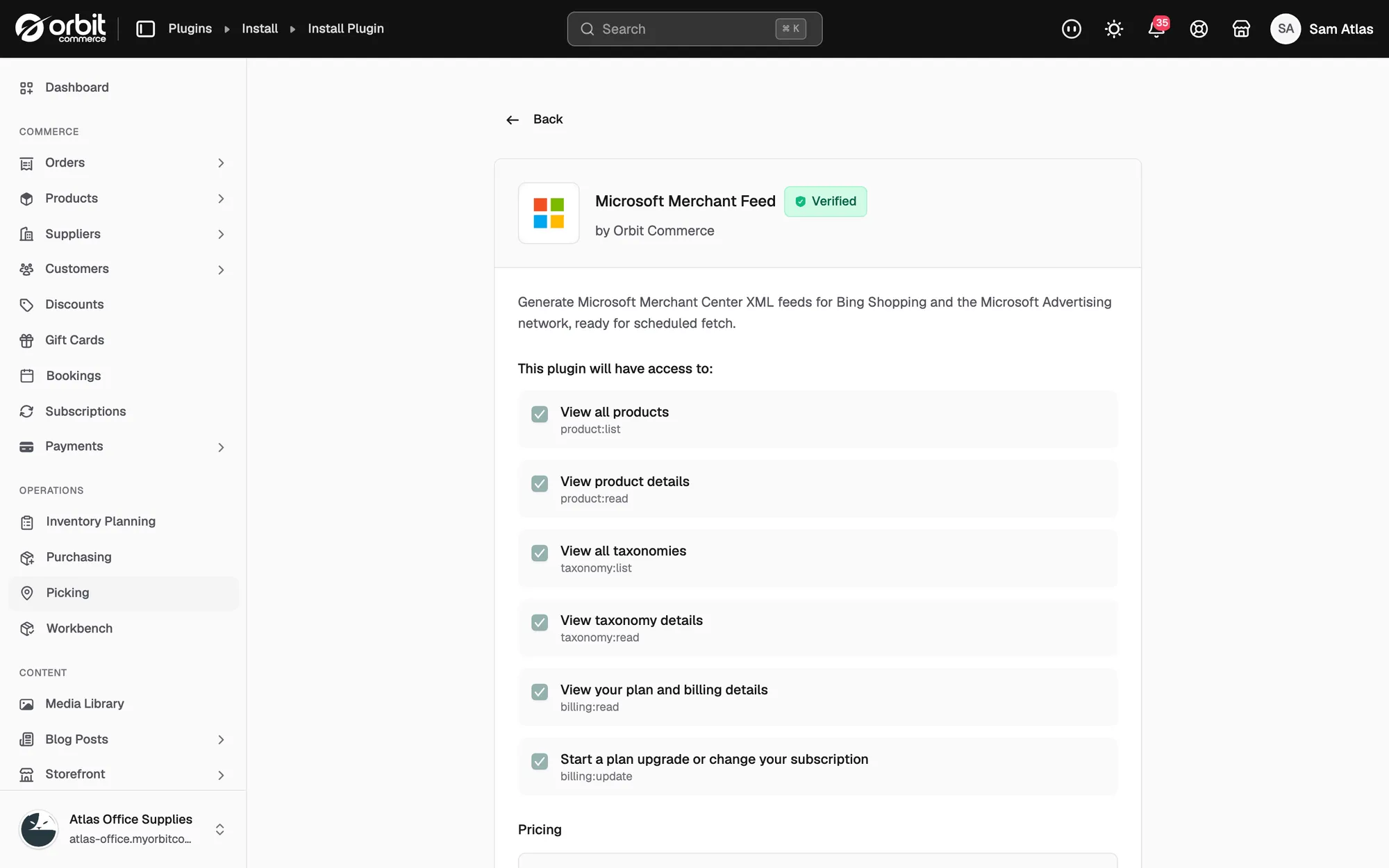
- Under Explore Plugins, find Microsoft Merchant Feed and click Install.
- Check the details page, then click Install free plan. The plugin appears under My Plugins.
- Click Open to go to the plugin. Its page is called Microsoft Shopping Feeds.
Create a feed
- On the Microsoft Shopping Feeds page, click Create Feed.
- Give the feed a name, then choose the country and currency it is for.
- Under Schedule, turn the schedule on so the feed rebuilds itself on a regular interval.
- Under Product Filtering, choose Active only to send only live products, or All statuses to send everything. You can also choose whether to include out-of-stock products.
- Under Microsoft Shopping options, add a default brand name and your storefront URL if asked. These fill in any products that have no brand of their own.
- Click Save. The feed appears in the list with its country, schedule, status and when it was last generated.
Generate the feed and copy the URL
- Open the feed from the list.
- Click Generate Now. Orbit builds the feed file and adds a run to Generation History.
- Check Validation Results. Products that pass show as Valid. Anything under Issues Found needs fixing in the product before Microsoft will accept it.
- Under Feed URL, click the copy icon to copy the address.
Add the feed in Microsoft Merchant Center
- Sign in to Microsoft Advertising and open Microsoft Merchant Center.
- Create a store if you do not have one yet.
- Go to Catalog and add a feed. Paste the feed URL from Orbit and set it to download on a schedule.
- Wait for the first processing report, then fix anything it flags. Most problems come from missing images, missing GTINs or products with no category.
Tip: Match the download schedule in Microsoft to the schedule you set in Orbit. That way Microsoft always fetches a fresh file.
Related guides
Was this helpful?
0 people found this helpful