Creating a manual order
Build an order yourself for a phone, email or in-person sale: add products and variants, attach the customer, add delivery, save the draft and take payment.
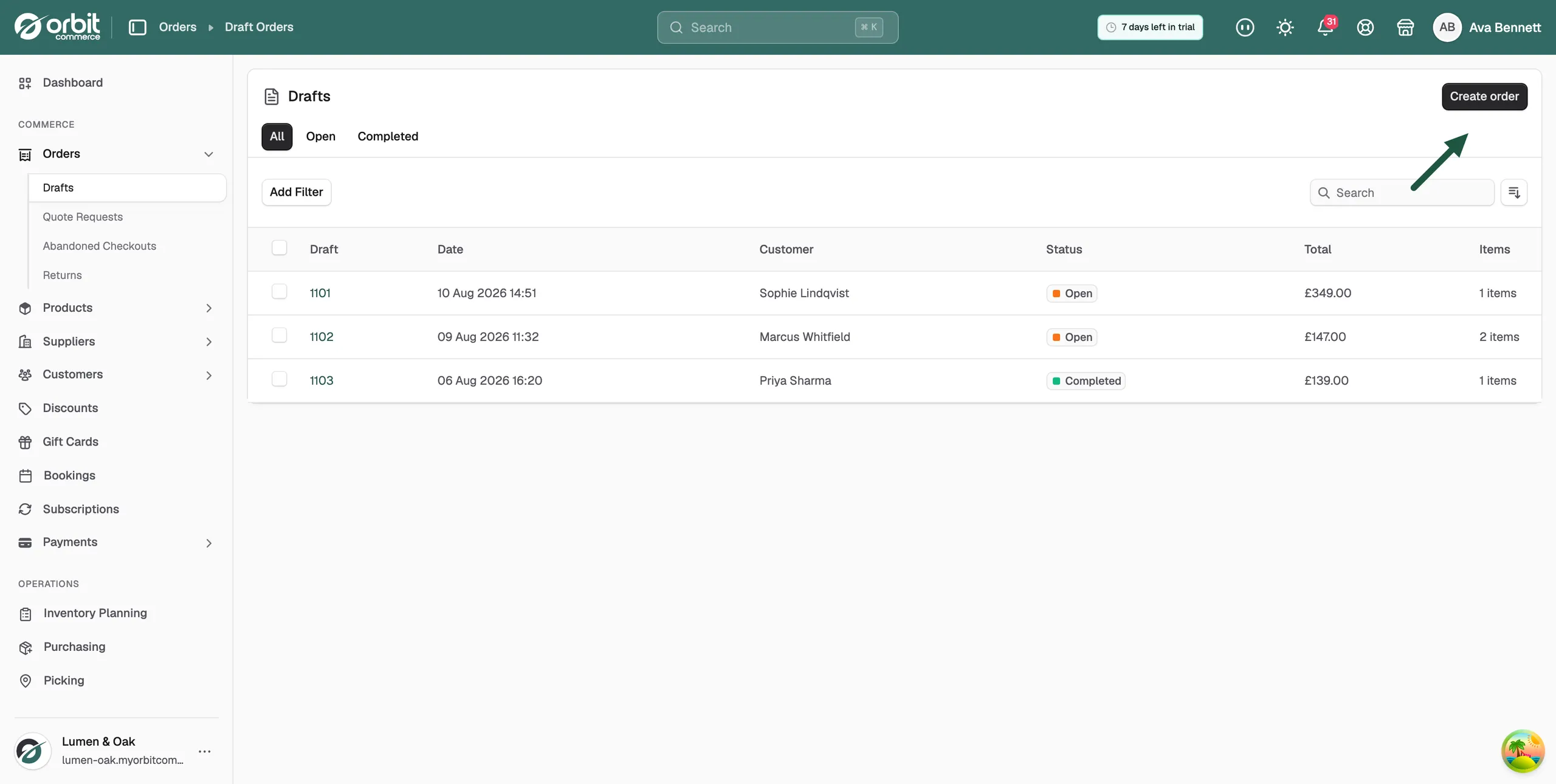
Not every order starts on your website. You can take an order by phone, by email or in person and build it yourself in your Orbit dashboard. You start from Orders, then Drafts. Add the products, attach the customer, add delivery, then save the draft and take payment. For what the Drafts list shows, see Managing draft orders.
Considerations
- A draft does not charge anyone. You take payment after saving it. See Taking payment on an order.
- To save a draft you need at least one item or a customer on it.
- Orbit estimates tax from the customer's shipping address. Until you attach a customer with an address, tax shows Not calculated.
- Only shipping zones you have switched on appear when you add delivery.
- A quote request can be turned into a draft with the items filled in. See Handling quote requests.
Start a new order
- From your Orbit dashboard, go to Orders.
- Click Drafts.
- Click Create order at the top right.
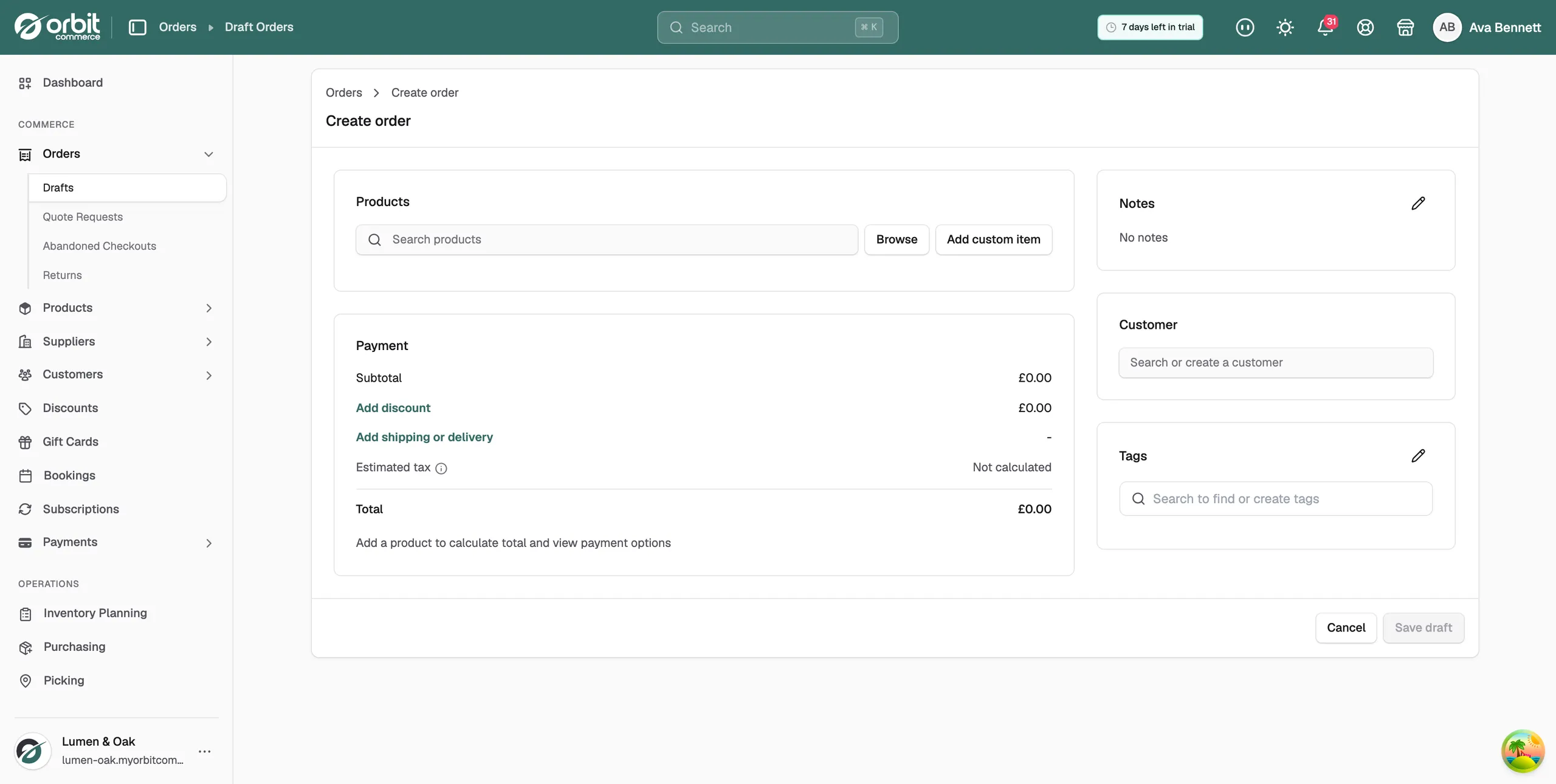
- The Create order page opens. It is empty until you add a product. Save draft stays greyed out until the order has something on it.
Add products
- Under Products, type a few letters of the product name in the Search products field. Matches appear after the second letter.
- Click the product. A picker opens showing each variant with its stock under Available and its price.
- Tick each variant the customer wants. The footer counts them, for example 2/16 variants selected.
- Click Add. The lines land on the order at quantity 1, with their prices.
- Change Quantity on a line if needed. The line total and the Subtotal update as you type.
Tip: Click Browse to look through your catalogue instead of searching. For something that is not a product, such as an engraving or a rush fee, click Add custom item and give it a name and price.
Attach the customer
- On the right, click the Search or create a customer field. Your most recent customers appear.
- Type part of the customer's name or email to search, then click the customer.
- Orbit fills in their contact details, Shipping address and Billing address. If there is no separate billing address it reads Same as shipping address.
- Under Payment, Estimated tax shows Calculating… and then the figure, worked out from the shipping address.
If the customer is new, click Create a new customer at the top of the list and fill in their details. Always attach a customer record rather than typing a bare email. The order then counts towards their history.
Add delivery
- Under Payment, click Add shipping or delivery. The Shipping and delivery options dialog opens.
- Under Shipping Zone, pick where the order is going.
- Under Shipping Method, pick the method. The list is greyed out until you choose a zone. The price shows beside the method.
- Click Done. The shipping line on the order now reads the zone and method, for example United Kingdom - Standard Shipping, with its price. If you charge tax on delivery, the tax and Total update again.
Add a discount, notes and tags
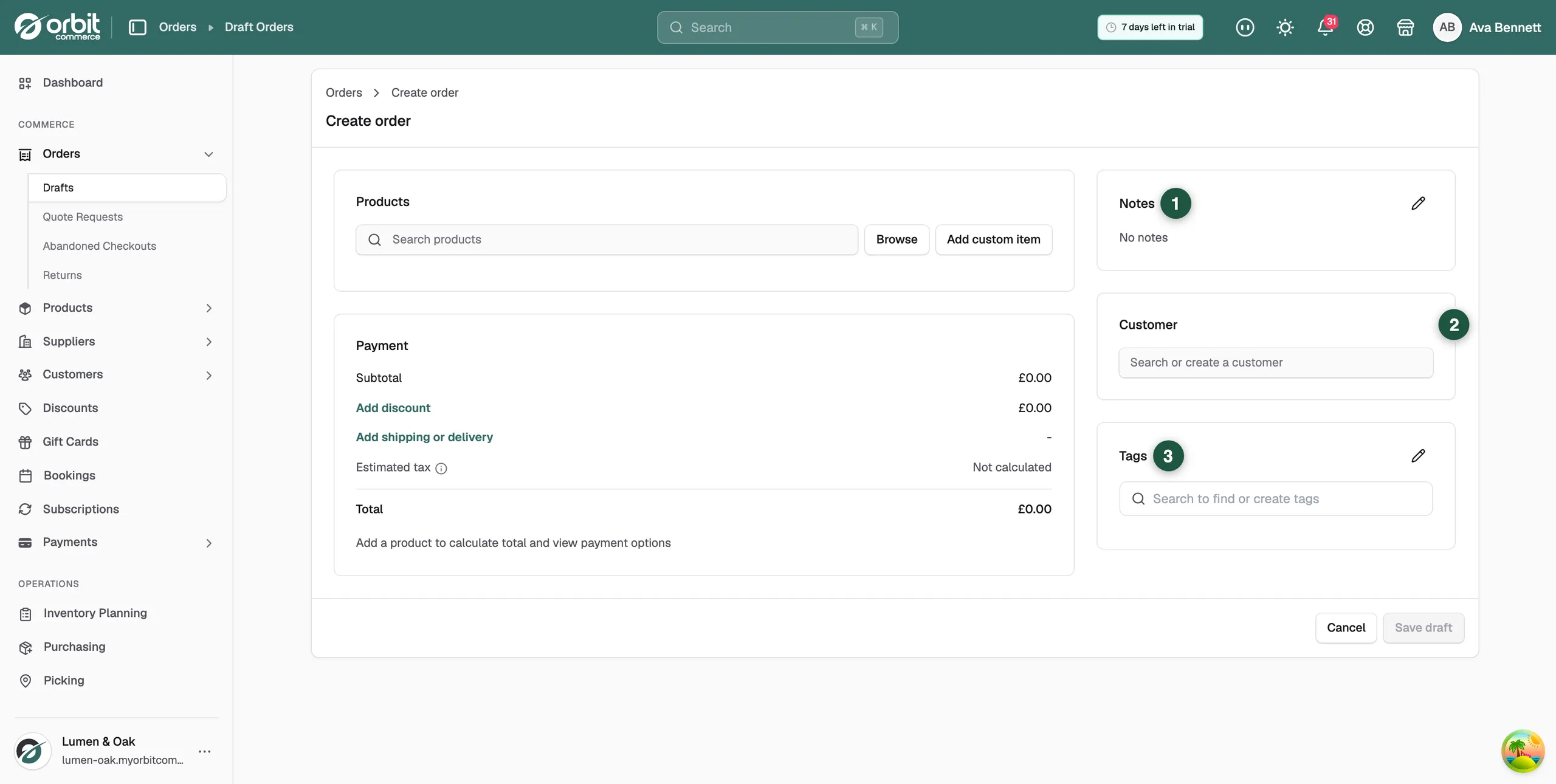
- Add discount: apply a discount code or a custom amount to the order.
- Notes: click the pencil to record what the customer told you, such as a delivery date they asked for.
- Tags: use the Search to find or create tags field to label the order for filtering later.
Save the draft
- Check the Payment card: Subtotal, discount, shipping, Estimated tax and Total.
- Click Save draft at the bottom right. The button reads Saving... for a moment.
- The message Draft order saved appears and the draft's page opens with an Open badge.
- To take payment, click Copy Payment Link to send the customer a link, or Mark as Paid if you already have the money. See Taking payment on an order.
Note: If you leave the page before saving, Orbit warns you that the order has not been saved. Save it as a draft to finish later, or discard it.
Related guides
Was this helpful?
0 people found this helpful