Verifying webhook signatures
Check the X-Orbit-Webhook-Signature header on every delivery with your signing secret, with a Node and Python sample and what to do when the check fails.
Every webhook Orbit sends carries a signature. It proves the message came from your store and was not changed on the way. You check it with the signing secret Orbit shows once, when you add the webhook under Settings, then Webhooks. This guide shows what Orbit sends, how to check it, and what to do when the check fails.
Considerations
- The signing secret appears once, in the Copy your signing secret now dialog. Orbit cannot show it again. If you lose it, delete the webhook and add it again to get a new secret.
- Each webhook has its own secret, even when two webhooks point at the same address.
- Pausing deliveries keeps the secret. Deleting the webhook destroys it.
- Orbit only delivers to an HTTPS address that is reachable from the internet. Private or internal addresses are rejected when you add the webhook.
- Orbit does not follow redirects. Your endpoint must answer at the exact address you entered.
Get your signing secret
- From your Orbit dashboard, go to Settings.
- Under Team & access, click Webhooks.
- Click Add webhook.
- Under Event, pick the event, such as
order.created. Under Endpoint URL, type the address on your server that will receive it. It must start withhttps://. - Click Add webhook. The Copy your signing secret now dialog opens with the secret.
- Click the copy icon next to the secret and store it in your server's settings, not in your code.
- Click I have saved the secret. The dialog closes and the secret is gone from the screen.
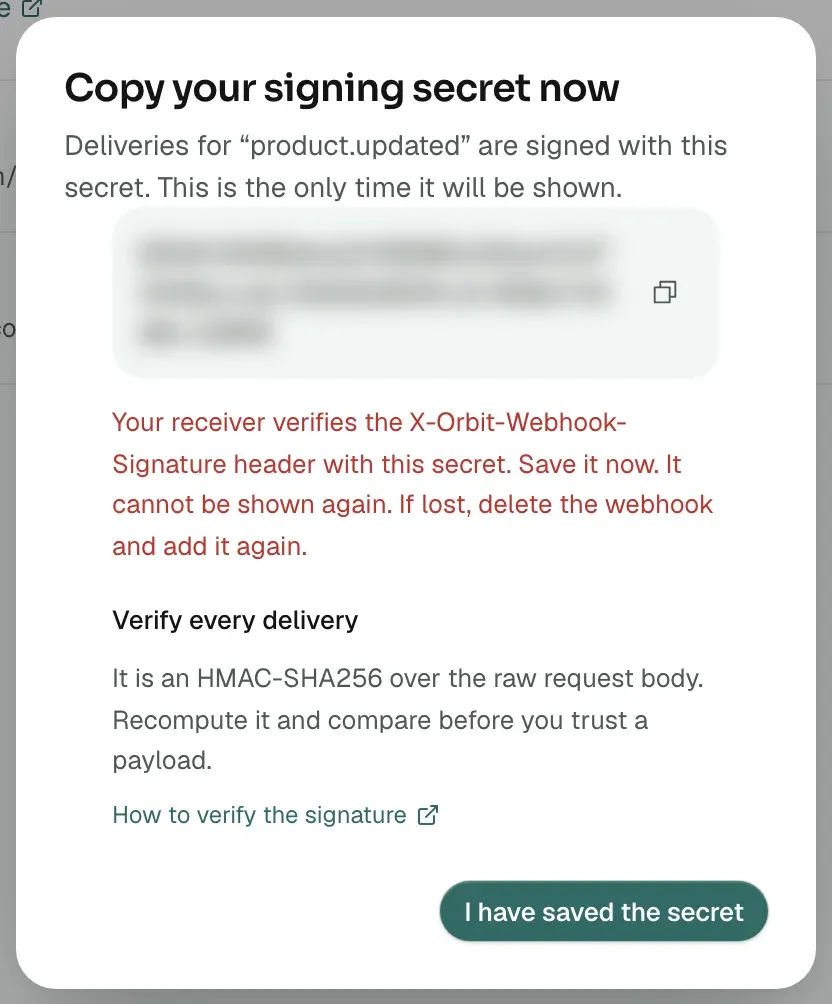
Note: The secret is a 64-character string of letters and digits. Use it exactly as shown, as text. Do not convert it from hex to bytes first, or every signature will fail.
What Orbit sends
Each delivery is one HTTPS POST with a JSON body. These headers come with it:
- Content-Type:
application/json. - X-Orbit-Webhook-Id: an id for this delivery attempt.
- X-Orbit-Webhook-Topic: the event name, such as
order.created. - X-Orbit-Webhook-Signature:
sha256=followed by the HMAC-SHA256 of the body, as lowercase hex. - X-Orbit-Webhook-Timestamp: when Orbit built the message, in ISO 8601 UTC. The same value is
created_atin the body. - User-Agent:
OrbitCommerce-Webhook/1.0.
The body looks like this:
{
  "id": "0b4d5c1e-6d0a-4c3b-9f2e-1a2b3c4d5e6f",
  "topic": "order.created",
  "created_at": "2026-09-15T09:30:00.000Z",
  "store_id": "3f9c2a7e-...",
  "data": {
    "orderId": "8a1e4f2b-...",
    "storeId": "3f9c2a7e-..."
  }
}
data holds ids, not the full record. Payment events add a few small fields, such as the refunded amount. Fetch the record with the API using the id. See Getting started with the Orbit API.
Verify the signature
The signature is an HMAC-SHA256 over the raw request body, keyed with your secret.
- Read the request body as raw bytes, before anything parses it. If your framework parses the JSON and you encode it again, the bytes can differ and the check fails.
- Read the X-Orbit-Webhook-Signature header.
- Compute HMAC-SHA256 of the raw body with the secret as the key. Encode the result as lowercase hex and put
sha256=in front. - Compare your value with the header using a constant-time comparison.
- If they match, reply with a 2xx status straight away, then do your work. If they do not match, reply with 401 and ignore the body. Orbit will retry a rejected message a few times, which is harmless.
In Node.js with Express:
const crypto = require('crypto');
const express = require('express');

const app = express();
const SECRET = process.env.ORBIT_WEBHOOK_SECRET;

app.post('/hooks/orbit', express.raw({ type: 'application/json' }), (req, res) => {
  const received = req.get('X-Orbit-Webhook-Signature') || '';
  const expected = 'sha256=' +
    crypto.createHmac('sha256', SECRET).update(req.body).digest('hex');

  const valid = received.length === expected.length &&
    crypto.timingSafeEqual(Buffer.from(received), Buffer.from(expected));
  if (!valid) return res.status(401).end();

  const event = JSON.parse(req.body.toString('utf8'));
  res.status(200).end();   // reply first
  handleEvent(event);      // then do the work
});
In Python:
import hashlib, hmac

def is_valid(raw_body: bytes, header: str, secret: str) -> bool:
    digest = hmac.new(secret.encode(), raw_body, hashlib.sha256).hexdigest()
    return hmac.compare_digest(header, "sha256=" + digest)
Handle retries and duplicates
- Orbit waits 10 seconds for your reply. Any 2xx status counts as delivered. Reply before you do slow work.
- Any other status, a timeout or a connection error makes Orbit try again, up to 4 attempts in total. The wait grows after each failure, starting at 5 seconds.
- Each attempt is a fresh message with a new id, timestamp and signature. Do not use X-Orbit-Webhook-Id to spot a repeat. Use the ids in
dataand your own record of what you have already handled. - If you pause the webhook, Orbit stops sending, including attempts that were already queued.
Check delivery history
- On the Webhooks page, click the Delivery history button on the webhook's row.
- The Deliveries dialog lists the most recent attempts, newest first. Each shows success or failed, the HTTP status your server returned, or no response, and the time.
- Click Close.
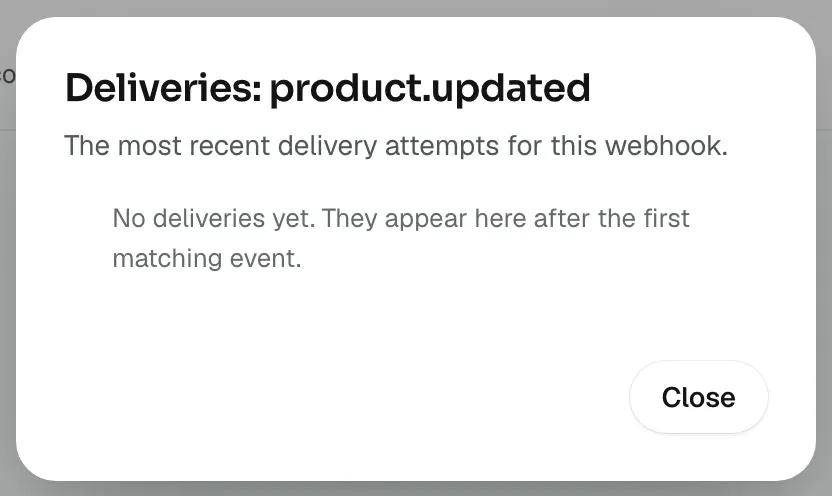
A row stays pending while Orbit is still retrying. It becomes failed after the last attempt.
If the signature does not match
- You hashed a parsed and re-encoded body. Hash the raw bytes.
- You decoded the secret from hex. Use it as text.
- You compared only the hex part. The header starts with
sha256=. - You deleted and re-added the webhook. Each new webhook has a new secret, so update your server.
- Something between Orbit and your code changed the body, such as a proxy that re-formats JSON. Read the body before anything else touches it.
Related guides
Was this helpful?
0 people found this helpful