Understanding subscription statuses
What Trialing, Active, Past Due, Paused, Canceled and Expired mean, what you can do at each one, and how a subscription moves between them.
Every subscription carries a status that tells you where it stands and what happens next. The status shows as a coloured badge next to Subscription details at the top of the subscription, and in the Status column of the subscriptions table.
What each status means
- Trialing: the customer is in a trial and has not paid the full price yet.
- Active: the subscription is live and billing on schedule.
- Past Due: a renewal payment failed and Orbit is retrying the card.
- Paused: the subscription is on hold and can be resumed later.
- Canceled: the subscription has been ended and will not renew.
- Expired: the subscription has reached its end and is no longer live.
What you can do at each status
The buttons at the top of a subscription change with its status:
- Trialing: Change plan and Cancel.
- Active: Change plan, Pause and Cancel.
- Past Due: Retry payment.
- Paused: Resume and Cancel. Change plan is the button that leaves when you pause.
- Canceled and Expired: no buttons. These subscriptions are read only.
How a subscription moves through its life
- A customer subscribes and the subscription is created. If the plan has a trial it starts as Trialing. If it does not, it starts as Active.
- When the trial ends and the first full payment succeeds, it becomes Active.
- While it is Active, it renews at the end of each billing period and takes payment for the next one.
- If a renewal payment fails, it moves to Past Due. Orbit retries the card during the grace period you set in your subscription settings. A payment that goes through returns it to Active.
- If the grace period runs out and auto-cancel is on, the subscription is cancelled.
- You or the customer can pause it and resume it later. Pausing does not end it.
- Cancelling at the end of the billing period leaves the status as Active and adds a Cancels at date in the Billing card. Cancelling immediately ends it there and then.
- Once a subscription has run its course it becomes Expired.
Tip: On the Subscriptions page, use the filter next to the search box to show one status at a time. The choices are All Statuses, Trialing, Active, Past Due, Paused, Canceled and Expired.
The Activity timeline
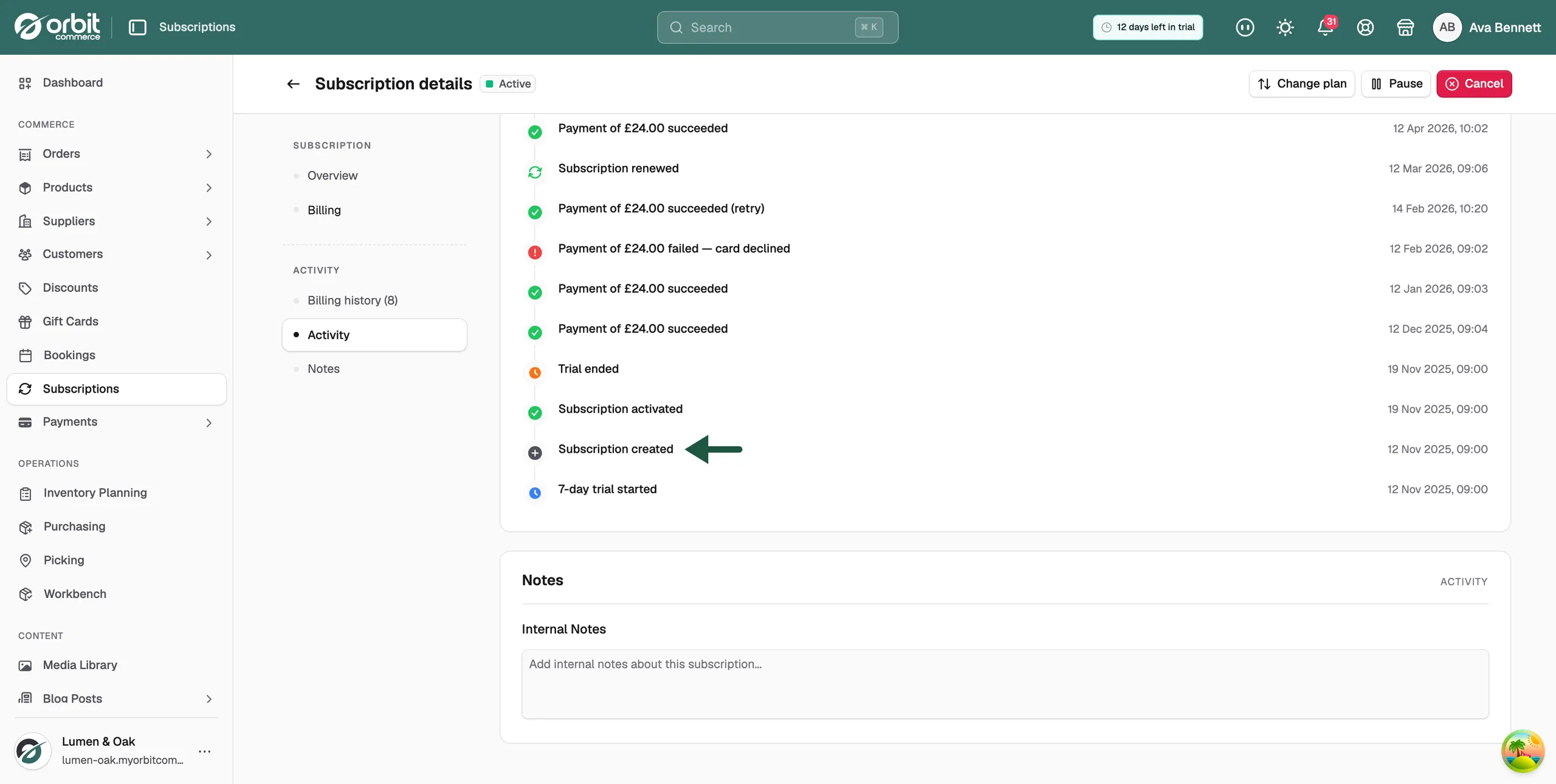
Every status change is written to Activity on the subscription, newest first, with the date and time. It is the full story of how a subscription reached the status it is on now.
The timeline records:
- The subscription being created
- A trial starting and ending
- The subscription being activated
- Payments succeeding and failing
- Renewals, one per billing cycle
- Plan changes
- Pauses and resumes
- Cancellations, and whether they were immediate or at the end of the period
Related guides
Was this helpful?
0 people found this helpful