Creating a marketing campaign
Group discount codes under one campaign so you can read back the revenue and orders a promotion brought in.
A campaign groups discount codes together so you can see what a promotion earned. You create and manage campaigns in your Orbit dashboard, under Marketing. A campaign is a record you link codes to. It does not send email, SMS or social posts.
Considerations
- Name is the only field you have to fill in. Everything else is optional.
- A discount code belongs to one campaign at a time. Linking a code to this campaign removes it from the campaign it was on before.
- If you set both dates, the end date cannot be before the start date. The End date picker only offers days from the start date on.
- Revenue and orders are counted from the discount codes you link. A campaign with no codes reports zero.
Create a campaign
- From your Orbit dashboard, under Insights, go to Marketing, then Campaigns.
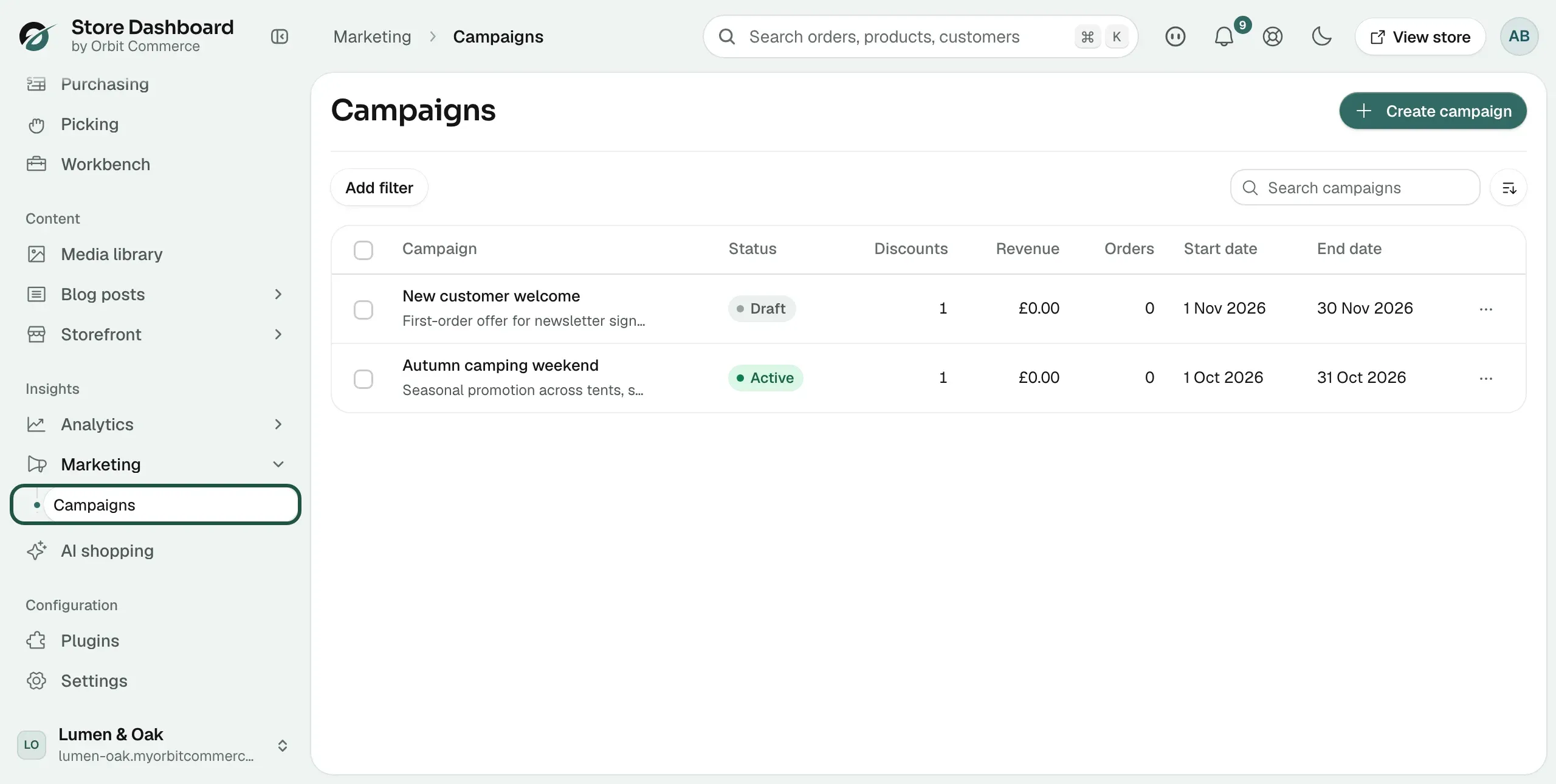
- Click Create campaign.
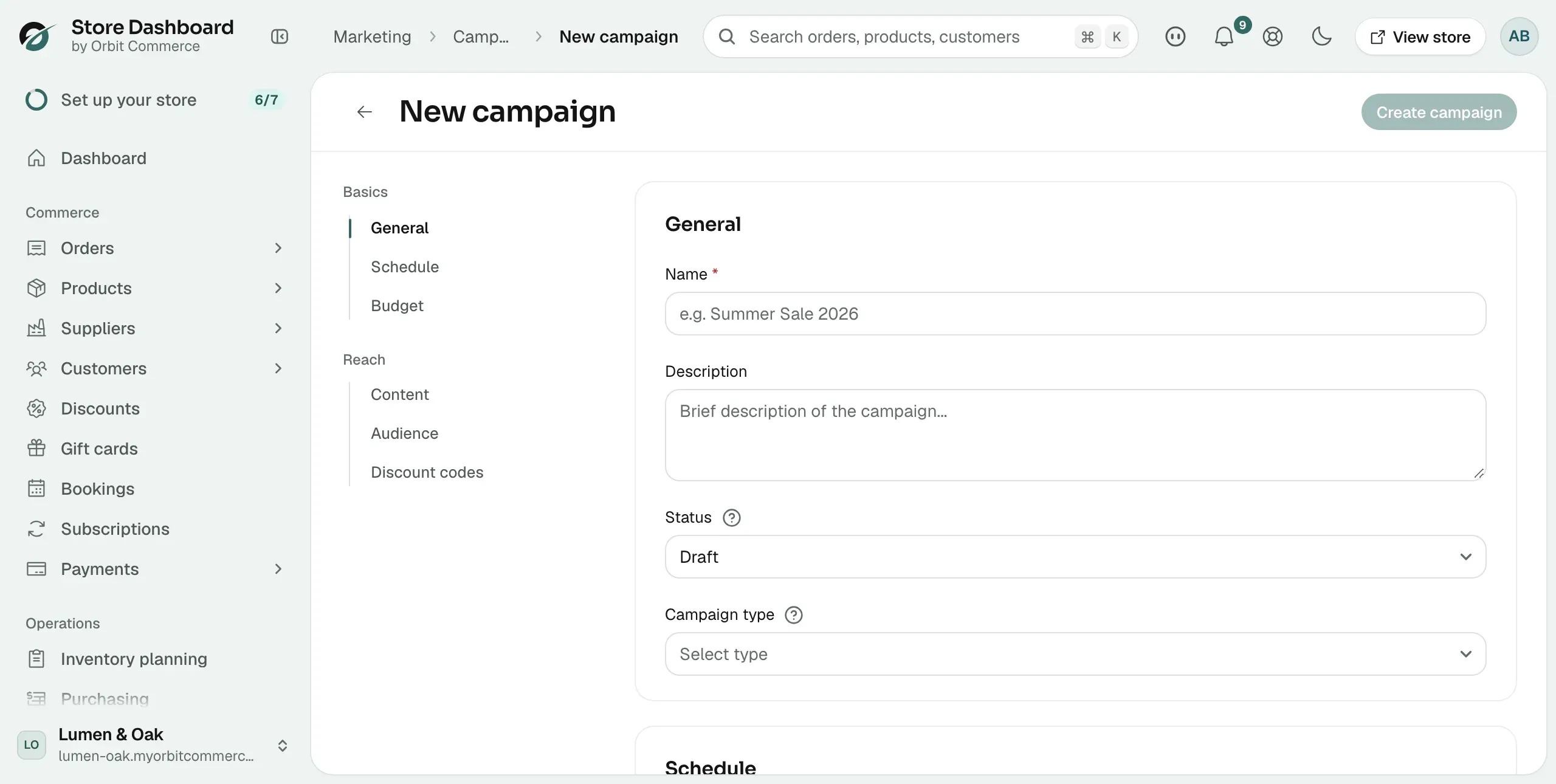
- In the General card, type a Name. Use a name you will recognise in a report months later.
- Add a Description. It shows under the name in the campaign list.
- Choose a Status. A new campaign starts as Draft.
- Choose a Campaign type. This is a label for your own records. Orbit does not act on it.
- In the list on the left, click Schedule. Set a Start date and an End date if the promotion runs to a plan.
- Under Budget, type your Planned budget. This records what you expect to spend.
- In Campaign content, you can store a Subject line and Campaign copy. Orbit keeps them as notes.
- Click Create campaign at the top right. The campaign is saved and opens for editing.
Link discount codes to a campaign
- From your Orbit dashboard, go to Marketing, then Campaigns.
- Click the campaign you want to work on.
- In the list on the left, click Discount codes.
- Click the Search discount codes... box. Your codes appear straight away, so you do not have to type.
- Click a code. It becomes a chip under the box, with its value next to it.
- Repeat for every code this campaign should report on.
- Click Save in the bar at the bottom right. The message Campaign updated appears.
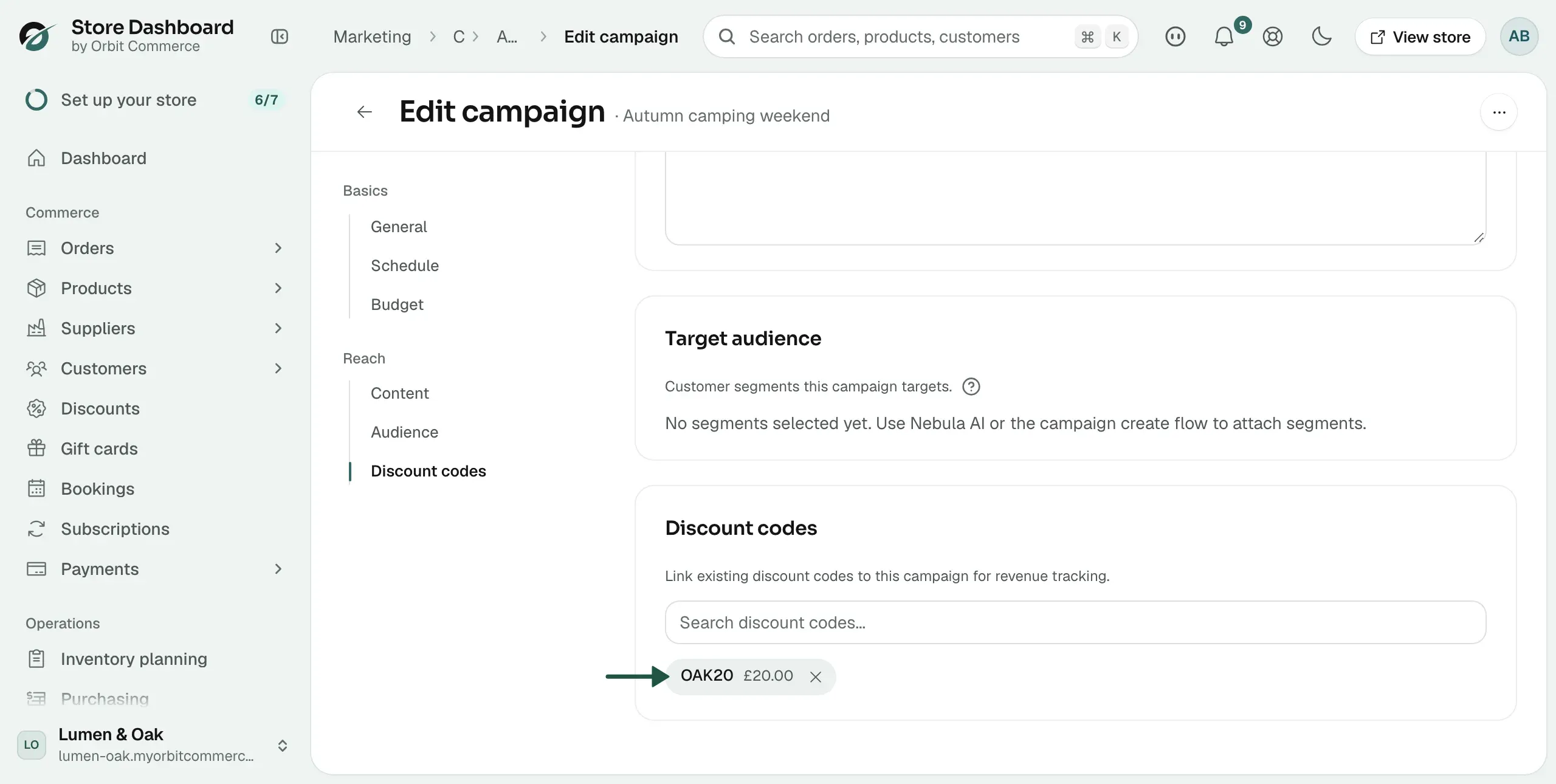
Warning: A code can sit on one campaign only. If you link a code that is already on another campaign, Orbit moves it, and the old campaign stops counting its revenue.
Cards on the campaign page
Both the new campaign form and an existing campaign have the same six cards. Use the list on the left to jump between them.
- General: Name, Description, Status and Campaign type.
- Schedule: the Start date and End date.
- Budget: the Planned budget you expect to spend.
- Campaign content: a Subject line and Campaign copy, stored as notes.
- Target audience: customer segments attached by Nebula AI. There is no picker here.
- Discount codes: the codes whose revenue this campaign reports.
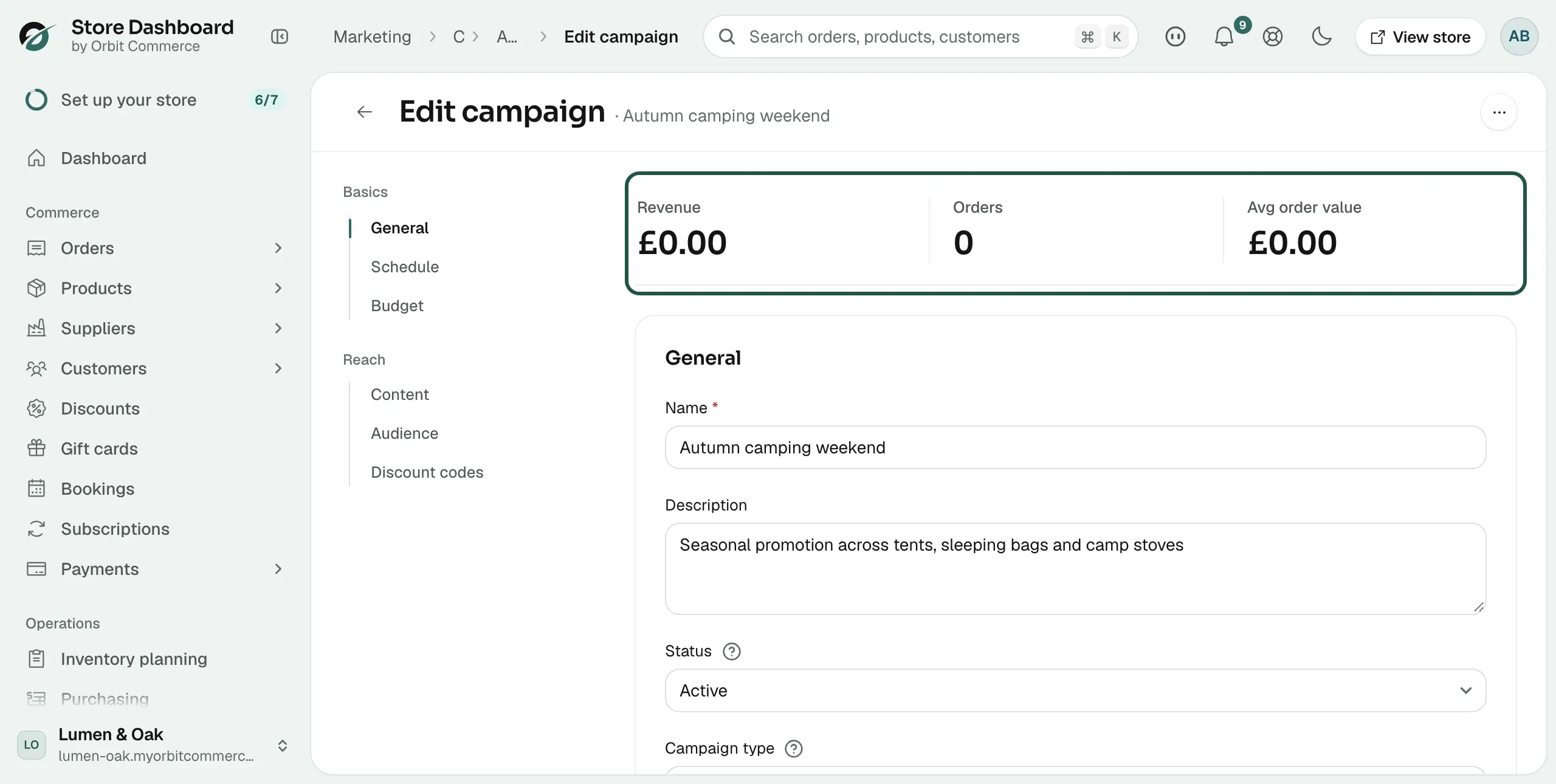
An existing campaign also shows three figures above the cards: Revenue, Orders and Avg order value. They are worked out from orders placed with the linked codes.
Campaign statuses
- Draft: the campaign is being prepared. This is the starting status.
- Active: the campaign is running.
- Paused: the campaign is on hold.
- Completed: the campaign has ended.
The status is yours to set. It does not turn discount codes on or off. Each code has its own dates and limits.
Find a campaign in the list
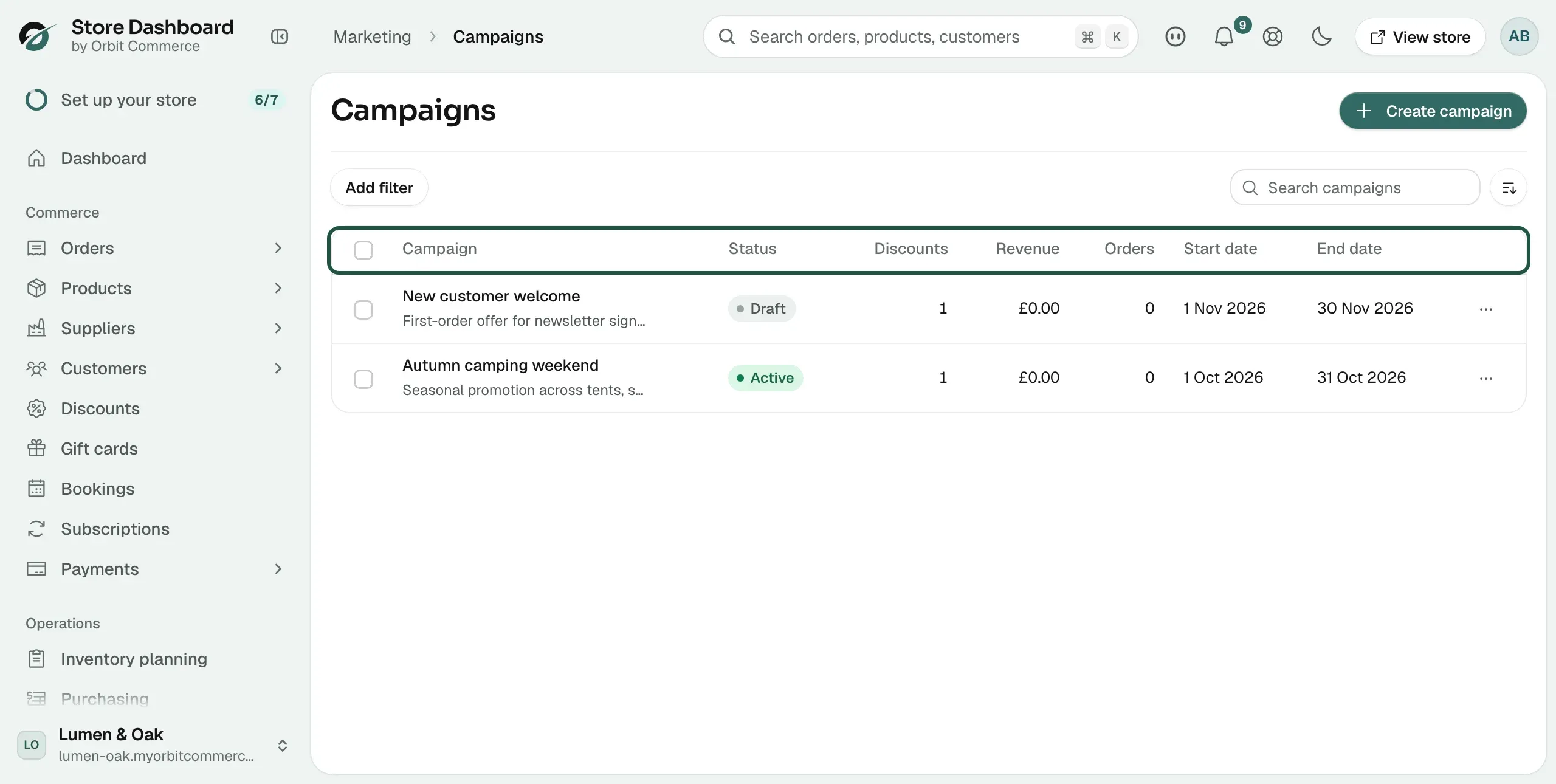
The Campaigns page lists every campaign you have, 50 to a page. Each row shows Campaign, Status, Discounts, Revenue, Orders, Start date and End date.
- Type in the Search campaigns box to find one by name.
- Click Add filter, then Status, to show only one status.
- Use the sort button next to the search box to sort by Created, Name or Start date.
Delete campaigns
- From your Orbit dashboard, go to Marketing, then Campaigns.
- Tick the box next to each campaign you want to remove.
- Click Delete, then confirm.
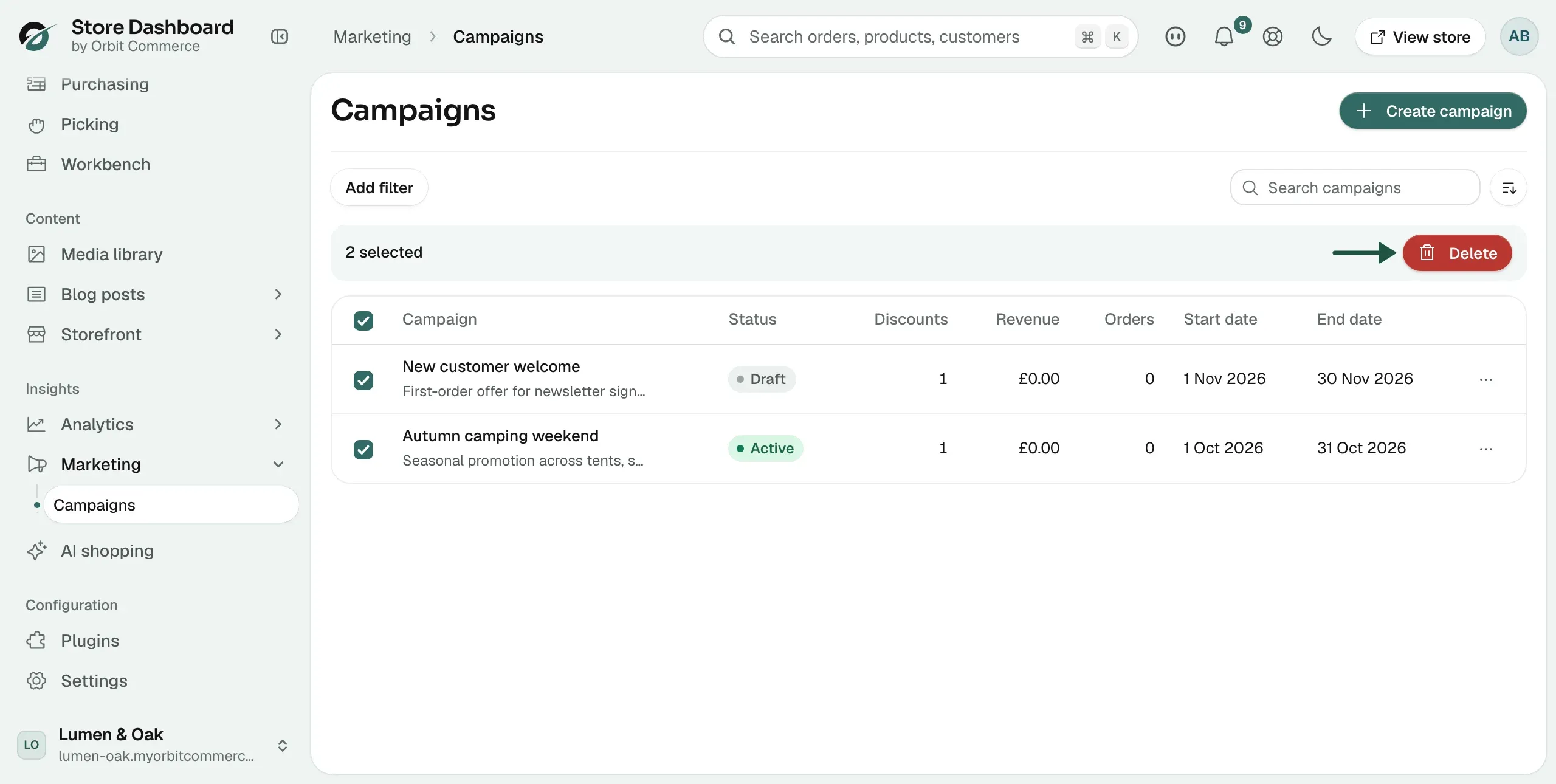
Deleting a campaign unlinks its discount codes. The codes themselves stay in your store. To delete one campaign from its own page, click the … button at the top right, then Delete campaign.
Related guides
Was this helpful?
0 people found this helpful